-
How to make partition read-write
I have a separate D: drive that I need to save some C: drive files to, before using the Win XP boot disk. I cannot save or modify anything on this D: drive current. I have followed the following instructions with no success:
-You will need to make the drive or partition writable to be able to copy files to it. Right click on the drive or partition on the desktop. This will bring up a little menu. Select the last item in the menu, "Properties". This will open a window with four tabs. Select the third tab, "Device". There is a checkbox labeled "Read only". Make sure it is unchecked, and click on Ok. See Appendix C for a picture.
- Right click on the drive or partition icon again. If there is an item in the menu called "Unmount" select it.
- Click on the icon on the desktop for the drive or partition. This will open the explorer type window again.
- Go back to the window where you found your data you wish to recover. Select the files. Right click on them and select copy. Go back to the window we just opened for the drive or partition. Right click in the big area on the right and select paste.
After doing this, even though the Read-only checkbox is no longer checked, I still cannot add files.
Any suggestions on how I can get around this problem would be greatly appreciated. Thanks,
-
Senior Member
registered user
Re: How to make partition read-write

Originally Posted by
woodjack
I have a separate D: drive that I need to save some C: drive files to, before using the Win XP boot disk. I cannot save or modify anything on this D: drive current. I have followed the following instructions with no success:
-You will need to make the drive or partition writable to be able to copy files to it. Right click on the drive or partition on the desktop. This will bring up a little menu. Select the last item in the menu, "Properties". This will open a window with four tabs. Select the third tab, "Device". There is a checkbox labeled "Read only". Make sure it is unchecked, and click on Ok. See Appendix C for a picture.
- Right click on the drive or partition icon again. If there is an item in the menu called "Unmount" select it.
- Click on the icon on the desktop for the drive or partition. This will open the explorer type window again.
- Go back to the window where you found your data you wish to recover. Select the files. Right click on them and select copy. Go back to the window we just opened for the drive or partition. Right click in the big area on the right and select paste.
After doing this, even though the Read-only checkbox is no longer checked, I still cannot add files.
Any suggestions on how I can get around this problem would be greatly appreciated. Thanks,
hmm, try right click -> actions -> change read/write mode
-
Administrator
Site Admin-
You can remount a drive as writeable, but there's important information that you have not given us: what file system is the drive using? Common wisdom is that you should never write to an NTFS file system (and thus should not make it writeable) with Knoppix. For this reason, I split my NTFS file system on C into a smaller C and a FAT file system of D before I started using Knoppix on a then new XP system. I've never written to the C partition with Knoppix and have no plans to do so until those who know the file system drivers say that ut is safe to do so. I suggest you might not want to either.
Of course, Knoppix should be able to write to NTFS; but if there are know issues in doing so, why tempt fate?
-
I do have a NTFS, which I now understand cannot or should not be writable using Knoppix. Therefore, I found a 'windows ultimate book cd v1.1', which is a windows-based OS on cd and had a file system that allowed me to copy from c: to d:
Appreciate your help!
-
Captive NTFS?
Can someone explain what "Captive NTFS" is. We see it under "Utilities".
Thank you!
-
Administrator
Site Admin-
This topic has been moved
This topic really has nothing to do with networking, and rather than let it grow here I have moved it to the general support forum where it seems to better fit and is more likely to get more responses (maybe not better responses, but more  ). Please continue the discussion in the general support forum; I'll clean up this copy after the last poster has had time to see this.
Similar Threads
-
By kevingpo in forum General Support
Replies: 4
Last Post: 11-08-2005, 10:48 PM
-
By gbr in forum Customising & Remastering
Replies: 0
Last Post: 06-08-2005, 04:51 PM
-
By Needtoknow in forum Hdd Install / Debian / Apt
Replies: 10
Last Post: 10-22-2004, 02:27 AM
-
By Dioran in forum General Support
Replies: 1
Last Post: 11-16-2003, 08:21 PM
-
By redrat in forum Customising & Remastering
Replies: 3
Last Post: 03-12-2003, 03:19 AM
 Posting Permissions
- You may not post new threads
- You may not post replies
- You may not post attachments
- You may not edit your posts
-
Forum Rules

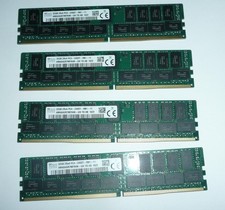
SK Hynix 128GB (4 x 32GB) PC4-2400T DDR4 ECC Server Memory HMA84GR7MFR4N-UH
$649.95
Major Brand 8 GB PC3L-12800 (DDR3-1600) 2Rx8 DDR3L Laptop Memory RAM
$10.99
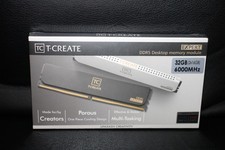
Team Group T-Create Expert RAM 32gb (2 x 16gb) 6000 Mhz DDR5 Desktop Memory Modu
$399.95
![[ BULK LOT OF 10 ] UNITS of 8GB DDR4 Laptop RAM SAMSUNG, HYNIX etc. picture](/store/img/g/IKQAAeSwEK9qv9TG/s-l225/-BULK-LOT-OF-10-UNITS-of-8GB-DDR4-Laptop-RAM-SAMSU.jpg)
[ BULK LOT OF 10 ] UNITS of 8GB DDR4 Laptop RAM SAMSUNG, HYNIX etc.
$299.99
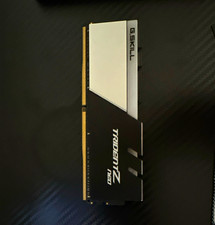
G.SKILL Trident Z Neo 16GB DDR4-3600 CL16 DIMM XMP RAM
$105.00

Corsair CMK32GX4M2B3000C15 Vengeance LPX DDR4 3000mhz Memory Kit - 32GB (2x16GB)
$164.95
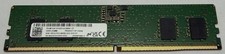
Micron MTC4C10163S1UC48BA1 8GB RAM DDR5 4800MHz
$87.00
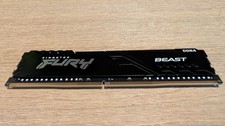
Kingston FURY Beast 32GB 3200MT/s DDR4 CL16 Desktop Memory Single Module
$219.99

LOT OF 23 Ram Sticks-Corsair Vengeance CMZ8GX3M2A1600C9 4GB (4GBx23=92GB Total)
$129.99
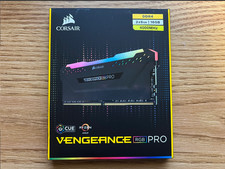
Corsair Vengeance RGB Pro 16GB (2x8GB) RAM DDR4 4000MHz
$170.00



 Reply With Quote