-
Junior Member
registered user
cheatcode: home=xxx
Could someone explain how to use the cheatcode "home=xxx"?
There are three type of "home=xxx":
1. home=scan
Will it scan type 2 and type 3?
2. home=/dev/hda1/knoppix.img
Is that the file knoppix.img will be stored under C:\ (suppose C:\ is /dev/hda)? If /dev/hda1 is NTFS format, will this cheatcode also Okey? Or the partition /dev/hda1 must be vfat or ext2?
3. home=/dev/hda1
Will Knoppix use the entire partition /dev/hda1 as the home directory? If so, will the files be stored under /dev/hda1 without compression? What format of the partition /dev/hda1 will it support? Does it support NTFS?
Thanks very much for your help. Maybe it is a stupid question, but I really want to know and need your help.
-
Senior Member
registered user
Re: cheatcode: home=xxx

Originally Posted by
wslkevin
1. home=scan
Will it scan type 2 and type 3?
Yes, as well as vfat and reiserfs (and fat too, I think).
Originally Posted by
wslkevin
2. home=/dev/hda1/knoppix.img
Is that the file knoppix.img will be stored under C:\ (suppose C:\ is /dev/hda)?
Yes, as long as C: isn't formatted as NTFS. You could stick it in folder C:\abc\xyz and specify "home=/hda1/abc/xyz/knoppix.img". Or you could save it on your USB thumbdrive and specify "home=/dev/sda1" or "home=/dev/sda1/knoppix.img".
Originally Posted by
wslkevin
If /dev/hda1 is NTFS format, will this cheatcode also Okey? Or the partition /dev/hda1 must be vfat or ext2?
No, you can't load a persistent home from NTFS. vfat, ext2, ext3, and reiserfs are fine (probably fat, too).
Originally Posted by
wslkevin
3. home=/dev/hda1
Will Knoppix use the entire partition /dev/hda1 as the home directory?
Yes.
Originally Posted by
wslkevin
If so, will the files be stored under /dev/hda1 without compression?
Yes.
Originally Posted by
wslkevin
What format of the partition /dev/hda1 will it support? Does it support NTFS?
This is a guess: It most likely has to be a Linux-native file system, like ext2 or ext3 or reiserfs. (How could it use vfat when vfat has no way to store permission and symlink data, for example?) No, it doesn't support NTFS.
(Common thread here: Knoppix will not save a persistent home loopback image on, or read a persistent home image from, NTFS.)
Play with it! You'll see what does and doesn't work.
-
Junior Member
registered user
Thank you very much for your kindly reply.
Because my notebook doesn't have a floppy and CD-Rom, I am waiting for the solution of booting up KNOPPIX from ISO-image by using GRUB. That's why I can't test it by myself.
I have one more question on the persistent home loopback image KNOPPIX.img. What's the format of the file KNOPPIX.img? Is it possible to extract files from it by using WinImage or explore2fs under MS Windows?
Thank you very much in advance.
-
Senior Member
registered user
Originally Posted by
wslkevin
Thank you very much for your kindly reply.
Because my notebook doesn't have a floppy and CD-Rom, I am waiting for the solution of booting up KNOPPIX from ISO-image by using GRUB. That's why I can't test it by myself.
I have one more question on the persistent home loopback image KNOPPIX.img. What's the format of the file KNOPPIX.img? Is it possible to extract files from it by using WinImage or explore2fs under MS Windows?
Thank you very much in advance.
Knoppix.img is ext2 formated. But you would have to mount it somehow to view it with explore2fs
-
Senior Member
registered user
The explore2fs web site has a pretty good explanation of how to create a file and format it as ext2, which is evidently what Knoppix does.
If you've got it on a USB thumbdrive or similar, all you have to do is File | Open it with explore2fs.
AFAIK WinImage doesn't "understand" ext2 and won't open it.
-
Senior Member
registered user
Originally Posted by
eco2geek
The explore2fs web site has a pretty good explanation of
how to create a file and format it as ext2, which is evidently what Knoppix does.
If you've got it on a USB thumbdrive or similar, all you have to do is File | Open it with explore2fs.
AFAIK WinImage doesn't "understand" ext2 and won't open it.
It can open images?
Alright, I could find that options (Not that I looked that hard ether)
-
Junior Member
registered user
Thank you, firebyrd10 and eco2geek.
Now I have a clear mind about the cheatcode home=xxx, and I do't need to worry about it will mess up my system or "kill" my partition any more.
-
Senior Member
registered user
Originally Posted by
wslkevin
Because my notebook doesn't have a floppy and CD-Rom, I am waiting for the solution of booting up KNOPPIX from ISO-image by using GRUB. That's why I can't test it by myself.
Maybe this might help in this situation
Check it out on
http://unit.aist.go.jp/it/knoppix/win/index-en.html
----------------------------------------------------------------
Free Software,Free Speech ,Free Society
http://bhavesh.freeshell.org
------------------------------------------------------------------
-
Senior Member
registered user
Re: cheatcode: home=xxx
Originally Posted by
eco2geek
Originally Posted by
wslkevin
1. home=scan
Will it scan type 2 and type 3?
Yes, as well as vfat and reiserfs (and fat too, I think).
Originally Posted by
wslkevin
2. home=/dev/hda1/knoppix.img
Is that the file knoppix.img will be stored under C:\ (suppose C:\ is /dev/hda)?
Yes, as long as C: isn't formatted as NTFS. You could stick it in folder C:\abc\xyz and specify "home=/hda1/abc/xyz/knoppix.img". Or you could save it on your USB thumbdrive and specify "home=/dev/sda1" or "home=/dev/sda1/knoppix.img".
Originally Posted by
wslkevin
If /dev/hda1 is NTFS format, will this cheatcode also Okey? Or the partition /dev/hda1 must be vfat or ext2?
No, you can't load a persistent home from NTFS. vfat, ext2, ext3, and reiserfs are fine (probably fat, too).
Originally Posted by
wslkevin
3. home=/dev/hda1
Will Knoppix use the entire partition /dev/hda1 as the home directory?
Yes.
Originally Posted by
wslkevin
If so, will the files be stored under /dev/hda1 without compression?
Yes.
Originally Posted by
wslkevin
What format of the partition /dev/hda1 will it support? Does it support NTFS?
This is a guess: It most likely has to be a Linux-native file system, like ext2 or ext3 or reiserfs. (How could it use vfat when vfat has no way to store permission and symlink data, for example?) No, it doesn't support NTFS.
(Common thread here: Knoppix will not save a persistent home loopback image on, or read a persistent home image from, NTFS.)
Play with it! You'll see what does and doesn't work.
This is not entirely correct. The 'home=" bootcode doesn't create a persistent home, it only tells knoppix where to look for one. The persistent home is always a file 'knoppix.img' (maybe not if it is using the entire directory) and it is created by running the configuration script while running knoppix, at that time you can specify whether to use the whole directory or just a part of it and how big you want it to be.
You can put a persistent home on a vfat partition, knoppix protests a bit because it doesn't think vfat is a reliable enough format but then it goes ahead & mounts the PH on a loopback device & it works OK.
If you are using a toHD (poormans) install you cannot put the persistent home on the same partiton as the toHD install is on.
Similar Threads
-
By Kowood in forum General Support
Replies: 1
Last Post: 09-13-2005, 09:08 AM
-
By goyishekop in forum General Support
Replies: 0
Last Post: 06-06-2005, 05:14 PM
-
By xeerex in forum General Support
Replies: 1
Last Post: 06-01-2003, 10:37 PM
-
By kbreen in forum Customising & Remastering
Replies: 0
Last Post: 02-17-2003, 02:03 PM
-
Replies: 1
Last Post: 02-02-2003, 03:27 PM
 Posting Permissions
- You may not post new threads
- You may not post replies
- You may not post attachments
- You may not edit your posts
-
Forum Rules


NEW Kingston 8GB DDR4 2666MHz Desktop RAM KCP426NS8/8 PC4-21300
$26.00

DDR4 Laptop RAM 4GB 8GB 16GB 32GB 2400 2666 3200 Samsung Hynix
$66.00

RAMAXEL Lenovo 32GB LPDDR5X CAMM2 7500MHz Laptop RAM | UNTESTED
$445.00

Crucial DDR3L 16GB 2 x 8GB 1600 MHz PC3L-12800 Laptop RAM Sodimm Memory 1.35V
$41.00

A-Tech 8GB DDR3 1600 PC3-12800 Laptop SODIMM 204-Pin Memory RAM PC3L DDR3L 1x 8G
$21.68
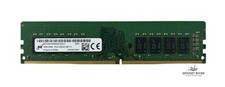
Micron MTA16ATF2G64AZ-3G2J1 16GB 2Rx8 PC4-3200AA DDR4 Desktop RAM Memory
$70.00

Major Brand 16GB (2x8GB) PC3-12800U DDR3-1600MHz DDR3-12800 DESKTOP RAM NON-ECC
$29.99

G.Skill Ripjaws V F4-3200C16D-16GVKB 16GB (2x8GB) DDR4 Desktop RAM 3200MHz
$64.99

Samsung 16GB DDR4 2666MHz PC4-21300 SODIMM RAM M471A2K43CB1-CTD Tested Working
$70.99

Kingston RAM 128MB DDR SDRAM PC-2100 184-Pin DIMM KVR266X64C25/128 (LOT OF 2)
$42.50



 Reply With Quote