-
Just installed, need some help.
I had a friends computer who wouldn't boot, so someone on IRC had suggested using knoppix to boot into the system and recover some very important files. I have been a windows user all my life so this is my first experience with linux. I have two problems: one, when I try burning CDs, it keeps giving me the same errors about the buffer, even when burning at 1x. Other times it gives me a general error.
#2, as a direct result from 1, how can I access my USB thumb drive on Knoppix. Being unfamiliar with the interface, I can only see the floppy and my main harddrive partition. Where would I go to access the USB drive?
Thanks,
Hamid.
-
Re: Just installed, need some help.

Originally Posted by
Harami
I had a friends computer who wouldn't boot, so someone on IRC had suggested using knoppix to boot into the system and recover some very important files. I have been a windows user all my life so this is my first experience with linux. I have two problems: one, when I try burning CDs, it keeps giving me the same errors about the buffer, even when burning at 1x. Other times it gives me a general error.
#2, as a direct result from 1, how can I access my USB thumb drive on Knoppix. Being unfamiliar with the interface, I can only see the floppy and my main harddrive partition. Where would I go to access the USB drive?
Thanks,
Hamid.
-
Re: Just installed, need some help.
Same exact problems - Please someone help - I have some very important files that i need to recover ASAP, THANKS!!
Originally Posted by
jordan
Originally Posted by
Harami
I had a friends computer who wouldn't boot, so someone on IRC had suggested using knoppix to boot into the system and recover some very important files. I have been a windows user all my life so this is my first experience with linux. I have two problems: one, when I try burning CDs, it keeps giving me the same errors about the buffer, even when burning at 1x. Other times it gives me a general error.
#2, as a direct result from 1, how can I access my USB thumb drive on Knoppix. Being unfamiliar with the interface, I can only see the floppy and my main harddrive partition. Where would I go to access the USB drive?
Thanks,
Hamid.
-
Do you have to have the CD all the time when you want to run the operating system, or can I remove it to burn the cd? If thats the case, then I might as well install it onto the harddrive and burn the cd then reformat into a windows operating system, as the computer is not mine. I could also setup an ftp on Knoppix and upload the files there. Anyone have any ideas regarding that?
-
Senior Member
registered user
Knoppix is set up to add an icon to the desktop when you plug in a USB thumbdrive (Or any usb storage device).
What program are yo useing to burn? ALso how fragmented is your hardrive, you might want to do a defrag.
Otherwise I can't see any reason why you would get a buffer underrun at 1x
-
Hi Firebyrd-
I read your reply about what Knoppix is set up to do - but it does not do anything when I plug in my USB storage device. I have tried two different devices and nothing - they both work in my other machine (Windows OS)
What must I do so it is recognized - I really need some help on this!!
Jordan
-
Senior Member
registered user
Originally Posted by
jordan
Hi Firebyrd-
I read your reply about what Knoppix is set up to do - but it does not do anything when I plug in my USB storage device. I have tried two different devices and nothing - they both work in my other machine (Windows OS)
What must I do so it is recognized - I really need some help on this!!
Jordan
Do you get any lsmod erroes on start up?
Try typing knoppix testcd at the boot prompt and see what comes up. Also what type of Drive is it? When I plug mine in, knoppix pops up and icon on to my desktop.
-
Hi Firebyrd -
When it comes to Windows, I'm pretty good - but with Knoppix it really is foreign to me - even the instructions you've described.
I finally got the Knoppix e-mail program working so I am e-mailing myself those files as attachments - it's the long way around, but it is working. I can re-format my drive after I've finished recovering my files and start my machine from scratch.
I appreciate your time and efforts!!
Have a good night - (I'm in the Eastern U.S.)
Jordan
Similar Threads
-
By codeforge in forum Hdd Install / Debian / Apt
Replies: 2
Last Post: 10-21-2005, 10:25 AM
-
By bcalder in forum Hdd Install / Debian / Apt
Replies: 0
Last Post: 01-06-2005, 03:57 PM
-
By rniles in forum Hdd Install / Debian / Apt
Replies: 1
Last Post: 12-19-2004, 09:05 PM
-
By philipx in forum General Support
Replies: 2
Last Post: 08-04-2004, 06:03 AM
-
By waynejkruse10 in forum Hdd Install / Debian / Apt
Replies: 2
Last Post: 10-24-2003, 10:25 PM
 Posting Permissions
- You may not post new threads
- You may not post replies
- You may not post attachments
- You may not edit your posts
-
Forum Rules


Intel Core i7-3770K 3.5 GHz Processor
$39.00
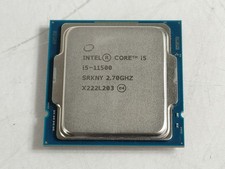
Intel Core i5-11500 2.70 GHz LGA 1200 Desktop CPU Processor SRKNY
$94.99

Corsair RM750e 750W Fully Modular 80 Plus Gold ATX 3.1 PSU Certified Refurbished
$44.99

PS5 Over Heating Problem Solver 1.5 Grams Liquid metal thermal paste CPU, GPU
$15.99
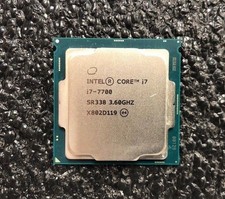
Intel Core i7-7700 Kaby Lake Quad-Core 3.6 GHz Processor LGA 1151
$39.99

Intel 4th Gen Core i7-4790 SR1QF 3.60GHz (Turbo 4.00GHz) 8M 4-Core LGA-1150 CPU
$39.99

Intel i7-8700 Coffee Lake 3.2GHz 6-Core Max Turbo 4.6GHz Processor
$69.99

Intel Core i7-7700T 2.9GHz 8MB Socket LGA1151 Quad Core Processor SR339
$39.99

GAMING COMBO: ASUS Prime H470M-PLUS MOTHERBOARD + i5-10600KF CPU + 16GB DDR4
$229.95
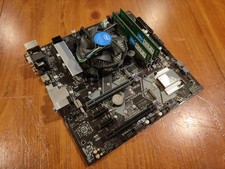
COMBO: ASUS Prime H370M-PLUS MOTHERBOARD + i5-9400F CPU /w Heatsink + 16GB DDR4
$169.95



 Reply With Quote