

 Reply With Quote
knoppix testcd as boot option.


When I installed Knoppix 3.3, I booted with screen = (my res) and then installed from the knoppix CD. Now, when I go to KDE Control Center, there is a large x over "display" where there should be a monitor icon. My screen looks great at 1024 x 768, but I am curios on how to restore the funtionality of this particular item. I basically boot from BootMagic, then lilo is installed to the linux partition, so I am not sure how to change the shell. I am a KDE user and can use the console as a SU if someone is specific on what I need to change or install. My card is an ATi radeon 7200.
Knoppix 3.6 would not hard install for some reason, but that is really easy to use with configuring my display.
knoppix testcd as boot option.
How would I go about adding a boot option? I assume this is necessary to be in root.
At the boot screen just type the options.Originally Posted by maestrobwh1
 Posting Permissions


(New) AMD Ryzen 7 5700X 8 Core 16 Thread AM4 Unlocked 3.4 GHz CPU OEM Tray
$174.99

AMD Ryzen 7 PRO 8700GE 8-Core/16-Thread Up to 5.1GHz AM5 (FL1)
$189.00

SGIN 17.3" Laptop Intel Quad-Core Up to 2.4 GHZ 8GB RAM 256GB SSD HD
$229.99

Dell OptiPlex 5070 SFF i7-9700 (8-Core) 3.0GHz 16GB 256 SSD Windows 11
$250.00

AMD Ryzen 7 9800X3D 8-Core 16-Thread AM5 Zen 5 Desktop Processor NEW
$399.00
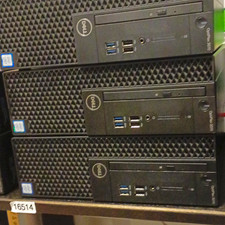
Dell OptiPlex 3070 SFF Desktop Intel Core i3 9th gen 8gb RAM 128gb NVMe win11pro
$79.99

Apple Macbook Pro 13" M1 8-Core 16GB 512GB - Good
$464.99

AMD Ryzen Threadripper PRO 3945WX 12-Core 4.0GHz sWRX8 CPU NEW Tray Unlocked
$79.99

Home Assistant Server | 8GB RAM | 128GB SSD | Intel i5 Quad-Core | Dell OptiPlex
$159.99
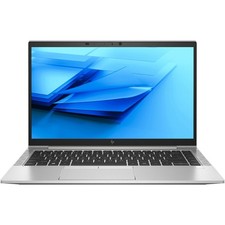
HP EliteBook 840 G8 Laptop 14” FHD Core i5 16GB RAM 256GB SSD Windows 11 Pro
$299.99