

 Reply With Quote
knoppix testcd as boot option.


When I installed Knoppix 3.3, I booted with screen = (my res) and then installed from the knoppix CD. Now, when I go to KDE Control Center, there is a large x over "display" where there should be a monitor icon. My screen looks great at 1024 x 768, but I am curios on how to restore the funtionality of this particular item. I basically boot from BootMagic, then lilo is installed to the linux partition, so I am not sure how to change the shell. I am a KDE user and can use the console as a SU if someone is specific on what I need to change or install. My card is an ATi radeon 7200.
Knoppix 3.6 would not hard install for some reason, but that is really easy to use with configuring my display.
knoppix testcd as boot option.
How would I go about adding a boot option? I assume this is necessary to be in root.
At the boot screen just type the options.Originally Posted by maestrobwh1
 Posting Permissions


OPNsense pfSense 8-Core Atom C3758 2.2GHz 8GB DDR4 64GB SSD 8x NIC QAT AES VPN
$115.00

Microsoft SQL Server 2019 Enterprise 40 Core Unlimited CAL Retail License FPP
$299.00

OPNsense Firewall VPN QAT 8-Core Atom C3758 2.20GHz 16GB DDR4 128GB SSD 8xNIC
$175.00

Novell SUSE Linux Enterprise Server 9, Linux Professional 8.2 / 9.1 — 3 DVD Set
$58.00

Ubuntu Server 26.04.1 LTS Bootable USB Flash Drive – Latest September 2026
$12.99

Start9 Server Pure 32GB 4TB Intel i7 Node StartOS — Box + PSU
$649.00

All New Ubuntu 26.04 LTS Linux Bootable USB Flash Drive
$15.95

ZimaBoard 2 1664 Home Server 16GB
$350.00
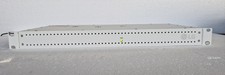
LG PCS200S Pro:Centric Server Hospitality TV Management System 1U Rackmount
$350.00

Linux 5.2 The Complete Redhat Operating System Deluxe Secure Server 3 CD Book
$37.49