-
Senior Member
registered user
Things for you to look at:
0) To configure, best is only your pc connected to router. Pull out other pc cable connected to that router.
1) your cat5 cable, where it should go. From nic, it should go to num 1...4, from dsl/cable should go to wan. Try using different cable.
2) led on your router(link/act), if well connected from nic and router the led should turn green or continous lit.
3) nic, is it detected, the light is on. See at the back of nic.
4) check your browser not to use proxy. Clear all cache. Never dial a connection is set if you use IE.
5) The default ip is : 192.168.1.1 unless been changed by someone. If changed or you don't know, you can reset it to default factory. There should be a reset button. Sometimes you need to switch off and on after you did this.
Similar Threads
-
By Legless_Marine in forum General Support
Replies: 0
Last Post: 10-05-2005, 04:13 AM
-
By arifsaha in forum Other Live CDs
Replies: 0
Last Post: 09-16-2005, 09:40 PM
-
By nishtya in forum Networking
Replies: 11
Last Post: 10-26-2004, 12:33 AM
-
By A. Jorge Garcia in forum General Support
Replies: 4
Last Post: 11-22-2003, 01:02 AM
-
By bongski55 in forum Hdd Install / Debian / Apt
Replies: 6
Last Post: 09-06-2003, 05:58 AM
 Posting Permissions
- You may not post new threads
- You may not post replies
- You may not post attachments
- You may not edit your posts
-
Forum Rules


16GB KIT (2x8GB) DDR3 Gamer Desktop RAM PC3 MIXED BRANDS VIPER VENGEANCE FURY
$10.00

Netac DDR4 32GB 16GB DDR4 3200MHz UDIMM C16 Desktop Internal Memory RAM Kit
$99.99
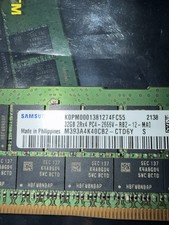
Samsung 128GB (4x32GB) DDR4 PC4-2666V ECC Server RAM 288-Pin M393A4K40CB2-CTD6Y
$699.99

Major Brand 16GB (2x8GB) PC3-12800U DDR3-1600MHz DDR3-12800 DESKTOP RAM NON-ECC
$29.99

A-Tech 8GB DDR3 1600 PC3-12800 Laptop SODIMM 204-Pin Memory RAM PC3L DDR3L 1x 8G
$21.68

DDR4 Laptop RAM 4GB 8GB 16GB 32GB 2400 2666 3200 Samsung Hynix
$66.00

G.SKILL FLARE X5 64GB (2 x 32GB) 6000 MT/s DDR5 (AMD EXPO + INTEL XMP) *CL30*
$785.00

RAMAXEL Lenovo 32GB LPDDR5X CAMM2 7500MHz Laptop RAM | UNTESTED
$445.00
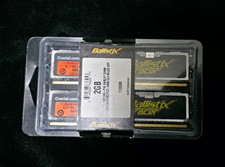
Crucial Ballistix Tracer 2GB (2x1GB) DDR2-800 PC2-6400 240-Pin DIMM
$145.00

Dell 16GB PC4-21300 (DDR4-2666) Memory (SNPPWR5TC16G)
$89.99



 Reply With Quote