

 Reply With Quote
Very Good Idea!
And good to combine with a splash-screen .. looks more professional.


Hi all,
there are some situations when not one single word should appear on the screen during the boot process.
Instead, all output would be redirected to a logfile and only in case of an error during the boot, the error message would be displayed.
These is a number of reasons why this is useful:
* Public computers. (In appliances/kiosk terminals, I don't want people to see any boot messages at all, they even shouldn't see that we run a flavor of Knoppix.)
* Personal taste. (I don't like colored text messages - looks like in a kindergarten.)
* To allow for esoteric things like video during boot. (Don't laugh: I have a setup that shows a little IBM Linux advertising video clip instead of a boot screen, but the mplayer video gets disturbed by the green hardware detection progress bar.)
(I know that there is the "splash" cheatcode, but even with that some text is on the screen during boot. The splash simply overlays the text. In contrast, the silentboot cheatcode would prevent 100% of text messages from appearing on the screen, if no error happens.)
edit: see below for the solution - it works almost perfect in Knoppix and absolutely perfect in Kanotix.
Very Good Idea!
And good to combine with a splash-screen .. looks more professional.
A good idea as long as optional, but not a jota professional!
Professional marketing - yes:
Make the user think it's not engineering, but magic.
Hide eventual errors.
Replace kindergarden with cinema
I guess the idea is very good, for those who need or like such a thing.
But I don't accept to call it 'professional'.
In contrast, the windows-booting with progress-bars, and no message showing what's going on is very unprofessional in my eyes - only eyecandy and as such kind of the OS-flavor.
It works!
Here is my grub configuration:
This disables all but error messages upon boot. Best of all, you can still see them by pressing Ctrl-Alt-F12. And in KANOTIX BH8, there is also the tux logo disabled by default. Looks great and is exactly what I wanted. (I use it with my personalized splash.sh script).Code:kernel (hd0,2)/KNOPPIX/(...) console=tty12 silent quiet splash
probono
So how can this be used with knoppix 3.X. Will this be integrated in the next version?
Try adding console=tty12 to your cheat codes.Originally Posted by veuf
Greetings,
probono
 Posting Permissions


OPNsense pfSense 8-Core Atom C3758 2.2GHz 8GB DDR4 64GB SSD 8x NIC QAT AES VPN
$145.00

pfSense Firewall 16-Core Atom C3958 8GB DDR4 RAM 64GB SSD 8x 1Gbe QAT AES-NI VPN
$184.99

OPNsense pfSense 16-Core Atom C3958 16GB ECC RAM 512GB SSD 8-Port QAT AES-NI VPN
$298.00

NETGEAR ProSafe 8-Port Gigabit VPN Firewall FVS318G NEW IN BOX
$69.99

Firewalla Gold Pro - 10 Gbps Cyber Security Firewall
$610.00

Fortinet FortiGate 60F FG-60F P24286-03-13 Network Firewall Security Appliance
$155.75

Palo Alto PA-220 Next-Gen Firewall 520-000309-00J
$40.00
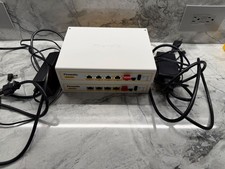
TWO (2) Firewalla Gold Pro Devices - 10 Gbps Cyber Security Firewall
$1111.00

SonicWall TZ280 Firewall 03-SSC-6933 Advanced Edition 3YR NEW SEALED
$999.99

Zero Trace Pen: All-in-one Tor Network Anonymous Drive + Cryptocurrency Wallet
$147.00