

 Reply With Quote
knoppix testcd as boot option.


When I installed Knoppix 3.3, I booted with screen = (my res) and then installed from the knoppix CD. Now, when I go to KDE Control Center, there is a large x over "display" where there should be a monitor icon. My screen looks great at 1024 x 768, but I am curios on how to restore the funtionality of this particular item. I basically boot from BootMagic, then lilo is installed to the linux partition, so I am not sure how to change the shell. I am a KDE user and can use the console as a SU if someone is specific on what I need to change or install. My card is an ATi radeon 7200.
Knoppix 3.6 would not hard install for some reason, but that is really easy to use with configuring my display.
knoppix testcd as boot option.
How would I go about adding a boot option? I assume this is necessary to be in root.
At the boot screen just type the options.Originally Posted by maestrobwh1
 Posting Permissions


USB 3.0 Flash Drive 32GB 64GB 128GB Memory Stick Thumb Stick Lot Pack
$826.09

TF/SD Card Adapter Camera Reader Android Type-c For iPhone17 Pro Max Plusm lot
$573.98
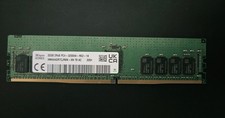
SK hynix 32GB PC4-25600 DDR4-3200 Memory - HMAA4GR7AJR8N-XN
$189.99
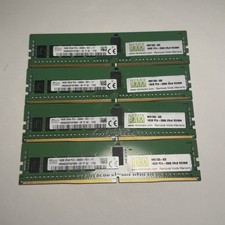
Lot of 4 16GB SK Hynix HMA82GR7AFR8N-VK 2RX8 DDR4 PC4-2666V RDIMM Server Memory
$374.99
4 x Micron 64GB 4DRX4 PC4-2666V-LE2-11 MTA72ASS8G72LZ (1829) Server RAM
$850.00
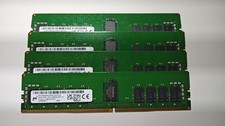
128GB Kit Micron 32GB Modules 3200MHz PC4-3200AA 2Rx8 ECC Registered RAM Memory
$1250.00

Kingston 32GB 64GB 128GB 256GB USB 3.0 Flash Drive Thumb Memory Stick Pen lot
$285.90

Intel Optane NMA1XXD128GPS DDR4 2666 4Rx4 ECC 128GB Server Ram
$80.00
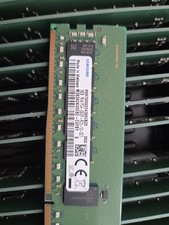
Lot Of 4 NEW SAMSUNG 16GB PC4-2933Y-RC2-12-DC1 Memory
$299.00

Wholesale 5/10/100PCS 1GB 2GB 4GB 8GB 16GB 32GB USB 2.0 Flash Drive Memory Stick
$378.00