

 Reply With Quote
An external modem should be easier to comfigure especially for knoppix from cd. I've used USR/3Com and Zoom external modems. Most current pci hardware modems run on a nonstandard serial port.
rock


I understand that linux requires a hardware controled modem.
I also have already found several lists of modems that work. But they just list as yes/no.
Since I am going to have to buy a new modem I would realy like some personal biased oppinions on what the best dial-up modem is. What have you used with success, what brands would you avoid? Is there any real advantage to using an external over a harware controlled PCI modem?
THanks.
An external modem should be easier to comfigure especially for knoppix from cd. I've used USR/3Com and Zoom external modems. Most current pci hardware modems run on a nonstandard serial port.
rock
If you are out in the rural part of the country & using dial up, I suggest getting on old external MultiTech modem. My internal Win 56k modem never connects above 38,400. It is a 56k modem. The MultiTech I'm using is a MT2834ZDXb which has 33k connect capabilities. It is an external modem & is on the 1st serial port (/dev/ttys0) Remember real computer people start counting with 0! I suppose an external 56k modem would be faster. Remember most of the older modems have a 25pin female connector, so you will probably need a 25 pin male to 9 pin female cable.
Hobby_1
if anybody is following this, I decided on a Creative labs modemblatser external 56k v.92 serial modem. not because of any special features, but jut because BestBuy had onein an open box at a decent discount. It works great. i used kPPP and was online in a matter of minutes. Thanks for the help. i'm realy glad i decided to go external.
I'm brand new to Knoppix, just tried it last night.
Do I understand that using my internal device will not work? No moden was auto detected.
tnx
redcat
tip 01
Avoid USB external dial-up modems. - especially Olitec - no drivers available!
I use an older COM1 36kB olitec with kppp = ttyso under linux
Works just fine.
tip 02 avoid Internal PCI or Plug-in or WinModems - they are NOT supported and will NOT work.

That's just not true. Internal PCI controller-based modems should work--they'll just appear as ordinary serial ports. While it's possible to make some controllerless or soft modems work, you're much better off using a "real" modem if that's an option. As I've stated elsewhere in the forums, controller-based internal -or- external serial (not USB) modems are your best choice for desktop machines. For laptops with built-in modems, the effort required to obtain proprietary drivers may be justifiable.Originally Posted by ozfrog
 Posting Permissions


Intel Core i7-3770K 3.5 GHz Processor
$39.00
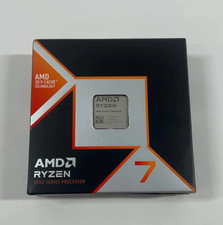
AMD Ryzen 7 9800X3D - Ryzen 7 9000 Series Zen 5 8-Core 4.7 GHz - Socket AM5
$375.00

INTEL CORE I9-10940X X-SERIES PROCESSOR | 3.30GHZ | SRGSH
$179.99

Intel Core i7-9700 3.0 GHz Octo-Core (SRG13) Processor
$79.00

Intel Xeon E3-1230 v3 SR153 3.3GHz Quad Core LGA 1150 CPU Processor
$14.49
$295.00
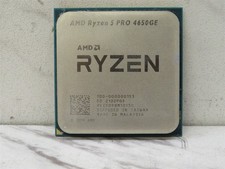
AMD Ryzen 5 PRO 4650GE 3.3GHz 6-Core 12-Thread AM4 Desktop CPU Processor Tested
$54.50

Intel Core i7-9700 SRG13 3.0 GHz Desktop CPU
$80.00

PS5 Over Heating Problem Solver 1.5 Grams Liquid metal thermal paste CPU, GPU
$15.99

Intel 6th Gen Core i7-6700K 4.0GHz (Turbo 4.2GHz) 4-Core LGA1151 CPU SR2L0
$38.00