-
Senior Member
registered user

Originally Posted by
nishtya
Now if I have to delete some key file or whatnot on the one machine every time I want to ssh into it from the other it sort of defeats the purpose and I am back to running up and down the stairs, no? Or can I keep the same key through reboots (if I only use one linux maybe on that downstairs puter?) My coworker says I could do something with a static IP but it is getting to be a bit beyond my level of expertise (none)

Heheh no you do not need to do that every time. You apparently re-ran the fix-ssh script which overwrote your ssh key. Now when you try to log in ssh does what it was meant to do. It tells you that something has changed (and it has).
ssh keeps a list of known hosts (/home/nishtya/.ssh/known_hosts). If a known hosts tries to connect again it references /home/nishtya/.ssh/known_hosts.
So you can basically start from scratch like so:
On each box do: rm -rf /home/nishtya/.ssh/known_hosts
Then ssh [email protected] and it will creat a new known_hosts file.
-
Senior Member
registered user
it's possible. What is even weirder is though behind a router, I woke up this morning and these two machines had two different IP addresses from the night before 
Afraid all this work is moot though, tonight or tomorrow morning I have to do a fresh install. I lost printer. This is the first time I haven't been able to repair it. It has happened before here and there through updates. I even did a whole dist upgrade in the hopes of getting it back but nada. I backed up my data and here I go again. This has to be the most singularly aggravating thing about linux. Something that was fine goes poof after some upgrade. And you're screwed.
-
Senior Member
registered user
Originally Posted by
nishtya
it's possible. What is even weirder is though behind a router, I woke up this morning and these two machines had two different IP addresses from the night before
Afraid all this work is moot though, tonight or tomorrow morning I have to do a fresh install. I lost printer. This is the first time I haven't been able to repair it. It has happened before here and there through updates. I even did a whole dist upgrade in the hopes of getting it back but nada. I backed up my data and here I go again. This has to be the most singularly aggravating thing about linux. Something that was fine goes poof after some upgrade. And you're screwed.
Dunno what to tell ya except that I have a box that started with woody back in 2002 and has been upgraded to sarge and never reinstalled. It works flawlessly.
Maybe give the upgrades a rest? You really only need to upgrade if a package needs a security fix or if it has a new functionality that you want/need. That's why Debian comes in multiple flavors. 
-
Senior Member
registered user
It isn't like I do upgrades for the sheer thrill of it :P generally I want a newer version of some proggie I like and it brings in the whole enchilida of dependencies (think KDE here). I usually go for the update if something I use has an annoying glitch (again, think KDE here) or there is new functionality. Then you get into the whole chicken&egg thing or is it shoe & nail 
I held onto BH4 for ages in unstable debian terms (2-3months  ) but finally gave in for something or another. If it wasn't for my fondness of KDE apps I probably could make do with far fewer upgrades.
Similar Threads
-
By jon267 in forum Networking
Replies: 1
Last Post: 05-05-2005, 10:35 AM
-
By A. Jorge Garcia in forum General Support
Replies: 16
Last Post: 12-03-2004, 02:33 AM
-
By A. Jorge Garcia in forum General Support
Replies: 0
Last Post: 11-02-2003, 01:10 AM
-
By MattT in forum General Support
Replies: 3
Last Post: 07-25-2003, 01:52 AM
-
By RoadKill in forum Customising & Remastering
Replies: 4
Last Post: 03-01-2003, 10:06 PM
 Posting Permissions
- You may not post new threads
- You may not post replies
- You may not post attachments
- You may not edit your posts
-
Forum Rules


Genuine OEM Apple MagSafe 2 45W AC Adapter Charger for Macbook Air 2015 11" 13"
$14.24
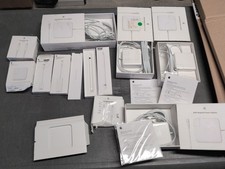
Lot Of Apple Cords And Accessories All OEM Genuine Apple Pencil, Magsafe Power
$109.99

Genuine Apple OEM A2164 30W USB-C AC Power Adapter with USB-C Cable, Very Good
$21.05

Genuine Apple Power Adapter Extension Cable 6FT White OEM MacBook MK122LL/A
$10.99

OEM 45w T-Tip Power Adapter charger for Apple macbook air 2012-2017 A1436 A1466
$19.99
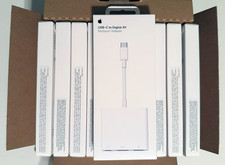
LOT OF (50) OEM APPLE USB-C To Digital AV Multiport MUF82AM/A A2119 - BRAND NEW
$1496.97
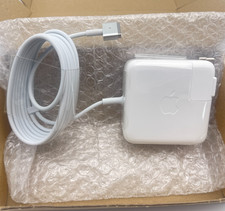
OEM 45W Charger For Apple MacBook Air 11-inch 13-inch Early 2012 2013 2014 2015
$26.98

OEM Apple 45W A1436 Power Charger AC Adapter for MacBook Air MagSafe 2
$12.99
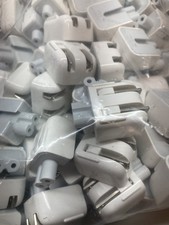
Genuine/OEM Apple Duckhead Two-Prong Plug - MagSafe AC Wall Adapter - Set of 25
$32.29

apple oem cube 5w charger
$6.99



 Reply With Quote