

 Reply With Quote
Anthing knoppix can write too will work. You just have to make it writable first.Originally Posted by robbiw


Hi everyone,
i like to try the Knoppix-cd specialy for internet-access.
I want to boot from cd and i have a small hd-partition (fat32).
Can i use a directory on the hd-partition directly as target in mozilla-
downloadmanager (after making the partition writable) or do i have to
use the ext3-file-format for my hd-partition ?
I'd like to have access to downloaded files also from my WinXP-Installation.
Anthing knoppix can write too will work. You just have to make it writable first.
How do you make your windows partition writable? Ive been having that problem myself lately. I want to download something to the windows partition but it doesnt allow me to write to it. it only lets me view and copy files. Could i just remount it with the -rw priveleges?
To make a partion writeable right-click on the icon of the partition and choose "mount" (i don't know the exact english option , because i use a german version) in the menue.
Afterwards there should be a small green triangle at the lower right corner of the icon.
then right-click again on the same icon and choose "change read/write status" or something like this.
You should get a window where you will be asked to change to writable or not.
when you are asked later, where to save a file after download,
use "/mnt/hd??/ ... /filename" (?? = see name of the chosen partition above).
When you save all your options to floppy/Harddisk after that, the Moozille-Download-Manager e.g. remembers the chosen path after the next reboot (with option myconfig=scan e.g.)
I don't know an easier way, but it works fine for me.
 Posting Permissions

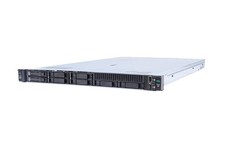
HP ProLiant DL360 Gen 11 - Xeon Gold 5th Gen - 192 GB DDR5 ECC - 2x 240 GB SSD
$17000.00

Dell EMC PowerEdge R440 Xeon silver 4215 2.5GHz 16 GB ram 2x 550W PSU No HDD
$275.00
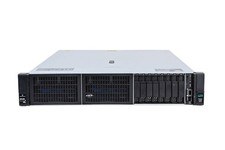
HP ProLiant DL380 Gen 11 - 2x Xeon Gold 6th Gen - 512 GB DDR5 - 2x 800 GB HDD
$15000.00

RDS CAL - Remote Desktop Services Windows Server 2022 50 User/Device Connections
$60.00

Dell Poweredge R730xd 12LFF 2*2660v4 4*1Gbe h730 2x 750W Server CTO
$308.00

Dell PowerEdge C4130 1U AI GPU Server | 2x E5-2680 v3 | 32gb Ram | 2x 1600W
$409.99
Dell PowerEdge R240 Intel Xeon E-2144G 3.6GHz 16GB DDR4 ECC NO HDD 250W Unused
$189.00

Dell EMC PowerEdge R740 8 Bay Server w/ 32GB RAM 2x GOLD 6132 2x 1600W PSU H730p
$499.88

Dell EMC VxRail E560F 10-SFF 2*Gold 6230R 2.1GHz No RAM HBA330 iDrac Ent Server
$349.99
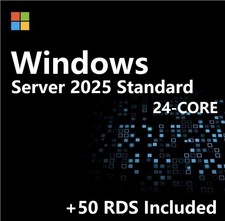
Windows Server 2025 Standard✔ 24-CORE✔ 10 CALs✔ 50 RDS✔ Remote Desktop EP2-25205
$317.56