

 Reply With Quote
I'm thinking it's something to do with the fact that my dsl-provider script is not being loaded at bootup. Any ideas?


hey, I'm having a weird problem with my modem. It used to work fine, but I was tweaking the etc/init.d/rc file, and now weird things are happening. Every time I boot up, Knoppix detects my adsl modem on eth0. Then I get a message: "starting ppp services". Once I get into knoppix, I can't access the internet (The website could not be found), although ping and ifconfig indicate that eh0 seems to work, no problem. So I have to run the ADSL/PPPOE configuration tool in the KNOPPIX menu on the taskbar in order to get the modem to work.
I used to be able to use the internet from bootup, without having to run pppoeconf, but now it's not the same. Plus, I never used to get the "starting ppp services" thing at boot up. Any ideas how to fix this?
I'm thinking it's something to do with the fact that my dsl-provider script is not being loaded at bootup. Any ideas?
Originally Posted by doesnotcompute
But I doubt that the script ever was being loaded by Knopix, so how could it be that you say it used to work?
You might want to tell people what modem you are using, it makes a big difference.
If you are not already using a modem with a built-in router, here my idea. Get a very inexpensive DSL/Cable router (frequently $10 US or less after rebate). This will take care of PPPoE and all of the stuff that your provider script does, you just boot Knoppix (or Windows) and get assigned a local IP address by the router. It all works. No scripts or PPPoE or logging in under Knoppix or under Windows. Plus you have the basis of a local network if you ever add another computer (all can use the Internet at the same time) and you have the safety of a hardware firewall protecting you from the Internet (I would never use Windows on a high speed connection without one).
When i say "it used to work", I mean "it used to work before I started messing around with the /etc/init.d/rc script".It's a Netopia Cayman 3000 Series modem. It's definitley not a problem with the modem, because I'm in knoppix right now, connected to the internet using the modem. But every time I boot to my HDD-install of Knoppix, I have to type in either "pon dsl-provider" or "pppoeconf" to enable my internet connection, which I find really annoying.
Oh, well what else is new? Just another case of "the network used to work when I ran from CD but stopped working after I installed to hard disk". You might want to look in the hdd forum, it been discussed over and over again. And I think you should have posted this in the hdd forum.
I know this situatiion. I went to /etc/ppp/peers/dsl-provider and made some changes, nothing special - I am sure you will understand what to do, now ADSL starts on boot. I start Firefox and I am on net, no more "pon.....".But every time I boot to my HDD-install of Knoppix, I have to type in either "pon dsl-provider" or "pppoeconf" to enable my internet connection, which I find really annoying.
 Posting Permissions


Mini Computer Vacuum USB Keyboard Cleaner PC Laptop Brush Dust Cleaning Kit NEW
$13.89

V3 Robot Vacuum and Mop Combo,Self-Charging,5000pa Strong Suction,WiFi/Alexa NIB
$82.00

Trucozie Cordless Vacuum Cleaner, Self-Standing Lightweight Stick Vacuum New Ope
$89.00

Compressed Air Duster & Vacuum, 320000RPM Rechargeable Mini Electric Blower
$44.99

US Mini Computer Vacuum USB Keyboard Cleaner PC Laptop Brush Dust Cleaning Kits
$13.89

🔥 OEM Shark Cordless Vacuum Charger DK33-248080H-U for Shark Rocket
$18.75

Paladone USB Desk Vac Novelty Upright Mini Computer Vacuum Retro Vintage
$59.99

KARDV Cordless Vacuum Cleaner, 500W/40Kpa Vacuum Cleaners for Home, 60Mins St...
$64.99
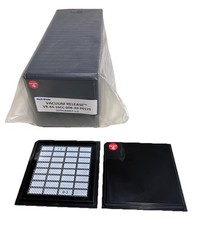
Gel-Pak Vacuum Release Gel-Paks VR-44-16CC-00B-X4-P0175 – Qty 25 Sets
$109.99
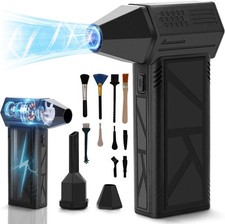
WeePro Compressed Air Duster 180000RPM Cordless Mini Turbo Fan, 3-Speed Vacuum
$149.99