-
Install Knoppix with Bios Bootloader
I recently bought a new pc and i'm writing a paper for school on Linux, so i'm wanting to install Knoppix to my PC, but I already have a Bootloader on my System (in the bios, it prompts at boot : 'Press F12 for bootoptions' or something like that and it ask from wich HD to boot) : I have 2 Harddisks (1 IDE and 1 S-ATA)
so now is my question, how do i install Knoppix to my IDE HD (doesn't seem to recognize my SATA one) and that i am able to boot from my Bios bootloader
my PC is a Dell Inspiron 4700 and knoppix works fine from CD
thx in advance
Capiora
-
Senior Member
registered user
That isn't a bootloader in BIOS, it's simply a definition of boot device order. All PCs have that (though not all can recognize a CD as a boot device).
The Knoppix CD has a built-in bootloader called isolinux, and that is what allows you to boot from CD. Windows has a bootloader that boots Windows programs. There are a number of bootloaders which will allow dual-booting of Linux and Windows, including LILO, GRUB, GAG, and isolinux. Isolinux is used on the CD because it's small.
To do a HD install, open a console and type "sudo knoppix-installer". It will guide you through partitioning your hard drive and installing a bootloader. Bear in mind, though that dual booting is sometimes risky, and can keep you from booting Windows if set up incorrectly. Make sure you know what you are doing first, and read as much documentation as you can. Back up your data and defrag also.
There are options other than a hd installation. Of course, you can run liveCD, which is the safest. Next is the "poor man's install" . Then, there's a brand new method that can be done from Windows (I haven't gotten it to work yet, but everyone else who's tried it has) here . Then, there's Knoppix installer, which has three different varieties - Knoppix-style, Beginner's and Debian.
Bottom line, you need to do some research and figure out what degree of risk and functionality you want to take. If you do a full HD install and mess up your Windows MBR, do you know how to repair it with the recovery console, and do you have a disk handy to do it? If you can't get into Windows, do you know enough about Linux to use it to rescue your data? Will you know how to diagnose and treat problems which may arise with a Linux hd install? How dependent are you on your Windows installation and data? If you mess it up installing linux, can you afford to be without it while you try to figure out how to fix it? Is there another family member who depends upon Windows, who may give you grief if you hose the machine?
I would recommend taking it slow - you can always change your mind later. I, and a number of other people use the poor man's install, and it gives a lot of functionality. You can do a lot with liveCD or PMI - unlike Windows, it is not at all necessary to install Linux to use it, and installation of Linux is not as automatic as with Windows.
jd
-
the 'bootloader' is more than a simple order thing, you can choose what device to boot from, the order change thingy is in the bios itself, I think it's some program to select boot Harddisk or cd without messing with the order(like choosing from wich HD to boot), and the problem is that more than one people are using this computer and i'd just like to make it boot in Linux when i specificaly ask for it...
I already experienced the problems of a badly configured GRUB , and Knoppix is the only distro that i'm certain that will function 100% with my pc, cause i heard Redhat will have issues with X on my X800 (PCI-E version)
i already tried the poor man install, but i want a bit more than just a poor man install, and i've been considering linux and using knoppix for almost a year...
so i ask you if there is a way for me to have a HD dedicated to knoppix (/dev/hdb) and not messing with the current settings on the windows disk, i'm sure this exists and is fully possible, i'm just not sure how to do it
Capiora
-
OK, let me try to explain about your "BIOS bootloader".
In your BIOS you select the DEFAULT device to boot from. At the POST screen you see a message that says "Press F12 for Boot Options". This ONLY lets you to TEMPORARILY change the boot device.
In order to boot a device, the device still needs to have some type of boot code(MBR). Wether it be GRUB, LILO, isolinux/syslinux, etc. If the device you're trying to boot from doesn't have any boot code, it will not boot.
-
so i ask you if there is a way for me to have a HD dedicated to knoppix (/dev/hdb) and not messing with the current settings on the windows disk, i'm sure this exists and is fully possible, i'm just not sure how to do it
Yes. Simply install Knoppix to /dev/hdb, ensuring LILO is installed to the MBR of /dev/hdb. To boot this device, press F12 when at the POST screen. You most likely will need to select D as the device to boot from.
-
twl, you rock
thats what i meant (i'm not good at explaining things) and thx for the solution, gonna try that right away when i get home 
Thx a lot
Capiora
EDIT : it worked without any problems; thx a lot agian
Similar Threads
-
By idris1388 in forum Hdd Install / Debian / Apt
Replies: 1
Last Post: 03-12-2005, 11:39 AM
-
By mschievano in forum Hdd Install / Debian / Apt
Replies: 2
Last Post: 05-12-2004, 06:34 PM
-
By The Fader in forum Hdd Install / Debian / Apt
Replies: 1
Last Post: 01-23-2004, 01:50 PM
-
By Cuddles in forum Hdd Install / Debian / Apt
Replies: 6
Last Post: 12-31-2003, 04:09 PM
-
By NewbieEd in forum Hdd Install / Debian / Apt
Replies: 1
Last Post: 08-20-2003, 02:31 AM
 Posting Permissions
- You may not post new threads
- You may not post replies
- You may not post attachments
- You may not edit your posts
-
Forum Rules


Mini Computer Vacuum USB Keyboard Cleaner PC Laptop Brush Dust Cleaning Kit NEW
$13.89

V3 Robot Vacuum and Mop Combo,Self-Charging,5000pa Strong Suction,WiFi/Alexa NIB
$82.00

Trucozie Cordless Vacuum Cleaner, Self-Standing Lightweight Stick Vacuum New Ope
$89.00

Compressed Air Duster & Vacuum, 320000RPM Rechargeable Mini Electric Blower
$44.99

US Mini Computer Vacuum USB Keyboard Cleaner PC Laptop Brush Dust Cleaning Kits
$13.89

🔥 OEM Shark Cordless Vacuum Charger DK33-248080H-U for Shark Rocket
$18.75

Paladone USB Desk Vac Novelty Upright Mini Computer Vacuum Retro Vintage
$59.99

Cordless Electric Mini Air Duster Blower Vacuum Cleaner for PC Computer Car Home
$16.99
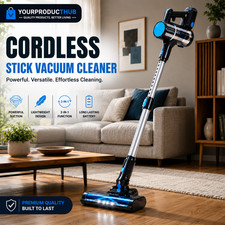
YourProductHub | Blue | Cordless Stick Vacuum Cleaner Rechargeable Lightweight
$172.99

Compressed Air Duster & Vacuum, 320000RPM Rechargeable Mini Electric Blower
$44.99



 Reply With Quote