-
Screen Resolution Problems
I have Knoppix installed to the HD. If I log in as root, I get one resolution. If I log in as "knoppix" I get another. What's even more strange, is if I run a program as root while logged in as "knoppix user", it run's as root's resolution. Here's a screenshot.
http://www.crotchett.com/images/resolution.png Hopefully, my no-ip address will update itself.
I looked at fonts. But, they didn't really seem to have anything to do with it. They could, but it's not just the fonts that look bigger. Any ideas?
Darren
-
Senior Member
registered user
Re: Screen Resolution Problems

Originally Posted by
backdoc
I have Knoppix installed to the HD. If I log in as root, I get one resolution. If I log in as "knoppix" I get another.
Do you boot directly into X or do you have to log in and then type 'startx' ?
-
Re: Screen Resolution Problems
Originally Posted by
rickenbacherus
Originally Posted by
backdoc
I have Knoppix installed to the HD. If I log in as root, I get one resolution. If I log in as "knoppix" I get another.
Do you boot directly into X or do you have to log in and then type 'startx' ?
I boot to the GUI login manager. I think it's KDM. But, I don't know the difference between the different ones.
Thanks,
Darren
Sorry it took so long to get a reply posted. It's been hectic around here (exams, car trouble and so on).
-
Senior Member
registered user
OK well check out your XF86Config-4 file.
/etc/X11/XF86Config-4
Log in as root and -check it out-log in as Knoppix-check it out. You could copy and paste to an email draft or save it to a text file for example just so you can have the two side by side and not have to constantly switch back and forth. The things I would look for are:
Under the "monitor" section
-HorizSync
-VertRefresh
Under the "device" section
-which driver is it using vga, svga, (mine's a savage for example)
Under the "screens" section (and here's where I would guess the problem to be)
-default depth
-are the modes the same under each SubSection "Disply"
Obviously if it is set to a default depth of 16 then you aren't utilizing your monitor very well- change the default to 24 or 32.
Post your XF86Config if you need help.
Similar Threads
-
By Matth in forum General Support
Replies: 9
Last Post: 12-12-2004, 08:33 PM
-
By manatarms1775 in forum General Support
Replies: 1
Last Post: 04-11-2004, 11:27 PM
-
By Coolnat2004 in forum General Support
Replies: 4
Last Post: 10-12-2003, 11:45 PM
-
By Patrick21 in forum General Support
Replies: 6
Last Post: 09-21-2003, 10:07 PM
-
By xound in forum Hdd Install / Debian / Apt
Replies: 2
Last Post: 04-23-2003, 08:29 AM
 Posting Permissions
- You may not post new threads
- You may not post replies
- You may not post attachments
- You may not edit your posts
-
Forum Rules

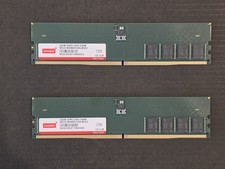
Micron 64GB (32GB x2) DDR5-5600 JEDEC DIMM Workstation Memory (Innodisk branded)
$895.00
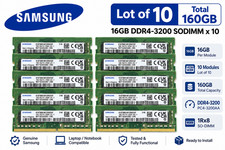
Lot of 10 Samsung 16GB 1Rx8 PC4-3200AA DDR4 SODIMM M471A2G43AB2-CWE 160GB
$1319.99

Lot Of 8 Micron 8GB 2Rx8 PC4-2666V-RE2-11 ECC REG Server Ram MTA18ASF1G72PDZ-2G6
$210.00

TF/SD Card Adapter Camera Reader Android Type-c For iPhone17 Pro Max Plusm lot
$573.98

Kingston 32GB 64GB 128GB 256GB USB 3.0 Flash Drive Thumb Memory Stick Pen lot
$285.90

USB 3.0 Flash Drive 32GB 64GB 128GB Memory Stick Thumb Stick Lot Pack
$826.09

USB 3.0 Micro SD SDHC TF Card Reader Memory Adapter for PC Laptop Camera lot
$3.75
LOT OF 6 Samsung 64GB 4DRx4 PC4-2666V M386A8K40BM2-CTD6Q Server RAM
$1799.99
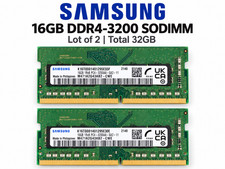
Lot of 2 Samsung 16GB 1Rx8 PC4-3200AA DDR4 SODIMM M471A2G43AB2-CWE 32GB
$138.99

NEW IN BOX - Corsair Vengeance RGB 32gb (2x16gb) DDR6200 CL36 CMH32GX5M2B6200C3
$550.00



 Reply With Quote