

 Reply With Quote
I haven't found anything solid on "DRQ" yet but I wonder - have you tried booting like this:
boot: failsafe


Hello all,
I just downloaded Knoppix 3.2 and tried to run it, however when I try to I end up getting about 20 messages saying:
I also had this problem running Knoppix KDE and something similar trying to run Gentoo 1.4_RC3 so I'm pretty sure it isn't a software issue. I also am pretty sure that it has something to do with either my DVD drive or my CDRW or both. I used to be able to boot off them with no problem, but the only thing I can think of that I have changed is buying a new HD because my old one died. However, since Knoppix doesn't need a HD, I don't see why it isn't working if it had something to do with that. I also tried detatching just the HD cables and that didn't work. I tried only one of my two bootable drives (the DVD or CDRW) and neither of them worked. On top of that, Gentoo 1.2 install no longer works; this install worked approximately 3-4 months ago though. I'm really not sure what I'm looking for here or how to get detailed info on what's wrong. I would greatly appreciate some help.ide-scsi: Strange, packet command initiated yet DRQ isn't asserted
then right after those:
Can't find Knoppix filesystem, sorry. Dropping you to a (very limited) shell. Press reset to quit.
Here are some specs:
800Mhz Duron Processor*
468MB RAM*
hda: 80GB WD
hdb: 40GB Maxtor*
hdc: Generic DVD Drive*
hdd: Lite-On 32x12x40*
*All of these were still there at a time that I know I had no problems booting off of any CD (SuSE LiveCD, Knoppix 3.1, Gentoo Installs, etc.)
Anyone have ideas or need more info?
I haven't found anything solid on "DRQ" yet but I wonder - have you tried booting like this:
boot: failsafe
I just tried failsafe (sorry it took so long.. this is a rather busy period at my University right now) and it still didn't work.
It gave me a more detailed bootup sequence and while I'm not sure exactly where it goes wrong, one of the lines I get is:
hdc: irq timeout: status error (0x51, I think)
It also does that with hdd... so I don't know why it's timing out on hdc and hdd, but the text often scrolls by too fast for me to actually write anything down.
Any ideas?
My only other guesses (and they are just that) perhaps disabling automatic IRQ assigning in the BIOS. Also disabling things like APM, USB legacy support, virus scan are reported to have some effect on the ability of Knoppix to boot. It sure is interesting though that it was working fine before and isn't now. Post back with results. Perhaps someone else reading this might have some ideas.
That's a good point about Virus Scan in the BIOS. I have found that can create a lot of strange things...and some BIOS settings are defaulted "enabled" for whatever reason.
I just tried all of those and more... none of them worked or changed a thing.
I know the error code is 0x58 and then also 0x41 later (btw, is there any way I might be able to get a copy of this stuff to post here?) I have no clue what they mean. When I get the time next I'm going to start pulling things out of my system and playing around with it till I get it right... this error is stopping me from using any Linux distro right now.
Here are a few wild guesses low and to the outside -locri
I also had this problem running Knoppix KDE and something similar trying to run Gentoo 1.4_RC3 so I'm pretty sure it isn't a software issue. I also am pretty sure that it has something to do with either my DVD drive or my CDRW or both. I used to be able to boot off them with no problem, but the only thing I can think of that I have changed is buying a new HD because my old one died. However, since Knoppix doesn't need a HD, I don't see why it isn't working if it had something to do with that. I also tried detatching just the HD cables and that didn't work. I tried only one of my two bootable drives (the DVD or CDRW) and neither of them worked. On top of that, Gentoo 1.2 install no longer works; this install worked approximately 3-4 months ago though.
Can you boot from the floppy?
I assume you've checked your cables but have you looked at all of the pins they are connected to? It really isn't too hard to bend one.
Have you tried to reinstall an OS to a hard drive?
I agree it sounds like a hardware issue. Do you have cables you can swap? -tear the system down to bare minimum and try to get an OS installed.*All of these were still there at a time that I know I had no problems booting off of any CD (SuSE LiveCD, Knoppix 3.1, Gentoo Installs, etc.)
Anyone have ideas or need more info?
Hmm.. I haven't tried booting from a floppy, but I honestly can't imagine it making a difference.. the CD-Rom has no problem booting, just that after it boots when it tries to start Linux that it has the problem.
Also, another thing I probably should of mentioned earlier is that I currently have Windows 2000 installed as my primary OS and it works just fine.. both drives work and have no access problems.
Oh well, when I have time I'll start tearing it down and let you guys know.
Thanks!
I was unsure of what your system could do.Originally Posted by Locri
oicAlso, another thing I probably should of mentioned earlier is that I currently have Windows 2000 installed as my primary OS and it works just fine.. both drives work and have no access problems.
Ok, this is really damn strange... but the problem is solved.
I think what must of happened is somehow the IDE cable was -just- loose enough that it worked in Windows but didn't work in Linux (don't ask me why, I have NO clue). I messed around with the connectors on the MB, resocketing them and suddenly the CD boots up without problem.
I must say, Knoppix 3.2 looks quite pretty and I love the PPPoE configuration script which instantly found the connection and set it up with no difficulty at all. I am definitely very happy now... all I need to do is D/L the new english CD that actually starts with english as a default
Whoop! Knoppix rocks...
 Posting Permissions


Sandisk 16GB 32GB 64GB 128GB Cruzer Blade Flash Drive Memory Stick USB Lot Pack
$175.90

TF/SD Card Adapter Camera Reader Android Type-c For iPhone17 Pro Max Plusm lot
$288.19
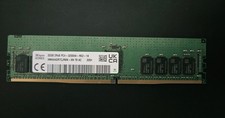
SK hynix 32GB PC4-25600 DDR4-3200 Memory - HMAA4GR7AJR8N-XN
$189.99
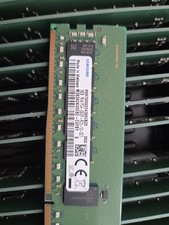
Lot Of 4 NEW SAMSUNG 16GB PC4-2933Y-RC2-12-DC1 Memory
$299.00

USB 3.0 Flash Drive 32GB 64GB 128GB Memory Stick Thumb Stick Lot Pack
$826.09

Sandisk 32GB 64GB 128GB 256GB Cruzer Glide Flash Drive USB 2.0 Memory Lot
$201.78

Kingston 32GB 64GB 128GB 256GB USB 3.0 Flash Drive Thumb Memory Stick Pen lot
$285.90

NEW Kingston 8GB DDR4 2666MHz Desktop RAM KCP426NS8/8 PC4-21300
$30.00

Micro SD Adapter To SD HC SDHC Memory Card Adapter Reader NEW
$1.39
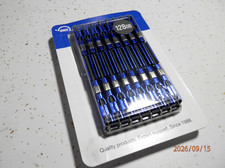
OWC 128GB (16GBx8) PC10600-DDR3 ECC Kit Brand New Sealed
$179.00
