

 Reply With Quote
Go to /boot/grub and edit the menu file.Originally Posted by rrfish72


I need to edit the boot options and want to know where the file is and what it is called. I am running Kanotix BH7 kernal version 2.67 I think. Just trying to change the boot timer, the default, and the names.
Go to /boot/grub and edit the menu file.
/boot/grub/menu.lst
I canget to that part, but how does the window work?
grub>
Possible commands are: blocklist boot cat chainloader cmp color configfile de
bug device displayapm displaymem dump embed find fstest geometry halt help hid
e impsprobe initrd install ioprobe kernel lock makeactive map md5crypt module
modulenounzip pager partnew parttype password pause quit read reboot root root
noverify savedefault serial setkey setup terminal terminfo testload testvbe un
hide uppermem vbeprobe
grub>
kernel
Error 12: Invalid device requested
grub>
What do I do from here?
You don't need to run grub console. You only need to edit /boot/grub/menu.lst. That's all to it. Grub will read it when it boots.
Unlike lilo, after you edit lilo.conf, you need to run lilo to update what you have change in lilo.conf.

Got it. Thank you very much.
 Posting Permissions

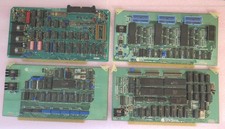
Vintage S-100 California Computer Systems cards Z80 cpu + ADS PromBlaster
$895.00

Vintage Computer - PC Innovation Intel 486DX2 - Dos Ver 6.2 Windows 3.1
$250.00

Vintage HP Hewlett Packard 2112A 21MX 1000 M-Series 16-Bit Minicomputer
$419.99

Vintage Jetway J-620BF Socket 370 Celeron AT Motherboard SiS 620 Brand New
$75.00

Vintage Cherry W. Germany G80-0486H/05 Mechanical 25-Pin D-Sub Keyboard M8
$170.99
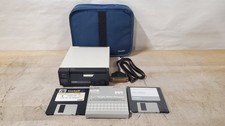
Great Condition Vintage Tandy Portable Disk Drive 26-3808 3.5 in Floppy Drive
$179.95
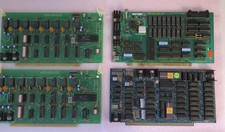
4 Rare Vintage S-100 Video Boards
$595.00

Vintage Timbuk2 Crossbody Messenger Bag Forest Green/ Black Y2k USA Made
$85.00

Vintage Teac FD-505 5.25" 3.5" Combo Drive 19307571-00
$199.99

NEW StarTech ATXPOWER250 250W ATX PC Power Supply Vintage Pentium II III AMD K6
$94.98