-
Changing BIOS settings
I'm new to Linux/Knoppix; trying to get my computer to boot from the CD, but it won't. How do I get into the BIOS menu if this POS computer is password protected from the factory? I can pull up the menu, but I don't know the password...ideas? What if I remove this round battery inside the tower next to the BIOS?
-
You don't have to do that that, although you could. Do you know for a fact it is password protected or is there a dell, compaq, or hp logo and no option listed to enter bios? Generally bios, also called cmos, can be entered by pressing one of the following keys after you power on your computer but before the loading of the operating system. Try one of these keys (delete, F10, or F2) My experience is that compaq uses F10. As for me I don't bye cookie cutter computers and build my own. All the motherboards I personally own use the delete key to enter bios. Now, if it is password protected there should be a jumper setting on the board that will restore the bios to factory settings that will clear the password protection (it is gewneraly labeled clear cmos or something similar). You may need to look extensively at the manufacturer web site to find this, if the manual is lacking. When you find the jumper use it to clear the bios by turning the power on to the unit. It most likely wont do anything. Then move the jumper back to its normal possition. now reboot and enter bios again. Change the boot order to boot from your cd and you're off and running.
-
Senior Member
registered user
-
Senior Member
registered user
The factory-password should be known by the vendor, if the machine isn't too old.
With your manufactor/ bios-version, you often find by googling the default-passwords, or some backdoor-passwords (which make the whole idea of bios-password corrupt).
Similar Threads
-
By eco2geek in forum The Lounge
Replies: 6
Last Post: 07-12-2005, 08:23 AM
-
By xtoor in forum General Support
Replies: 4
Last Post: 11-20-2004, 04:00 AM
-
By chrsjav in forum General Support
Replies: 0
Last Post: 10-12-2003, 04:49 PM
-
By thedude in forum General Support
Replies: 1
Last Post: 10-08-2003, 04:25 PM
-
By Frits Plotseling in forum Hardware & Booting
Replies: 3
Last Post: 03-07-2003, 05:21 PM
 Posting Permissions
- You may not post new threads
- You may not post replies
- You may not post attachments
- You may not edit your posts
-
Forum Rules


INTEL XEON E5-2680V4 SR2N7 2.40GHZ CPU
$11.00

Dell Precision Tower 7810 Xeon E5-2630 v3 @ 2.40GHz , 32GB Ram, NO HDD, NO OS
$239.99

Dell EMC PowerEdge R440 Xeon silver 4215 2.5GHz 16 GB ram 2x 550W PSU No HDD
$275.00

Dell Precision T7820 2x Xeon Silver 4114 2.20GHz 950W No RAM GPU HDD 4x SATA
$350.48

Dell Precision T5820 Workstation 3.70GHz W-2135 No RAM/ GPU/ HDD/ OS
$179.98

Intel Xeon E5-2699 V4 2.20GHz 55M 22-CORES LGA2011-3 Server Processor 145W SR2JS
$84.49

Intel Xeon E3-1230 v3 SR153 3.3GHz Quad Core LGA 1150 CPU Processor
$14.49

Intel Xeon E5-2690 v4 SR2N2 14 Core 2.6GHz 35MB LGA2011-3 CPU *km
$15.99
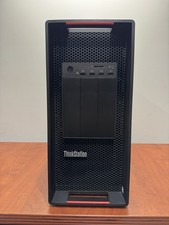
LENOVO THINKSTATION P920 XEON GOLD 6128 3.4GHz 32GB RAM 1TB SSD Windows 11 Pro
$1550.00

Lenovo ThinkStation P520c Intel Xeon W-2133 6-Core 3.60GHz -NO RAM/ HDD/ GPU/ OS
$127.54



 Reply With Quote