-
Senior Member
registered user

Originally Posted by
garyng
Just wondering what you want to do though ? Just package a loopback rootfs and move it around and you have your desktop with you all the time. Put that on a portable USB 2.0 disk enclosure.
A very good suggestion, in fact I wonder why "big" distros (such as SuSE) don't offer their installation this way. Add in on-the-fly hardware detection... and there we go. As long as I can mount the loopback rootfs read-only, which is a quite important aspect for me.
-
Senior Member
registered user
Originally Posted by
probono
Originally Posted by
garyng
Just wondering what you want to do though ? Just package a loopback rootfs and move it around and you have your desktop with you all the time. Put that on a portable USB 2.0 disk enclosure.
A very good suggestion, in fact I wonder why "big" distros (such as SuSE) don't offer their installation this way. Add in on-the-fly hardware detection... and there we go. As long as I can mount the loopback rootfs read-only, which is a quite important aspect for me.
I have a script sitting somewhere which can be dropped into any standard debian setup(rootfs) which will make it run with mounting RO. I did that last year when I was toying this debian with me anywhere.
BTW, the booting from NTFS has been solved too. The was what I did last year :
1. carry a portable 2.5" USB disk wich is just FAT with my kernel, initrd and rootfs plus the w32grub I wrote
2. On any WIN32 machine, I just run w32grub to install grub there which can be launched from boot.ini(thus no change to its boot sequence)
3. copy over my stuff to a temp directory(either NTFS or FAT32 is fine)
4. reboot the machine and choose grub which allows me to boot into my desktop right away. everything I want is there.
5. when I want to go, just goes back to XP and wipe the temp directory and the boot.ini entry(well that can be left there).
A variant of this for those paranoid, use encrypted looopback driver so you can encrypt the whole rootfs and enter the password when linux boot up. This way, no one will be able to even peek into your things, even they take the HD to NSA(I assume).
Similar Threads
-
By xfiles in forum Knoppix DVD
Replies: 1
Last Post: 09-02-2005, 06:20 AM
-
By bigkahuna in forum Hdd Install / Debian / Apt
Replies: 0
Last Post: 01-13-2005, 08:22 PM
-
By prehis in forum Hdd Install / Debian / Apt
Replies: 5
Last Post: 09-15-2004, 04:44 AM
-
By j.drake in forum Hdd Install / Debian / Apt
Replies: 6
Last Post: 08-29-2004, 07:51 AM
-
By Obsidian in forum Hdd Install / Debian / Apt
Replies: 1
Last Post: 08-28-2003, 06:34 AM
 Posting Permissions
- You may not post new threads
- You may not post replies
- You may not post attachments
- You may not edit your posts
-
Forum Rules


Original Vintage Old Style STANDARD Black CD Jewel Case (Heavy Duty) 90g Lot
$316.95

Vintage HP 21MX 1000 M-Series Minicomputer Chassis Backplane Parts AS-IS
$325.99

Vintage Computer Keyboard Northgate OMNIKEY Ultra
$120.00

Lot of 2 Vintage Plextor PX-43CS SCSI CD-ROM Caddy Drives + 4 Caddies Used
$55.99
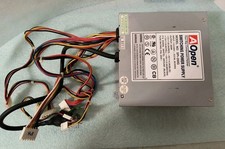
VINTAGE AOPEN MODEL SPI-200 200W AT POWER SUPPLY WITH SWITCH DS-PS-8
$34.95
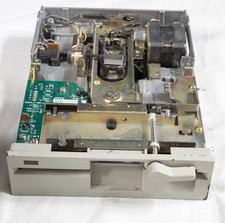
Vintage Teac FD-55GFV-07-U 5.25" 1.2MB high density floppy drive 5178
$55.00

VINTAGE ESS ES1868 16 BIT ISA SOUND CARD COMPAQ 247428-001 - USA SELLER RM2-SC
$24.95
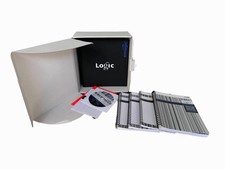
Vintage Emagic Logic 5 / Logic Audio 4.0 Studio Software Box Manuals Serial
$89.99
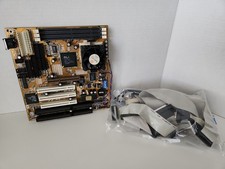
Vintage RARE Gigabyte GA-5AA Socket 7 Motherboard AMD K6-2 400mhz BOOTS TO BIOS
$224.99

Vintage Apple iMac G4 15" Lamp 700MHz 512MB Mac OS X 10.4.6 W/ Pro Speakers
$300.00



 Reply With Quote