-
New HD Overclockix Install Problems
Yesterday I installed Knoppix to a HD partition, but as it was 3.2, it could only run the outdated knx-install command. Therefore, I had difficulty getting my partition icons onscreen like I am used to with live-cd knoppix. I didn't want to download the newest Knoppix image, but noticed that I had a copy of Overclockix (complete with install-knoppix command) handy.
So I put that on a partition and it works great. There are a couple problems, though, which I would be grateful if somebody could help me with.
First, I like to clean up my desktop and only keep three drive icons on it (my Windows C partition, my E partition which I use as download/mp3 storage, my Linux partition and my CD-ROM) - the others (I have a number of other partitions) are rarely used. I put these other icons into a "Misc" folder on my desktop and everything is nice and neat. The problem is, when I reboot, all of the icons are recreated! How can I stop this?
Also, on one of my networked computers (horrible E-Machines with onboard Intel graphics with a Samtron 75V monitor), it always loads up with an undesirable resolution (1152xI-Forget-Exactly). The computer isn't endowed with lots of RAM, so I want it to run at a quicker 800x600 res. When I change the res, though, it doesn't properly redraw the desktop (I lose the taskbar and a large chunk of the rest of the desktop!). I think, "OK, I need to reboot and it'll draw the desktop properly." Sure enough, when I reboot, it goes right back to 1152x???. Is there any way to actually save my configuration changes?
I noticed as well that all of my Firefox tweaks (I close the Bookmarks taskbar, make yahoo my home page, etc) all disappear, too.
I have a feeling that this can all be fixed with minimal effort, but I just don't know what to do!
Thanks for any help,
Dave
Similar Threads
-
By digiplaya2005 in forum Hdd Install / Debian / Apt
Replies: 6
Last Post: 08-31-2005, 03:10 PM
-
By kevtech in forum Hdd Install / Debian / Apt
Replies: 0
Last Post: 07-14-2005, 10:29 AM
-
By encryptedmatrix in forum General Support
Replies: 0
Last Post: 05-01-2005, 04:39 PM
-
By jshah329 in forum General Support
Replies: 17
Last Post: 03-23-2004, 08:27 PM
-
By Drewby in forum Hdd Install / Debian / Apt
Replies: 4
Last Post: 11-03-2003, 04:24 PM
 Posting Permissions
- You may not post new threads
- You may not post replies
- You may not post attachments
- You may not edit your posts
-
Forum Rules


Dell 6P85J 4TB ST4000NM0063 7.2k 6Gb/s 3.5” SAS SED Hard Drive with Tray
$39.99

Western Digital HUS726T4TAL5204 4TB 7.2K SAS 12Gb/s 3.5" 512e HDD NetApp X375A
$64.00

DELL 2TB Enterprise HDD (7200RPM, 3.5", SATA III, 128MB Cache) HUS722T2TALA600
$49.95

Seagate ST500DM009 BarraCuda 500 GB 3.5" SATA III Desktop Hard Drive
$14.99

HGST HUA723030ALA640 3TB SATA 7200 RPM 3.5 in Enterprise HDD | 0F14044 (100%)
$45.00
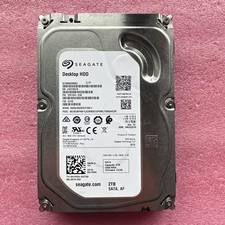
2TB Seagate Barracuda ST2000DM001 7200RPM SATA 6Gbps 64MB Cache 3.5" HDD
$39.95

Dell ST6000NM0034 1HT27Z-150 NWCCG 6TB SAS 3.5 7.2K ENTERPRISE SERVER DRIVE
$68.99

HGST HUS724040ALA640 HDD 4TB SATA 6Gb/s 7.5K 3.5" 0F19459 512 b/s
$78.00

Seagate ST12000NM0127 12TB 256MB 7200RPM 3.5" SATA 6.0Gb/s Enterprise Hard Drive
$318.99

(ST8000NM0045) SEAGATE ENTERPRISE 8TB 7200RPM 4Kn SATA 6Gb/s 3.5" HARD DRIVE
$199.99



 Reply With Quote