-
Install programs
How do you install programs to linux. I just get a bunch of files that do nothing when I download?
-
Senior Member
registered user
Re: Install programs

Originally Posted by
adamherb
How do you install programs to linux. I just get a bunch of files that do nothing when I download?
Depends, are you downloading the source code or a binary. (runable)
The best way is really apt-get. All you do is type apt-get install [name of program]
If your running the live cd then Probono has created something called klik to install programs.
http://klik.berlios.de/
Compiling source codes can be a little intimidating.
Right now, unless a program can't be got anywhere else you'll want to stay away from this. At least intill you feel more comfortable with linux.
-
Senior Member
registered user
Just want to add that Klik also works for a poor man's install, or even an HD install (I am told) - it installs the programs to your home directory, whether you set a persistent home, or have a defined home as part of an HD install.
jd
-
Senior Member
registered user
Originally Posted by
j.drake
Just want to add that Klik also works for a poor man's install, or even an HD install (I am told) - it installs the programs to your home directory, whether you set a persistent home, or have a defined home as part of an HD install.
jd
Yea it works for HD install.
I've never used it for that though.
-
apt-get install [name of program]
To use that script do you have to search for the app on apt-get.org? I tried their search but it was a little confusing. I was able to do this:
su
apt-get update
also going along with apt-get in console, the response for it is in Japanese or Chinese, even though my language and regional settings are in United States English.
-
Senior Member
registered user
Re: Install programs
Originally Posted by
adamherb
How do you install programs to linux. I just get a bunch of files that do nothing when I download?
easiest way for a raw beginner proably is to first 'apt-get update' then just use kpackage.
-
Re: Install programs
I have tried to text below, it seem to work but it doesn't to me. my objetive it is to install RealAudio. I have download the file several times. what happends is:
root@Perra:~# apt-get install RealAudio10GOLD.bin
Leyendo lista de paquetes...Hecho
Creando arbol de dependencias...Hecho
E: no se pudo encontrar el paquete RealAudio10GOLD.bin (in englsih is: E:The package RealAudio10GOLD coudln't be found)
well, so like this I have tried to install other things...nothing works... I have checked manual and instrucciton but nothin, no one help really a begginer.
do you have some sugestion?
Originally Posted by
firebyrd10
Originally Posted by
adamherb
How do you install programs to linux. I just get a bunch of files that do nothing when I download?
Depends, are you downloading the source code or a binary. (runable)
The best way is really apt-get. All you do is type
apt-get install [name of program]
If your running the live cd then Probono has created something called klik to install programs.
http://klik.berlios.de/
Compiling source codes can be a little intimidating.
Right now, unless a program can't be got anywhere else you'll want to stay away from this. At least intill you feel more comfortable with linux.

-
Hi,
I am also a Knoppix newbie so if there is something wrong in my text below, I would like the gurus to correct me 
Knoppix is based on Debian. You can find all the information you need to start from http://www.debian.org. I recommend that. For your problem I suggest you to see APT HOWTO in http://www.debian.org/doc/manuals/ap.../index.en.html.
What you need to do is:
1. Run 'apt-config' to select the site(s) where you want to connect. Closest one is generally the best one. These sites holds the installation packages for Debian that you can download and install with apt-get.
2. Run 'apt-get update' (I do not remember if it runs automaticly after apt-config).
3. Find name of the needed program 'apt-cache search realaudio'. You will get a list of packages containing that text. Lets say there is a package named 'realaudio'.
4. Run 'apt-get install realaudio'
5. Most probably you need to say 'y' one ore more times. After the process ends you should have a new application in your menus.
I like how apt-get works. It basicly takes care of everything on finding, downloading, installing and removing programs.
I hope this helps you. And I wish I did not make any errors in my explanation.
-
Senior Member
registered user
Re: Install programs
Originally Posted by
el_santo
I have tried to text below, it seem to work but it doesn't to me. my objetive it is to install RealAudio. I have download the file several times. what happends is:
root@Perra:~# apt-get install RealAudio10GOLD.bin
Leyendo lista de paquetes...Hecho
Creando arbol de dependencias...Hecho
E: no se pudo encontrar el paquete RealAudio10GOLD.bin (in englsih is: E:The package RealAudio10GOLD coudln't be found)
well, so like this I have tried to install other things...nothing works... I have checked manual and instrucciton but nothin, no one help really a begginer.
do you have some sugestion?
Originally Posted by
firebyrd10
Originally Posted by
adamherb
How do you install programs to linux. I just get a bunch of files that do nothing when I download?
Depends, are you downloading the source code or a binary. (runable)
The best way is really apt-get. All you do is type
apt-get install [name of program]
If your running the live cd then Probono has created something called klik to install programs.
http://klik.berlios.de/
Compiling source codes can be a little intimidating.
Right now, unless a program can't be got anywhere else you'll want to stay away from this. At least intill you feel more comfortable with linux.
Oh, its a bin file?
try right clicking in the folder where its at and going to actions, select open consol(sp) here.
Then type
./RealAudio10GOLD.bin
-
OK, I did apt-get install proftpd and it appeard to be installed, now where do I run it??? where is the ICON??? You say that when you do apt-get install PACKAGE it will be in our apps menu, IN WHAT PART??? I have been downloading other software using apt-get, but I can't seem to find the ICON to run it. I am really new to Linux, hope you can help me.
Similar Threads
-
By dominican2589 in forum Hdd Install / Debian / Apt
Replies: 10
Last Post: 06-12-2005, 07:30 AM
-
By BlueGirl in forum Klik
Replies: 29
Last Post: 01-10-2005, 06:01 PM
-
By MikePerson in forum General Support
Replies: 1
Last Post: 12-18-2004, 09:50 PM
-
By Zero_1984 in forum General Support
Replies: 2
Last Post: 08-08-2004, 07:31 PM
-
By JKLNJ in forum General Support
Replies: 1
Last Post: 10-19-2003, 05:21 PM
 Posting Permissions
- You may not post new threads
- You may not post replies
- You may not post attachments
- You may not edit your posts
-
Forum Rules

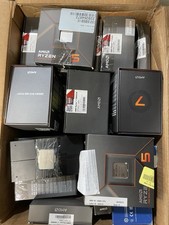
Intel Core i5/i7/i9 AMC CPU Processors, LOT of 90 pcs
$18000.00

INTEL CORE I7-870 SLBJG 2.93GHZ LGA1156 4 CORE CPU PROCESSOR
$23.00

INTEL CORE I9-10940X X-SERIES PROCESSOR | 3.30GHZ | SRGSH
$179.99

Intel Core i9-9900K SRG19 3.60GHz 16MB 8-Core LGA1151 B Grade CPU Processor
$175.00

Intel Core i7-3770K 3.5 GHz Processor
$39.00

AMD Ryzen 5 5500 Processor ( read Description)
$59.00

Intel Core i5-12500T SRL5W 2GHz 18MB 6 Core Socket LGA1700 Desktop CPU Processor
$114.99

Intel i7-8700 Coffee Lake 3.2GHz 6-Core Max Turbo 4.6GHz Processor
$67.99
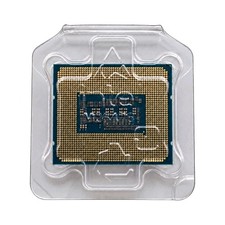
Intel Core i7-14700KF 20-Core 3.4GHz LGA1700 33MB Cache CPU SRN3Y
$310.00
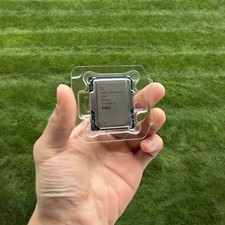
Intel Core Ultra 7 265K 3.9GHz LGA 1851 Processor
$249.99



 Reply With Quote