

**Make boot floppies for each Linux distro you have installed if you have not already done so. You could easy make your OS unbootable by following these directions.
Get the morphix games distro:
http://am.xs4all.nl/drupal/node.php?id=20
You of course must install it to your hard drive -make sure to check the 'animated login screen' and 'install LILO to MBR' options when prompted.
Of course you should be sure that all other Linux installs have their partitions marked as 'bootable' (use cfdisk) and have LILO installed to their respective 'root' directories, that way when you edit Morphix's lilo.conf file it will work. Then boot into Morphix and edit /etc/lilo.conf. adding all other bootable partitons and whatever you would like to name them. Then do a /sbin/lilo, reboot and you should have a cool screen from which to select your operating system.
 Posting Permissions


Apple Macintosh Classic M1420 Vintage Desktop Computer Model Macintosh Classic
$100.00
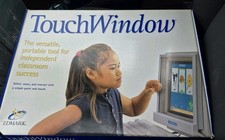
Vintage Edmark TouchWindow for Macintosh DeskTop Computer Touch Window Never Usd
$79.99

Vintage 1998 iMac G3 M4984 Mac OS + Keyboard Working but Needs Some Repair Read
$295.00
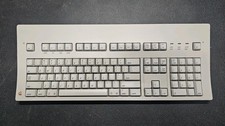
Vintage Apple Macintosh Keyboard M0115
$120.00

Vintage Apple Macintosh Plus Desktop Computer - M0001A
$150.00
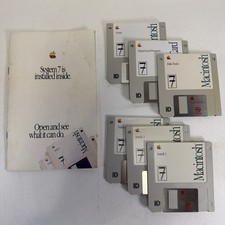
Vintage Mac System 7 Personal Upgrade Kit Apple Software 3.5” Floppy
$29.99

185--Sonnet Crescendo G3 PPCG3-375-5-K-06 G3 Add-On Card for Vintage Mac
$99.00
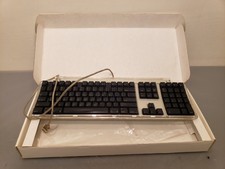
Vintage Apple Pro Keyboard USB Mac M7803 **Used in box
$75.00

Mixed Lot Vintage Mac Windows media / Graphics / Sound Software - CDs 37 Pieces
$40.99

Apple Power Macintosh PowerPC 7300/200 VTG w Keyboard Mouse Storage Drive Read
$199.99


 Reply With Quote