

 Reply With Quote
To keep your icons the way they were:
chmod 0 /usr/bin/mkdesktophdicons


Yesterday I installed Knoppix to a HD partition, but as it was 3.2, it could only run the outdated knx-install command. Therefore, I had difficulty getting my partition icons onscreen like I am used to with live-cd knoppix. I didn't want to download the newest Knoppix image, but noticed that I had a copy of Overclockix (complete with install-knoppix command) handy.
So I put that on a partition and it works great. There are a couple problems, though, which I would be grateful if somebody could help me with.
First, I like to clean up my desktop and only keep three drive icons on it (my Windows C partition, my E partition which I use as download/mp3 storage, my Linux partition and my CD-ROM) - the others (I have a number of other partitions) are rarely used. I put these other icons into a "Misc" folder on my desktop and everything is nice and neat. The problem is, when I reboot, all of the icons are recreated! How can I stop this?
Also, on one of my networked computers (horrible E-Machines with onboard Intel graphics with a Samtron 75V monitor), it always loads up with an undesirable resolution (1152xI-Forget-Exactly). The computer isn't endowed with lots of RAM, so I want it to run at a quicker 800x600 res. When I change the res, though, it doesn't properly redraw the desktop (I lose the taskbar and a large chunk of the rest of the desktop!). I think, "OK, I need to reboot and it'll draw the desktop properly." Sure enough, when I reboot, it goes right back to 1152x???. Is there any way to actually save my configuration changes?
I noticed as well that all of my Firefox tweaks (I close the Bookmarks taskbar, make yahoo my home page, etc) all disappear, too.
I have a feeling that this can all be fixed with minimal effort, but I just don't know what to do!
Thanks for any help,
Dave
To keep your icons the way they were:
chmod 0 /usr/bin/mkdesktophdicons
Okay, I figured out how to save the config for the resolution (it's now at a much better 800x600).
I still have the problem where everything I do gets lost when I reboot (ie. Mozilla Firefox settings and bookmarks, the USBMouse, SMBMount icons and "Release Notes" file keep getting put back on the desktop after reboot). I want them moved to a "Misc" folder on the desktop so they don't add to clutter. I tried running that chmod line that was offered by another user here, but it didn't help me...
Is there some way I can turn off the autoconfig? Everything's configured the way I like it, I'm not adding any new hardware... I just want to make changes to fonts and whatnot and not lose them every time I reboot!
Please help a newbie who's down on his luck,
Dave
Just another note, I have made sure that my drives are not marked "read only". Is there a possibility that my Firefox directory is still read only? That would seem to explain why it won't save my bookmarks or home page upon reboot.
Dave
 Posting Permissions

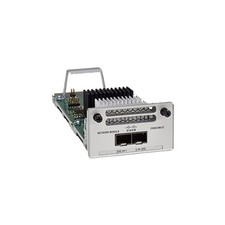
Cisco C9300-NM-2Y - Cisco Catalyst 9300 2 x 25G Network Module New
$550.00

Cisco Catalyst WS-C2960+24TC-S 24-Port Gigabit Managed SFP Switch
$39.99
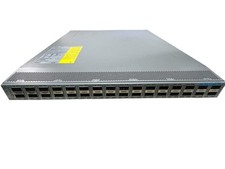
CISCO NEXUS 9300 N9K-C93180LC-EX 32-PORTS 32 x 40/50 Gbe QSFP+ NETWORK SWITCH
$249.95

Cisco ASR 901 Series A901-12C-FT-D Aggregation Services Router 800-40055-01
$180.00
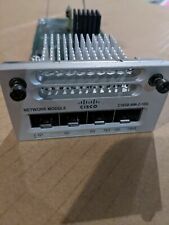
Cisco C3850-NM-2-10G 2 Port Network Exp.Module for 3850
$18.90
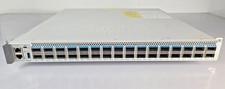
Cisco C9500-32QC-A C9500 Series 32x Port 40G or 16x 100G - Dual AC
$1099.00
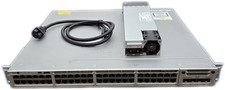
Cisco Catalyst 3850-48F-L 48-Port UPoE Gigabit Switch NM-4-1G
$59.99

Cisco C3850-NM-2-10G Catalyst 3850 2 x 10GE Network Module
$30.00

Cisco Catalyst C9130AXI-B WiFi 6 802.11ax Wireless Access Point Brand New
$101.99

Cisco CISCO3945/K9 Integrated Service Router w/ T3/E3, EVM-HD Modules & Licenses
$64.99