

 Reply With Quote
Isn't font size adjustable within Firefox, somewhere withing Edit Preferences?
jd


I'm running a new Knoppix HD install (installed via "knoppix-installer" with "Debian-style"). My monitor resolution is set at 800x600 which is perfect for this old computer (Emachines Celeron 500 with a 32 meg Riva TNT2 card).
Anyway, I loved to use Firefox under Windows, but it's impossible to use under Linux... I've already tried everything I can, but no luck. My problem? The text size for "File, Edit, View, etc" as well as the address line and so on (all of the text in Firefox) is incredibly, unreadably tiny!!
I even had to change the fonts displayed in webpages to minimum size 20 so they appear normal. This problem is ONLY encountered in Firefox!
There must be some setting hidden somewhere that can fix this! Everything else in my system runs perfectly at the 800x600 res. I'm using Konqueror to browse the net now (yuck!) because its menu text size is normal.
Any help would be appreciated,
Dave
Isn't font size adjustable within Firefox, somewhere withing Edit Preferences?
jd
It is, but that affects only font sizes in viewed websites. My problem is that the text displaying the menus (File, Edit, etc) is tiny.
I'm thinking that there must be a setting somewhere in X that I must change. This problem is not only in Firefox as I had believed, but also in programs such as GAIM. The basic menu text is very, very small. I even put the resolution down to 640x480 to see what would happen, and it was all still way too small! I thought it might just be with KDE, as well, but it's a problem in all window managers that I've tried.
I've got two computers on my network, both dual-booting Linux. The weird thing is that my AMD 1200 with onboard video runs everything like a charm! I get problems only with this older machine.
I'm learning more and more about Linux each day (each hour is more like it) but there's still so much to know! It's still better than the competition, though!
Dave
You could try something from kanotix:
dselect update
apt-get install msttcorefonts
wget -c http://www.kanotix.com/files/fix-fonts.sh
chmod +x fix-fonts.sh
sh fix-fonts.sh
Haven't tried this in Knoppix so disclaimer: Don't blame me
This worked for me:
Edit / Preferences / General / Fonts & Colors / Display Resolution.
Whatever the current setting in DPI is too small.
Click on Other and increase setting there.
I have mine set at 2.5 inches which increases the Font size global in Firefox.
 Posting Permissions


16GB KIT (2x8GB) DDR3 Gamer Desktop RAM PC3 MIXED BRANDS VIPER VENGEANCE FURY
$10.00

Netac DDR4 32GB 16GB DDR4 3200MHz UDIMM C16 Desktop Internal Memory RAM Kit
$99.99

Micron 16GB (2x8GB) 2Rx8 DDR3 1600MHz PC3-12800U Desktop RAM
$19.99

Samsung 32GB DDR4-2666V-2Rx4-RB2-12 RAM M393A4K40CB2-CTD6Q
$169.00

Crucial 32GB(4 x 8GB) CT8G4DFS824A.C8FDD1 DDR4-2400 UDIMM Desktop RAM - CR352A
$89.95
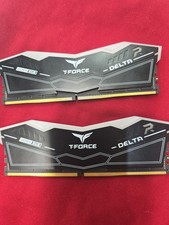
TeamGroup T-Force DELTA RGB 64GB 2x32GB DDR5 RAM 6000(2Rx8) CL38-38-38-78 1.35V
$600.00

RAMAXEL Lenovo 32GB LPDDR5X CAMM2 7500MHz Laptop RAM | UNTESTED
$445.00

DDR4 Laptop RAM 4GB 8GB 16GB 32GB 2400 2666 3200 Samsung Hynix
$66.00

Dell 16GB PC4-21300 (DDR4-2666) Memory (SNPPWR5TC16G)
$89.99

Samsung 32GB DDR4-2666 PC4-21300 288-Pin DIMM RAM M393A4K40CB1CRC0Q
$185.00