

 Reply With Quote
I agree, that is very odd.Originally Posted by tslewe


Placing ':' between the hex digits also did not help.
Finally I got it working by first disabling WEP under Windows, then booting Knoppix, configure the wireless network card (KNOPPIX/Network-Internet/Network card configuration). Then enable WEP again on the access point, and run Network card configuration to set the WEP key. I cannot explain why it is working, and was not before.
I agree, that is very odd.
Knoppix version 3.2 (V3.2-2003-03-30) works much better! I don't have to disable WEP before I can connect to the access point. I only need to configure the network card.
However, the next problem is that when I save the configuration, I get lots of error messages when starting up, and the network card does not work and I have to configure it (again) manually.
 Posting Permissions


Intel Core i5-12500T SRL5W 2GHz 18MB 6 Core Socket LGA1700 Desktop CPU Processor
$114.99

INTEL CORE I9-10940X X-SERIES PROCESSOR | 3.30GHZ | SRGSH
$179.99

Lenovo ThinkCentre M920s SFF Barebones PC Motherboard PSU DVD No CPU RAM SSD
$27.99
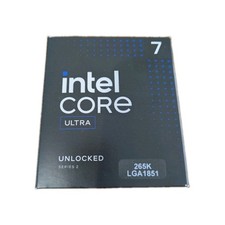
Intel Core Ultra 7 265K CPU Desktop Processor LGA 1851 20-Core - New
$284.79

AMD Ryzen 5 5500 Processor ( read Description)
$59.00

Intel Core I7-7700 SR338 3.60 Ghz Processor
$39.99

Intel Xeon E3-1230 v3 SR153 3.3GHz Quad Core LGA 1150 CPU Processor
$14.49

Intel Core i7-3770K 3.5 GHz Processor
$39.00

AMD - Ryzen 7 5800X3D 8-Core - 16-Thread 3.4 GHz (4.5 GHz Max Boost) w/ Ice Pad
$355.99
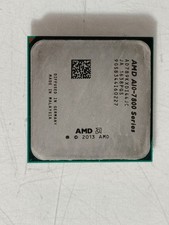
AMD A10-7890K 4.1 GHz Socket FM2+ Desktop CPU Processor AD789KXDI44JC
$99.99