-
Knoppix don't see my NIC
I used to use knoppix on my old Compaq Presario 1200, I bought a new Athlon 2600+ 512 Mb. 120 Gb. nForce2 chipset CD-RW/DVD and... Oh boy!!! I read nForce2 has problems with Knoppix 3.3  well... When Knoppix 3.4 see the light I noticed that a new module called "forcedeth" comes with that and I tried to make it work, without results so I quit Knoppix for a while (with sadness) and used only windoze xp (with all the security updates
  ) Last week I decided to install again Knoppix (version 3.6 now), so I installed a new NIC (realtek 8139 family) and I don't have internet connection neither!!! I read a lot of posts about this topic and do several possible solutions posted there, and they didn't work.
I read all the comments posted by Harry Kuhman and chwdgr about "Evidence WinXP 'security updates' may break Linux" and my feelings are: 


 and I want to ki// f u c k i n g uncle Bill!!!!!!!!!!!!!!!!!!!!!!!!!!!!!!!!!!!!!!!!! I want to use my knoppix with freedom, I want to choose with what OS start my computer!!!!!
This post is not only to express my intense dislike, I also need help with that and, since the posts about "winxp security updates that brokes NICs in linux" was posted last year, I want to know if there are any news about this topic. Actually, my NIC is not working...
I think it's really important to know all the truth about it, 'cause if it's truth we have the obligation to say linux people that it's very important to not install windoze in their computers 'cause it could make not work their NICs (almost).
-
Junior Member
registered user
I'm also having the same problem with a 8139 and I'm wondering if anyone has any updated info. I did however notice that you can get the Realtek to work with linux. My 8139 works with the PHLAK Live CD distribution so its possible a problem with the driver that comes bundled with Knoppix.
-
Senior Member
registered user
You could try the "noapic" cheatcode, known to help with certain realtek chipsets. Good luck.
-
Administrator
Site Admin-
Re: Knoppix don't see my NIC

Originally Posted by
iscarib
, I want to know if there are any news about this topic. Actually, my NIC is not working...
Everything I know about it is in those two threads. http://www.knoppix.net/forum/viewtop...er=asc&start=0
and http://www.knoppix.net/forum/viewtop...er=asc&start=0 If I learn any more or if another thread comes up with some additional information, I'll add a link to those threads so anyone that comes across them finds it.
I have to say I've been very frustrated, I thought I had some good contacts made through a friend with a major networking company. There were special tools that could watch the NIC EEPROM and catch any changes if and when they happened. Word got back to me that the key player "backed down" because he was affraid of getting into a conflict with Microsoft.
My desktop doesn't display the problem; only my notebook (I'm still on 98 on my desktop though). If the desktop did show the problem I would buy a stack of NICS and do a lot more to track it down, and would expect to be able to have a pile of pre-update working NICs and a pile of "failing under Knoppix" NICS. Unfortunately, while I would make the sacrifice to buy a pile of NICs, I can't aford to buy a pile of Notebooks for the same experiment. HP is extremely non-responsive.
All that said, your problem might not be the same problem. Since it sounds like you have a desktop you might try changing the NIC (or adding a NIC if there is a NIC on the motherboard). You might also want to check both here and on the Networking forum if there are any known issues with your particular NIC.
I've also found that, as an alternative to resetting the NIC with mii-tool -r and then doing a netcardconfig , I can also start Knoppix with some cheat codes and they will somehow get me past the problem as well (in my case I use knoppix noscsi acpi=off, you may need different codes). I've also found that there are some other CD releases of Linux that are not based on Knoppix that will boot on my lnotebook and will access te Internet through the NIC just fine. So whatever change has been made to the NIC does not seem to affect all versions of Linux. My guess, and this is strictly just a guess (based on what I found when I picked through the NIC EEPROM), is that the NIC is now in an invalid configuration. If an OS trusts the NIC EEPROM settings (why would it not?), then the NIC does not start right. If an OS just resets the NIC and configures it the way it thinks it should be configured, all works right. I expect if this were a more recognized, discussed and known problem in the Linux community then all versions of Linux would soon simply reset the NIC on boot and not trust the NIC configuration information, and the problem would soon be resolved.
-
Senior Member
registered user
Also, the 2.6 kernel seems to have more luck with these types of cards.
-
Administrator
Site Admin-
Originally Posted by
histo
... My 8139 works with the PHLAK Live CD distribution so its possible a problem with the driver that comes bundled with Knoppix.
Just tried Phlax on my notebook that has the problem NIC. Here are the curious results:
Phlax can boot without cheat codes (old versions of Knoppix could too, but newer versions hang without cheat codes).
Even though Phlax boots, it does not have network access when it does, same as old versions of Knoppix (including the version that did work on the notebook).
OK, here's where it gets strange. Under Knoppix I could always recover from the problem by doing a "sudo mii-tool -r" and then a netcardconfig. When I do this under Pklax Linux, the netcardconfig still fails! I can't get on the network this way!
Rebooting and using the same cheat codes that I use on the new versions of Knoppix (noscsi and acpi=off), it boots and comes up on the Internet with no problem.
If anyone knows enough about the internals of Linux to know why resetting the NIC and doing netcardconfig under Knopix might work but the same steps might fail under Phlax, when both distros clearly can run the NIC since they do with cheat codes, I would welcome hearing them.
-
Junior Member
registered user
My card will not work with the cheat codes. I'll have to double check i'm pretty sure mine works with phlak though. It may be one of the other distros I have laying around on my desk. I'll let you know more tomorrow.
 Posting Permissions
- You may not post new threads
- You may not post replies
- You may not post attachments
- You may not edit your posts
-
Forum Rules

Commodore Amiga 1010 External 3.5” Floppy Drive A500 A1000 A2000 Tested Working
$169.99
Commodore Amiga 500 Vintage Computer A500 No Power Supply
$249.95

ARexx User's Reference Manual The REXX Language for Amiga 1000 Vintage Computing
$22.12
Vintage Commodore Amiga A500 Computer with Power Supply & Tank Mouse - Untested
$400.00
TerribleFire TF1260 Amiga 1200 Accelerator - 68060 Rev.6 50MHz 128MB RAM + IDE
$499.00
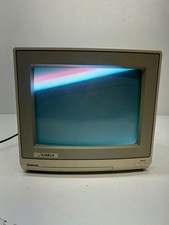
Vtg Amiga Computer Monitor Commodore 13" Screen W/ Power Cord Powers On As Is
$279.95
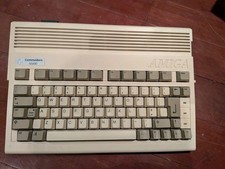
Commodore Amiga 600 Computer w/ PIStorm Framethrower Recapped, Caffeine OS NTSC
$799.99
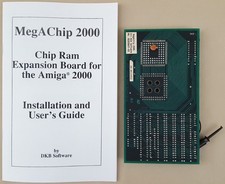
DKB MegAChip 2MB CHIP RAM for Commodore Amiga 2000 2000HD 2500 Video Toaster LRG
$339.98

ZuluSCSI Compact RP2040 - an affordable SCSI-2 (and 1) emulator w/ USB-C
$45.00
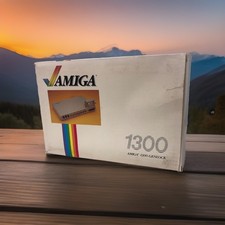
OPEN BOX - AMIGA Genlock Interface Vintage Video Adapter 1300- GREAT
$329.95



 Reply With Quote