-
Senior Member
registered user
You could:
1) When you install as beginner style or debian style, you will always presented with KDM log in screen. There is a menu button where you can select what type of windows manager you wan to log to. Choose boot to konsole.
2) Edit your /etc/inittab file. Go to KDE-->system--->file manager-super user mode-->open that /etc/inittab file.
On top of that file there's a line :
# The default runlevel.
id:5:initdefault:
Change id:5:initdefault to id:3:initdefault
Save and reboot, you will be presented with command line.
After you install nvidia driver, you need to set back your /etc/inittab to its original state..
Before you try install nvidia driver, I would suggest you search and read post about how to install nvidia driver in this forum.

Similar Threads
-
By vtechstu in forum Networking
Replies: 3
Last Post: 11-16-2004, 10:56 PM
-
By rrfish72 in forum General Support
Replies: 4
Last Post: 08-10-2004, 01:07 PM
-
By Drezliok in forum Hdd Install / Debian / Apt
Replies: 3
Last Post: 08-03-2004, 05:01 AM
-
By Morph_NX in forum Laptops
Replies: 6
Last Post: 04-10-2004, 04:14 AM
-
By computerkid14 in forum General Support
Replies: 4
Last Post: 09-05-2003, 01:24 PM
 Posting Permissions
- You may not post new threads
- You may not post replies
- You may not post attachments
- You may not edit your posts
-
Forum Rules


Gigabyte 4U AI Server 10x Nvidia GPU 2x Xeon Gold 6150 36 Core 2.7GHz DDR4 RAM
$1499.00

Dell EMC PowerEdge R440 Xeon silver 4215 2.5GHz 16 GB ram 2x 550W PSU No HDD
$275.00

Dell Poweredge R630 2x Intel Xeon E5-2650 v4 32GB RAM No Drives/OS Server
$292.50
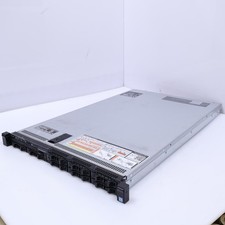
Dell Poweredge R630 2x Intel Xeon E5-2650 v4 64GB RAM No Drives/OS Server
$441.00

Dell PowerEdge C4130 1U AI GPU Server | 2x E5-2690 v3 | 64gb Ram | 2x 1600W
$524.99

Dell PowerEdge C4130 1U AI GPU Server | 2x E5-2680 v3 | 32gb Ram | 2x 1600W
$409.99

Dell PowerEdge R730XD 28 Core Server 2X Xeon E5-2680 V4 H730 32GB RAM No HDD
$378.93

Supermicro 2U GPU Server SYS-2029GP-TR 2x Xeon 6130 32C 6x PCIe 3.0 x16 Slots
$745.00

Dell PowerEdge R240 Intel Xeon E-2224 3.50GHz 8GB DDR4 ECC NO HDD 250W
$285.97

867959-B21 HPE ProLiant DL360 G10 CTO Server W/ 2x 865414-B21 1x 840140-001
$245.00



 Reply With Quote