-
Knoppix 3.2 won't work in text-mode (ATI 9700+widescreen)
I recently bought a Fujitsu Siemens A1360 laptop, and want to run Knoppix on it. My graphics driver is an ATI 9700 Mobility Pro (128 Mb dedicated), and I have a 1280x800 wide screen.
This is the weird thing: when I boot up with the CD, the screen is absolutely blank. Can't see the penguin, can't see the autodetection, nothing. However, it boots fine, because I can see the boot-screen, and then KDE works perfectly as well. Except, of course, when I switch to one of the terminal modes.
Would getting a new version of Knoppix solve my problem? The version I have is what I used for my old laptop: it dual-boots Debian (from Knoppix) and Windows 2000. My aim is to dual-boot Knoppix and WinXP Home (it shipped with the laptop). However, I don't know very much about Linux, so any advice is welcome.
Thank you in advance for any help!
-
Sorry - it's an Amilo A1630, not 1360... Here are the rest of the specs:
AMD 64 3400+ processor
1 Gb RAM
80 Gb HDD
DVD+RW
Thanks in advance for any help.
-
Senior Member
registered user
It's probably just the default console frame-buffer mode (791) which is not supported on your system. Try booting with "knoppix vga=normal"
-
Solved it!
Independently of your reply, I managed to burn Knoppix 3.6 on a disk, and it works. Will stick with the new version, like the new eye-candy in kde. Thanks!
-
wxga
Sir,
Can you please post that build to boot with 1280x800.
Thanks in adv
-
Re: wxga

Originally Posted by
joesucks
Sir,
Can you please post that build to boot with 1280x800.
Thanks in adv
I did get Knoppix 3.6 to work first-time on my laptop, but couldn't get 1280x800 with KDE, unfortunately. I'm sure it's possible to get it to work, but I haven't spent much time on it.
I've since moved to Gentoo, and am now running 64-bit Linux. The KDE that came with Gentoo automagically detected 1280x800, but I believe it still only boots in 1024x768. Unfortunately I can't give more specifice information: it's at home now, and I'm in the office (and I'm still a newbie!).
I know the normal resolutions look awful -- if you have any questions, I am very happy to help. Do you have a fujitsu as well, or another laptop?
-
Re: wxga
Originally Posted by
alet_roux
Originally Posted by
joesucks
Sir,
Can you please post that build to boot with 1280x800.
Thanks in adv
I did get Knoppix 3.6 to work first-time on my laptop, but couldn't get 1280x800 with KDE, unfortunately. I'm sure it's possible to get it to work, but I haven't spent much time on it.
I've since moved to Gentoo, and am now running 64-bit Linux. The KDE that came with Gentoo automagically detected 1280x800, but I believe it still only boots in 1024x768. Unfortunately I can't give more specifice information: it's at home now, and I'm in the office (and I'm still a newbie!).
I know the normal resolutions look awful -- if you have any questions, I am very happy to help. Do you have a fujitsu as well, or another laptop?
Thanks for replying I have Dell D800, Windoze works alright on it but KDE (Knoppix default) has several issues including the Alt+F1 screens not being visible which just ticks me off because i have never had a problem with any Linux before.
Similar Threads
-
By Jesse555 in forum General Support
Replies: 2
Last Post: 12-10-2004, 07:52 AM
-
By rquiggle in forum The Lounge
Replies: 12
Last Post: 11-20-2004, 11:24 AM
-
By xuejm1225 in forum General Support
Replies: 1
Last Post: 09-21-2004, 05:05 AM
-
By od in forum General Support
Replies: 3
Last Post: 05-11-2004, 04:03 PM
-
By jerome187 in forum General Support
Replies: 1
Last Post: 07-12-2003, 05:17 AM
 Posting Permissions
- You may not post new threads
- You may not post replies
- You may not post attachments
- You may not edit your posts
-
Forum Rules


Mini Computer Vacuum USB Keyboard Cleaner PC Laptop Brush Dust Cleaning Kit NEW
$13.89

LEVOIT Cordless Vacuum Cleaner, Stick Vac with Tangle-Resistant Design, Up to...
$162.04

Cordless Air Duster & Vacuum Cleaner for Keyboard & PC Cleaning - 110000RPM Powe
$53.99

V3 Robot Vacuum and Mop Combo,Self-Charging,5000pa Strong Suction,WiFi/Alexa NIB
$82.00

US Mini Computer Vacuum USB Keyboard Cleaner PC Laptop Brush Dust Cleaning Kits
$13.89

2-in-1 Compressed Air Duster & Vacuum, Brushless Motor, 320000RPM
$37.99

Mini Cordless Electric Keyboard Car Vacuum Cleaner Cleaning Duster Rechargeable
$9.97

2 in 1 Compressed Air Duster Air Blower & Vacuum Cleaner Cordless Duster Blower
$16.99
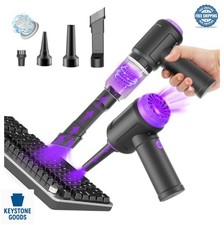
Cordless Computer Vacuum 14500Pa 110000RPM Air Duster Blower Keyboard Cleaning
$63.99

Mini Computer Vacuum Cleaner & Compressed Air Duster 14500Pa, 110000RPM, Cordles
$53.99



 Reply With Quote