

 Reply With Quote
Sorry - it's an Amilo A1630, not 1360... Here are the rest of the specs:
AMD 64 3400+ processor
1 Gb RAM
80 Gb HDD
DVD+RW
Thanks in advance for any help.


I recently bought a Fujitsu Siemens A1360 laptop, and want to run Knoppix on it. My graphics driver is an ATI 9700 Mobility Pro (128 Mb dedicated), and I have a 1280x800 wide screen.
This is the weird thing: when I boot up with the CD, the screen is absolutely blank. Can't see the penguin, can't see the autodetection, nothing. However, it boots fine, because I can see the boot-screen, and then KDE works perfectly as well. Except, of course, when I switch to one of the terminal modes.
Would getting a new version of Knoppix solve my problem? The version I have is what I used for my old laptop: it dual-boots Debian (from Knoppix) and Windows 2000. My aim is to dual-boot Knoppix and WinXP Home (it shipped with the laptop). However, I don't know very much about Linux, so any advice is welcome.
Thank you in advance for any help!
Sorry - it's an Amilo A1630, not 1360... Here are the rest of the specs:
AMD 64 3400+ processor
1 Gb RAM
80 Gb HDD
DVD+RW
Thanks in advance for any help.
It's probably just the default console frame-buffer mode (791) which is not supported on your system. Try booting with "knoppix vga=normal"
Independently of your reply, I managed to burn Knoppix 3.6 on a disk, and it works. Will stick with the new version, like the new eye-candy in kde. Thanks!
Sir,
Can you please post that build to boot with 1280x800.
Thanks in adv
I did get Knoppix 3.6 to work first-time on my laptop, but couldn't get 1280x800 with KDE, unfortunately. I'm sure it's possible to get it to work, but I haven't spent much time on it.Originally Posted by joesucks
I've since moved to Gentoo, and am now running 64-bit Linux. The KDE that came with Gentoo automagically detected 1280x800, but I believe it still only boots in 1024x768. Unfortunately I can't give more specifice information: it's at home now, and I'm in the office (and I'm still a newbie!).
I know the normal resolutions look awful -- if you have any questions, I am very happy to help. Do you have a fujitsu as well, or another laptop?
Thanks for replying I have Dell D800, Windoze works alright on it but KDE (Knoppix default) has several issues including the Alt+F1 screens not being visible which just ticks me off because i have never had a problem with any Linux before.
 Posting Permissions


Lenovo ThinkPad L13 Yoga Touch Laptop 13.3” Core i5 8GB RAM 256GB SSD Win 11 Pro
$239.99

Lenovo ThinkPad L15 Gen 3 15.6" 16GB, Thunder Black
$241.50

Lenovo ThinkPad T495 14” Laptop AMD Ryzen 5 PRO 16GB RAM 256GB SSD Windows 11
$229.99

Lenovo ThinkPad E14 Gen 2 Laptop 14” HD Ryzen 5 16GB RAM 512GB SSD Win 11 Pro
$319.99

Lenovo ThinkPad T14 Gen 1 14" AMD Ryzen 5 16GB 256GB SSD
$219.99

Lenovo ThinkPad E14 Gen 3 Laptop 14” FHD AMD Ryzen 5 16GB RAM 512GB SSD Win 11
$374.99

Lenovo Thinkpad T14 Gen 2i 14" 16GB 512GB, Black
$313.00
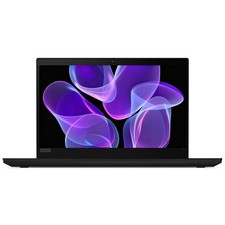
Lenovo Thinkpad T14 Gen 2 14" 16GB, Thunder Black
$387.46

Lenovo ThinkPad L15 Gen 3 15.6" 16GB, Thunder Black
$241.50

Windows 11 PRO Laptop Notebook PC Computer, 8GB Ram, Webcam, Wifi, and HDMI
$144.00