-
Problem booting to runlevel 5
Hey guys and girls,
Forgive my ignorance, I'm new to linux. 
I have the following problem. Just installed knoppix 3.6 but system does not boot into runlevel 5. If I log in as root and run kdm from prompt then all is well. Default runlevel in inittab is runlevel 5. Can you please guide me as to where I should look to achieve booting directly into KDE?
Thanks in advance
-
Senior Member
registered user
-
Senior Member
registered user
you start kdm from commandline?
I use 'startx' to start x from the commandline, but that needn't mean, it's better than 'kdm'.
In your /etc/rc5.d/, which files do you find?
Code:
ls /etc/rc5.d/ > filelist
I got a S99kdm there.
Similar Threads
-
By Kakarott2003 in forum Hdd Install / Debian / Apt
Replies: 2
Last Post: 09-12-2005, 06:40 PM
-
By zrooze in forum Hdd Install / Debian / Apt
Replies: 0
Last Post: 06-10-2005, 04:55 PM
-
By rniles in forum General Support
Replies: 4
Last Post: 12-23-2004, 01:50 AM
-
By eekarum in forum Hdd Install / Debian / Apt
Replies: 3
Last Post: 09-01-2004, 08:08 AM
-
By ahfoo in forum General Support
Replies: 1
Last Post: 07-13-2004, 01:41 AM
 Posting Permissions
- You may not post new threads
- You may not post replies
- You may not post attachments
- You may not edit your posts
-
Forum Rules


Intel Core i5-12500T SRL5W 2GHz 18MB 6 Core Socket LGA1700 Desktop CPU Processor
$114.99

INTEL CORE I9-10940X X-SERIES PROCESSOR | 3.30GHZ | SRGSH
$179.99
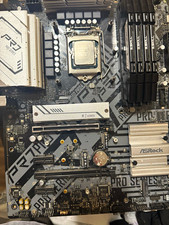
ASRock b560 ATX Motherboard + Intel Core i5-11600K CPU Combo Gaming + 32 GB DDR4
$300.00

LAST BATCH *Brand New-Sealed* AMD Ryzen 9 9950X3D2 Dual Ed. 4.3GHz 16Core AM5
$768.00

Intel Core i7-9700 Octa-Core 3 GHz Desktop Processor LGA 1151
$79.99

Intel Core i7-3770K 3.5 GHz Processor
$39.00

Intel Core I7-7700 SR338 3.60 Ghz Processor
$39.99

Intel Core i7-7700K SR33A 4.20GHz 4-Core LGA1151 CPU Processor
$62.95

AMD - Ryzen 7 5800X3D 8-Core - 16-Thread 3.4 GHz (4.5 GHz Max Boost) w/ Ice Pad
$355.99

Intel 6th Gen Core i7-6700K 4.0GHz (Turbo 4.2GHz) 4-Core LGA1151 CPU SR2L0
$38.00



 Reply With Quote