

 Reply With Quote
24 MB is cutting it a bit thin even with the desktop=fluxbox cheatcode. KDE is probably out of the question. You might want to check out this one: http://www.damnsmalllinux.org/486.html


Hi I have an old system with only 24 mbs of ram and I was wondering if there was anyway to force the computer to run in graphical mode and not text mode, or if there was another type of linux out there that would allow me to run it on my computer in graphical mode.
24 MB is cutting it a bit thin even with the desktop=fluxbox cheatcode. KDE is probably out of the question. You might want to check out this one: http://www.damnsmalllinux.org/486.html
I tried it with 200 mb swap space and it didn't work... could I really need more?
I think 300 would be a better amount, plus the PC is proably slow given the ram. I think DSL would be a better alternative as it is smaller and therefore well suited for these kind of PCs.Originally Posted by Jaguar600
(DSL = Damnsmalllinux, they're ttrying to change it for use in schools and such.)
300 mb didn't work either. Is there a command or something I need to type into the root console or does it automaticaly boot into kde?
at boot (when you see the knoppix screen)
type knoppix desktop=fluxbox
 Posting Permissions


Juniper EX4100-F-12P Switch 12x 1GbE PoE 2x 10GbE Uplinks 4x 10GbE Stack Ports
$900.00

Juniper EX2300 12-Port Gigabit PoE+ Managed Network Switch P/N: EX2300-C-12P
$149.99

Juniper Network QFX5100-48S-AFO 48x SFP/SFP+ 6x 40GbE QSFP+ Switch w/ Dual power
$253.30

Juniper EX4300-24P 24 Port Gigabit PoE+ Switch.
$114.35

NEW JUNIPER QFX5120-48Y-AFO-T 48x 10/25GbE SFP28 8x 40/100GbE Switch Dual AC PS
$12750.00

Juniper EX2300-C-12P 12 Port Gigabit PoE+ 2x10G SFP+ Managed Compact Switch
$179.99

Juniper EX3400-48T-AFI Ethernet Network Switch 48x1GbE 4x10GbE SFP+ 2x40GbE QSFP
$139.00

Juniper EX2300-C 12 Port Compact Gigabit Switch EX2300-C-12p
$99.99

Juniper EX3400-24P 24-Port PoE+ GbE + 4-Port 1/10Gb SFP Switch
$245.00
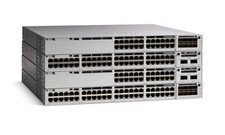
Juniper EX Series EX2300-C-12P - switch - 12 ports - managed
$311.95