

 Reply With Quote
You did enable DHCP?
Art


I can't connect to the internet with the live cd 3.6 (DSL).
Since I can't do anything wrong - after affirming having only one eth0 I get the error message with "pppoe already in use" - I guess, it's because of my new chipset (VIA KT880) and the build in LAN.
Can anyone enlighten me?
Except for internet Knoppix runs fine - I can't even get Mandrake 10.1 to install- but believe me or not, sometimes I do need the internet.
If it's my chipset, does it mean, no Linux distribution would work (at the moment?)?
OT: My mainboard has SATA (and RAID), which is deaktivated, and I've heard about problems with SATA and Linux. Do these problems arise even if you don't have any SATA disks but only the (disabled) chipset? Because I need a new disk and if I have problems even with the normal (P-) ATA disks then I might as well buy a SATA disk. (I think my Mandrake problems are due to this.)
Addendum 2004-09-29T19:57
Problem solved
aus http://www.supportnet.de/discussion/...nicht+gefundenwechsle auf eine konsole. logge dich als root ein.
gib ein:
pppoe
und es erscheinen nach kurzer zeit ein paar seltsame zeichen. dann wieder der prompt.
nun kannst du mit
pppoeconf
die konfiguration starten. nun wird der dsl-concentrator (oder wie das ding heißt) wundersamerweise erkannt.
It seems to be a bug, since I found it in 3.6 and 3.7 but not in 3.2 and 3.3.
You did enable DHCP?
Art
What does
show?Code:ifconfig
pppoe is in use?
Did you configure your ISP?Code:ps -C pppoe
Did you specify the DNS-servers?
Does ping work?Code:cat /etc/resolv.conf
(knoppix.net)Code:ping 66.220.1.171
I didn't have any choice to enable or disable anything!
I'm booting from the live cd and when I see the desktop I try to connect to the internet.
After clicking through the menus the very first message appearing is the one with something like "congratulation, founding eth0 .. if this the only one eth - which it is! - then proceed by clicking "ok". The ok button is already marked with green.
And then, after cklicking the ok button, I get the second message with "sorry, pppoe already in use .. can't do anything".
I DON'T have AT ANY TIME a choice to disable, or enable, or filling out with text, anything.
No, I didn't ping anything; I see on the LED of my DSL modem that I'm not connected.
Addendum "no connection to access concentrator"
I put a Realtek in without success (and tried Knoppix 3.7).
Knoppix found then 2 eth but I still get the same error message. That message is actually the third window, the second one is just showing shortly with "Looking for ..."
And the error message is actually "No access concentrator could be contacted(!) That could be due to pppoe beeing already in use"
Sorry for my wrong wording earlier.
Maybe Knoppix has problems with my Arcor DSL? But that's just a white box without any configuration and which works fine with Win XP.
Have you run netcard config ?
Do your system has firewire?

If you added the 'solved' to the bottom of the thread, I would have found it before writing more hints, and only finding the 'solved' by accidential scrolling in the wrong direction....
 Posting Permissions


Original Vintage Old Style STANDARD Black CD Jewel Case (Heavy Duty) 90g Lot
$316.95

Vintage NEC CDR-1410A 50 Pin SCSI CD-ROM Optical Drive Used
$39.99
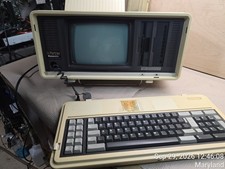
Vintage Panasonic Sr. Partner RL-H7000 Computer w/Service Manual & DOS Disks Cov
$275.00

VINTAGE FACTORY SEALED MICROSOFT INTERNET EXPLORER 4.0 CD-ROM - NEW RARE BLUE CD
$34.99

Vintage Apple Newton Connection Kit for Macintosh, Other Type
$125.00
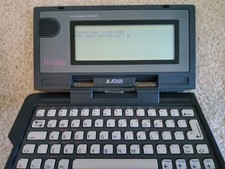
Vintage Atari Portfolio 16-Bit PC Palmtop Computer - Retro Computing
$96.00
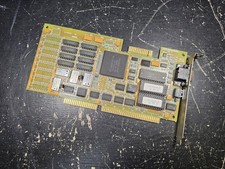
Vintage Paradise VGA Plus 16 ISA Video Card 1988 Western Digital PVGA1A TESTED
$89.99

Apple eMate 300 Newton Vintage Laptop w/ Original Box Manuals & Cables
$250.00
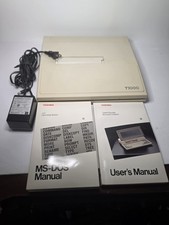
Toshiba T1000 Vintage Laptop PC, 1 power supplies, manuals, and original bag
$119.99
Vintage AppleCD 300i Plus CD-ROM Optical Drive SCSI 1993 Used
$47.99
