

 Reply With Quote
Or if you use a standard hdd installation add it to .bashrc.


How often have you wished to remove the "Caps Lock" altogether? Well, now you can. Simply put this in your knoppix.sh:
And the "Caps Lock" key will never disturb you againCode:xmodmap -e "remove lock = Caps_Lock"
Btw, for other operating systems, this fuctionality can be bought for $10: http://www.orionsoft.cz/anticapslock.asp
probono
Or if you use a standard hdd installation add it to .bashrc.
Hm. Yes.
Caps-lock problems I have.
But I need a different solution.
a) Typewriter mode: unlock caps-lock with left-caps too.
b) Typewriter mode too: CAPS + $ shall be $, not '4'. (If I would like to insert '4', I wouldn't hit CAPSLOCK - would I?)
What is "Typewriter mode"?
Well, in former time, there where typewriters.
All typewriters I used behaved in the way described above.
I don't know whether someone else uses this expression for pc-keyboards.
And former typewriters didn't had an penguin- or apple-key...
Somehow I don't understand what you say. Could you try it in German maybe?
It's simple. Typewriters work like this: first of all, symbols on the first-row keys are swapped, that is, on a typewriter if you hit the 4-key, you get a $, instead. To get a 4 you have to press the Caps lock (or the SHIFT) key(*). On computers, instead, these keys always generate numbers, and the only way to get symbosl is depressing them together with the SHIFT key.
Note that if you use the CAPS key, the keys on the first row continue to type numbers, and to get symbols again you must deactivate CAPS LOCK (see below).
Moreover, the CAPS key is not a toggle: once you press it, you type capital letters; but pressing it again has no effect. The only way to release the caps key (and thus typing small letters) is to press the SHIFT key.
(*) This is only an example, that is valid on my PC keyboard (an Italian keyboard); probably the symbol over your "4" key is not "$". And surely the keyboard disposition on typewriter keyboards is different from ANY PC.
Nic understood right.
In german:
Shift-4 erzeugt $. Caps-Lock erzeugt aber nach wie vor 4.
Auf einer Schreibmaschine würde es auch $ erzeugen.
Ebenso schaltet man Caps-Lock auf einer Schreibmaschine mit Shift aus, nicht mit erneutem Caps-Lock.
guys help, i tryed the command, nd it worked but i think ive broken it - i cant get it back *sobs* sum1 help!!
yeh btw guys this in my mandriva LE edition not knoppix... so it isnt like i can reboot
 Posting Permissions


Dell PowerEdge M630 Blade Server 2x Xeon E5-2680 v4, 2F3MP , 4GDP5 ,R10KJ ,JVFVR
$95.20

Dell PowerEdge M640 Blade Barebone Server Dell P/N: HHB006 Tested Working
$149.99

Dell PowerEdge M620 Blade Server 2x Xeon E5-2680v2 2.8ghz 20-Cores | 128GB
$149.99

Cisco UCS 5108 Blade Server Chassis Enclosure N20-C6508 4x PSU 8x Fans 2x Fabric
$174.99

HPE PROLIANT BL460C GEN 9 813198-B21 2.5"x2 Server Blade SEE NOTES
$21.08

Dell Poweredge C6400 24x 2.5’’ 2x 2400W 4x C6420 Nodes H330 | 2x SFP | 8x Trays
$799.99

Datto S4P10 1U Blade Rack Server Intel Xeon D-2143IT 2.20GHz 48GB DDR4 4-Bay PSU
$197.76
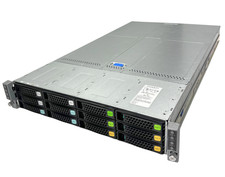
Intel S2600TP 4-Node 64 Core Server 8x Xeon E5-2620 v4, 256GB DDR4 RAM, 2x 1600W
$1785.00

Dell Poweredge VRTX 25Bay 2.5" 2x PERC 8, 2xCMC, I/O 1GB Pass Through, 4x PS
$578.08

AS IS READ DESCRIP. Supermicro SuperServer 6026TT-HIBQRF 12-Bay 4x X8DTT-HIBQF
$215.00