-
Help Changing Read/Write for NTFS in Knoppix 3.6
I have tried to mount my NTFS hard drive using Knoppix but it always says the following:
knoppix@ttyp0[knoppix]$ mount -t ntfs /dev/hda1
mount: only root can do that
How can I get rid of that error or gain permissions so I can mount a drive?
PS - I am very, VERY new to both Knoppix and Linux.
-
Senior Member
registered user
If you are booting the Knoppix 3.6 CD to a full graphical KDE desktop, then you should have hard drive icons on your desktop. Try using those icons to access the NTFS C: drive. If the icons on the desktop work for you & you are able to access the NTFS drive and do not want to learn more about this problem, then you can stop reading now.
Linux in general limits what the user can do. This prevents dangerous tasks from being performed without permission. You have just run into an example of where it prevents you from mounting the /dev/hda1. You will need to append the sudo command in front of your mount command. The other thing you may need to know if that NTFS is supported by read only & not read/write. Someone else may need to correct the command below, but it should allow you to mount the NTFS C: drive in read only mode.
Code:
sudo mount -t ntfs -o ro /dev/hda1 /mnt/hda1
I hope this helps.
James
-
Thanks, but the only reason I'm looking to mount the drive is so I can set read/write permissions. I've talked to someone who said that through Captive NTFS, you can write to NTFS drives. I'm just looking for help in getting it to work.
I do see the hard drive and I can access it, I'm trying to figure out how to write to it.
Again, sorry if I sound like a comlete idiot, but I'm very new to anything Linux, much less Knoppix. I'm trying to learn it mostly because it can do things differently than Windows can.
-
Senior Member
registered user

Originally Posted by
Krendall
Thanks, but the only reason I'm looking to mount the drive is so I can set read/write permissions. I've talked to someone who said that through Captive NTFS, you can write to NTFS drives. I'm just looking for help in getting it to work.
I do see the hard drive and I can access it, I'm trying to figure out how to write to it.
Again, sorry if I sound like a comlete idiot, but I'm very new to anything Linux, much less Knoppix. I'm trying to learn it mostly because it can do things differently than Windows can.
You should see a little picture of a penguin at the bottom left (if you in kde) search through that menu for captive ntfs.
Similar Threads
-
By ThundaOne in forum Hardware & Booting
Replies: 7
Last Post: 03-29-2005, 06:57 AM
-
By David Ormsby-Gore in forum MS Windows & New to Linux
Replies: 2
Last Post: 07-08-2004, 10:10 AM
-
By crveni in forum General Support
Replies: 4
Last Post: 06-08-2004, 08:46 AM
-
By Markus in forum The Lounge
Replies: 0
Last Post: 01-25-2004, 04:59 PM
-
By garyng in forum General Support
Replies: 0
Last Post: 11-25-2003, 06:04 PM
 Posting Permissions
- You may not post new threads
- You may not post replies
- You may not post attachments
- You may not edit your posts
-
Forum Rules

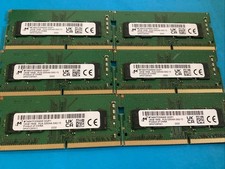
Lot of 6 Micron MTA8ATF2G64HZ-3G2F1 16GB 1Rx8PC4-3200AA-SA2-13 Laptop Memory RAM
$300.00

Microsoft Office 2021 Pro Plus USB for 1PC Windows 10 & 11
$62.50

Lot Of 8 Micron 8GB 2Rx8 PC4-2666V-RE2-11 ECC REG Server Ram MTA18ASF1G72PDZ-2G6
$210.00
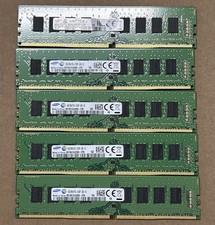
LOT OF 5 Samsung M378A1G43DB0-CPB 16GB (2x8GB) 2Rx1 PC4-2133P Desktop Memory
$130.00

Kingston 32GB 64GB 128GB 256GB USB 3.0 Flash Drive Thumb Memory Stick Pen lot
$285.90

USB 3.0 Flash Drive 32GB 64GB 128GB Memory Stick Thumb Stick Lot Pack
$826.09
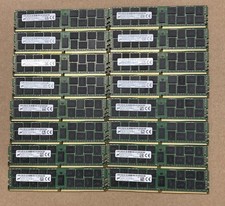
Lot Of 16Micron MTA36ASF2G72PZ-2G1A2IJ 16GB 2Rx4 PC4-2133P-RB0-10 ECC Server Ram
$960.00
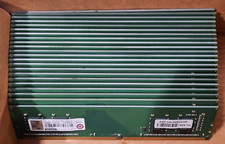
Lot of 88GB (22x4GB) ADVANTECH 1RX16 DDR4 PC4-2400U AQD-D4U4GN24-HP MEMORY RAM
$286.00

TF/SD Card Adapter Camera Reader Android Type-c For iPhone17 Pro Max Plusm lot
$573.98
HYNIX HMA84GR7AFR4N-VK 32GB PC4-2666V 2RX4 RDIMM MEMORY HMA84GR7AFR4N-VK
$189.99



 Reply With Quote