

 Reply With Quote
Check if your system has firewire. Firewire can sometimes conflicting with netcard because it trying to find adsl connection through firewire rather then netcard.


I have just downloaded the knoppix 3.6 version.
when I tried to connect to the internet using ADSL/PPPOE it says it found eth0 but then display the message it can not find the provider concentrator.
if I try to connect using the old knoppix 3.4 it works perfectly.
what might be the problem?
best.
max
Check if your system has firewire. Firewire can sometimes conflicting with netcard because it trying to find adsl connection through firewire rather then netcard.
yesh that might be the case as its a laptop.
how would I solve it?
Try cheatcode: nofirewire
I tried the cheatcode <knoppix nofirewire> but got the same result.
what else can i try?
by the way, the link http://download.linuxtag.org/knoppix...cheatcodes.txt
seems not to be working.
where can I get a complete list of cheatcodes?
ok sorry, got the cheatcodes page
It is a strange problem to be sure. I installed 3.6 to my HDD so I can work around it - I do not know if you do so my uing the CD-only or not. To get the network up and running you must first configure the netcard using a network address higher than one ending in 0 or 1 - i.e. Network - 192.168.0.3
(the base network is 192.168.0.0 and the DSL modem uses 192.168.0.1)
NetMask - 255.255.255.0
Broadcast - 0.0.0.0
Gateway - 0.0.0.0
When you run this you will get an SIOCADDRT error, but the Nic card will install, then run the ASDL/PPoE setup program and check yes to every question except - say NO that you do not wish the network brought up at boot time, because the SIOCADDRT error appears everytime you boot and eth0 does not get configured. You will need to configure this everytime you run KNOPPIX which is aggravating - but a small Bug to get such a great overall system!
Maybe you need to add :SIOCADDRT error
Broadcast - 192.168.0.255
and check your /etc/network/interfaces, should have something like this:
auto lo eth0
iface lo inet loopback
iface eth0 inet static
address 192.168.0.3
netmask 255.255.255.0
network 192.168.0.0
broadcast 192.168.0.255
Once the CD installs enter a Terminal - type "su" to get to root status. Then type "ifconfig eth0 down" <enter> Leave your terminal open and on the menu select Network Card Configuration
Network 192.168.1.3
Netmask 255.255.255.0
Broadcast 0.0.0.0
Gateway 0.0.0.0
Then run your ADSL/PPPOE configuration. It should find a concentrator and setup for you. Do not select start-up when booting. Try a Browser - chances are you will not be able to connect. Go back to the terminal and type "ipconfig" <enter> - determine the Mask for ppp0 and then type "ifconfig eth0 down" <enter> Enter same information as above except for the Netmask - being certain it matches the ppp0, which should be a value of 255.255.255.255 and your connection will be up. Be sure to save your settings to a floppy if you have one. Happy surfing!
 Posting Permissions


SK Hynix Server Memory 32GB (1x32GB) RAM DDR4 2400MHz HMA84GR7MFR4N Lot of 12
$1599.99

2 in 1 USB 3.0 Card Reader Micro TF card Reader usb adapter High Speed Cardreder
$3.99

x4 Intel 128GB NMB1XXD128GPS Optane Memory 200 Series PMEM Module 3200 DDR4 RAM
$329.99

P43330-0A1 HPE 32GB 2RX8 PC5-4800B DDR5 SERVER RAM P43328-B21 / HMCG88MEBRA107N
$1100.00

Kingston 32GB 64GB 128GB 256GB USB 3.0 Flash Drive Thumb Memory Stick Pen lot
$285.90

SK Hynix 64B PC4-2933Y Server Memory DDR4 RAM HMAA8GR7MJR4N-WM
$499.99
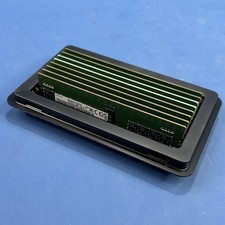
Samsung (8X16GB) 128GB 2Rx8 PC4-3200AA-RE2-12 Registered ECC Memory DDR4
$849.99

Samsung 96GB LPCAMM2 PC5 9600 FE1 E1 LPDDR5X CAMM2 M561K6LC3CL1-CCV DDR5 Memory
$2150.00
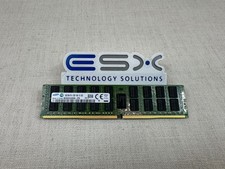
Samsung 16GB 2Rx4 PC4-2133P DDR4 ECC Server Memory RDIMM M393A2G40DB0-CPB
$104.95
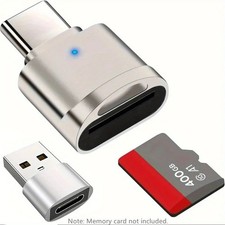
2 Pack USB C SD TF Card Reader Adapter Zinc Alloy USB-C to USB for iPhone 15-17
$3.35