-
Senior Member
registered user
howagood,
you'll want to look at /etc/X11/XF86Config-4
here is part of my file, look for this part in your XF86Config-4 file:
Section "Screen"
Identifier "Default Screen"
Device "Generic Video Card"
Monitor "Generic Monitor"
DefaultDepth 24
(snip)...
SubSection "Display"
Depth 24
Modes "1152x864" "1024x768" "800x600" "640x480"
EndSubSection
(snip)...
in the section that corresponds to your default display depth (as root) edit the file and either make a copy of the Modes line and comment the original out or just edit it so it something like:
...
Depth 24
#Modes "1152x864" "1024x768" "800x600" "640x480"
Modes "800x600" "640x480"
...
then save the file and restart your X server. Be careful because if you mess up you won't be able to run X, it's probably a good idea to make a backup copy of your existing XF86Config-4 file
HTH
rock
Similar Threads
-
By Hylle in forum Hdd Install / Debian / Apt
Replies: 1
Last Post: 12-14-2004, 04:51 PM
-
By rchinnock88 in forum General Support
Replies: 1
Last Post: 10-19-2004, 08:12 PM
-
By SSVegetto in forum Hardware & Booting
Replies: 1
Last Post: 10-06-2004, 07:19 AM
-
By Preacher_mg in forum General Support
Replies: 1
Last Post: 06-13-2003, 09:41 PM
-
By etsoft in forum General Support
Replies: 2
Last Post: 03-02-2003, 09:49 AM
 Posting Permissions
- You may not post new threads
- You may not post replies
- You may not post attachments
- You may not edit your posts
-
Forum Rules


Fujinet 1.7.1 Atari 400 800 800XL 130XE 65XE XEGS Assembled, Tested, Working
$99.99

Atari 130 XE/Atari 1050 Bundle W/ Cords And Extras (Powered On)
$300.00

DEFECTIVE Atari 810 Vintage Computer Disk Drive powers on Unit Only Boo G3D
$49.29

Atari 800 8-bit Computer System Fully Tested Great Condition 48k READ
$350.00

Atari XE 130XE Computer NTSC with Power Supply Powers On Untested
$159.95

ATARI Mouse with Adapter for ST, STE, Mega STE, TT Optical - USA Seller
$29.99

INFO/soft Character Generator Manual for Atari 3000/5000/7000 NTSC
$40.00
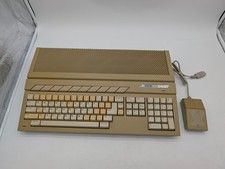
Atari 1040ST Vintage Home Computer w/ Original Mouse Untested Parts Repair AS IS
$228.32

UNOCART-2600 SD card Multi Rom Cartridge for ATARI 2600 with CASE
$34.25

VTG Atari 1200XL Home Computer System 1200 XL ** Tested ** Parts or Repair
$323.75



 Reply With Quote