

 Reply With Quote
try typing knoppix noscsi at the boot promptOriginally Posted by hpljs1200


i have downloaded and burned the boot cd for knoppix 3.4 and when i boot it asks me whether i want to boot knoppix and i press enter and then it gets stuck on the next step it says "checking scsi ... something.o" and stops there. how can i boot it correctly?
try typing knoppix noscsi at the boot prompt
F2 at boot prompt and then type: knoppix testcd
that will md5 the files on the cd to see if it is a good iso.
thanks firebyrd! it works now. why doesn't scsi work?
 Posting Permissions


OPNsense pfSense 8-Core Atom C3758 2.2GHz 8GB DDR4 64GB SSD 8x NIC QAT AES VPN
$115.00

pfSense Firewall 16-Core Atom C3958 8GB DDR4 RAM 64GB SSD 8x 1Gbe QAT AES-NI VPN
$184.99

OPNsense pfSense 16-Core Atom C3958 16GB ECC RAM 512GB SSD 8-Port QAT AES-NI VPN
$248.00

SonicWall TZ280 Firewall 03-SSC-6933 Advanced Edition 3YR NEW SEALED
$999.99

Fortinet FortiGate 60F FG-60F P24286-03-13 Network Firewall Security Appliance
$155.75

Palo Alto PA-220 Next-Gen Firewall 520-000309-00J
$40.00
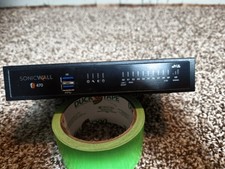
SonicWall TZ470 Network Security/Firewall Appliance (02-ssc-2829) (02ssc2829)
$100.00

Fortinet FortiGate 60F FG-60F UTM UTP License Until 2027 Network Security FW VPN
$219.99
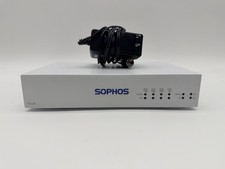
Sophos SG 115 rev.3 Firewall Security Appliance SG1153BAEUS + OPNsense
$85.00

NETGEAR ProSafe 8-Port Gigabit VPN Firewall FVS318G NEW IN BOX
$69.99