-
knx and floppyconfig on one CDRW to boot
If you like to save your knoppix floppyconfig settings on the bootable
cdrw (or cdr).
I did the following to achieve this;
you will need; -the knoppix os on a cdrom
-a floppy disk
-windows (or another OS) with nero (or other)
burning rom
-enough free hard disk space (1GB will do)
step 1.boot the knoppix from cdrom (KDE desktop if you like)
2.configure all your settings, and applications that you use,
like for example:
desktop feel and look, theme, add icons for fast acces,
internet connection and login,
e-mail settings, printer setup, your nickname and login IRC,
everybuddy and add your
buddies, or other chatclients,mozilla home starting page and> settings, and most important;
change your root acces password; you can do this like this;
start "console (with the shell
icon and type; sudo passwd then set your own password.
work a little bit with your knoppix and see iff everything is> the way you like it...ok?
go to step;
3.go to menu / knoppix / save your settings
it will now be saved to the floppydisk (dos formatted)
shut down the usual way and reboot into windows.
4.Make in window explorer a new file (where you like) and copy
the all the files from the
knoppix cdrom into that new file.
5.Navigate to your floppydisk and copy the two files that are
there and paste it in the new
file on your windows Hard Disk. Now your configuration is
ready to be burned unto a
CDRW or CDR (rw will be better because you can re use it)
6.Start Nero Burning Rom, select "Bootable Cdrom" and for
image file: select from the
knoppix file on your Hard Disk the "boot-en-img"(for
english language) .
Click "Expert settings off" and click new. Edit name ,
change it to Knoppix.
Now add the files to be burned, the knoppix main file, the
icon, the index html, the inf,
and autorun. (and only the other files if you dont run out
of space on your cdrw, if you
dont have enough space leave teh knopper demos and talks out)
7.Burn your CDRW, if you get an message that says you have to
little space remove the
files mentioned above, is you get the message that your
CDRW has to be closed click
OK. Wait untill its burned. Power down your PC the usual way.
8.Boot with your new Koppix CDRW OS, type ; knoppix
floppyconfig (make sure that the
floppydisk with your config settings is not in the drive)
and knoppix will find and load
your settings (much faster).

Similar Threads
-
By psunga in forum General Support
Replies: 1
Last Post: 04-21-2004, 05:55 PM
-
By BillS in forum Customising & Remastering
Replies: 0
Last Post: 01-07-2004, 04:15 PM
-
By Boffy655 in forum Hdd Install / Debian / Apt
Replies: 1
Last Post: 07-08-2003, 05:03 AM
-
By brian03 in forum General Support
Replies: 0
Last Post: 05-13-2003, 07:52 PM
-
By robk in forum Customising & Remastering
Replies: 0
Last Post: 02-22-2003, 08:53 AM
 Posting Permissions
- You may not post new threads
- You may not post replies
- You may not post attachments
- You may not edit your posts
-
Forum Rules

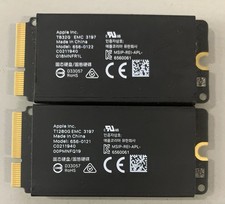
Apple Mac Pro 2019 1TB OEM SSD Kit-832GB +128GB - 656-0122/ 656-0121
$69.99

Samsung 2.5" 870 EVO SSD SATA III 250GB 500GB 1TB Internet Solid State Drive Lot
$60.00

Samsung 1TB SSD BM91H 1TB (MZ-VMA1T00) Internal SSD M.2
$135.00

External SSD 1TB 2TB 4TB Portable Hard Drive USB 3.0 Type-C High Speed PC Mac
$19.99

SAMSUNG T7 Portable SSD 1TB Indigo Blue USB 3.2 Gen2 External MU-PC1T0H/AM
$159.99

Acer Predator Helios Neo 16S AI 16" i9 275HX 2S RTX 5070 Ti 32GB 1TB SSD Refurb
$1746.47

1TB Kingston DataTraveler Max DTMAX/1TB USB Type-C Flash Drive
$86.95
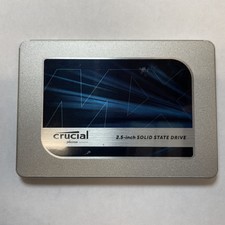
Crucial MX500 1TB 2.5" SATA III Internal SSD CT1000MX500SSD1
$99.99

Dell Latitude 14" Laptop Computer Intel i5 Up To 32GB RAM 1TB SSD Windows 11 Pro
$545.25

Seagate Desktop 1TB/1000GB SATA 3.5" HDD Hard Drive
$29.99



 Reply With Quote