-
Junior Member
registered user
Got it,
its not a perfect solution and I dont know why it works/didnt works.
Ill be glad if anyone will find a better way to make it work and without the errors it gives.
stage 1:
to make your menu and X-windows the way you want I do as follow:
vi /etc/X11/Xsession.d/45xsession
comment out lines 125 - 154
and save the file.
(comment out is putting # at the start of each line).
stage 2:
vi /etc/init.d/knoppix-autoconfig
at line 1181 after the fi in new line i add:
mkdir /home/knoppix
cp -R /etc/skel/.??* /home/knoppix
chown -R knoppix:knoppix /home/knoppix
make steps 2 & 3 and burn the iso.
thanks again for the author for making this HOWTO,
it saved me alot of time and I hope the steps here will help others (even if its not perfect solution.)
thanks.
-
I found the solution just tried it now and it worked in my case without any errors. Just before making the Compressed Filesystem step in this How To I reboted the machine and boot into the normal environment made modifications in menu using menu editor and then from root shell I synchronised the runnig system, with the system on hard drive.
Code:
sudo rsync -a /home/knoppix/ /mnt/hda2/remaster/etc/skel/
then boot again from run level 2
and run the script.
worked just fine.
-
Many people are complaining about the menus (including me). I don't know what method you are using to test your remaster (most poeple might have tried "knoppix 2" and then at the command prompt "startx", I guess). Doing so is indeed a problem as the menus are restored to default. The solution I found was to boot into "knoppix", fire a nested X server from one terminal, chrooted into my remaster in other terminal, mounted proc, exported DISPLAY and run strartx. Changed the menus and exited. Similarly "su - knoppix" if you want to customize menus for user "knoppix". Then logout, in the chroot environment "rm -rf /etc/skel" and then "mv /home/<user> /etc/skel" and "chown -R root:root /etc/skel". It works.
I've even changed the compressed file system name as well the default user, but I don't had to change anyting in "/etc/X11/Xsession.d/45xsession" except for replaying resync command with cp where the profiles of "mozilla" were created.
If you are changing the default user to something else, you'll have to take care of "xsession" file too that exports a global "USER" variable.
I'm looking forward for response.
-

Originally Posted by
raj1478
The solution I found was to boot into "knoppix", fire a nested X server from one terminal, chrooted into my remaster in other terminal, mounted proc, exported DISPLAY and run strartx. Changed the menus and exited. Similarly "su - knoppix" if you want to customize menus for user "knoppix". Then logout, in the chroot environment "rm -rf /etc/skel" and then "mv /home/<user> /etc/skel" and "chown -R root:root /etc/skel". It works.
Hello the way i wrote before dunno why worked only once.  Dunnot really understand, but just wanted to ask can you go a bit more in detail about your way.
Thanks
Nikolay
-
Originally Posted by
Nikolay
Hello the way i wrote before dunno why worked only once.
Dunnot really understand, but just wanted to ask can you go a bit more in detail about your way.
Thanks
Nikolay
Just follow the steps: -
a. Fire two root shells.
b. In first shell type "Xnest -ac -geometry 800x600 :1
c. In the second root shell: -
1. chroot into the source.
2. mount proc.
3. mkdir /home/knoppix
4. cp -Rp /etc/skel /home/knoppix
5. chown -R knoppix.knoppix /home/knoppix
6. su - knoppix
7. export DISPLAY=Knoppix:1.0
8. startkde
9. Make necessary changes in the menus etc.
10. logout.
11. exit user knoppix
12. As root type "rm -rf /etc/skel"
13. mv /home/knoppix /etc/skel
14. chown -R root:root /etc/skel
15. umount proc
16. exit chroot
17. compress and burn.
(All this has been narrated in detail in this HOWTO)
Make sure the changes in menus etc. are reflected in /usr/share/applnk directory.
Tell me the result.....
-
Hello Finally tried it but didn't succed I was following remastering process described in this How To I was chrooted in remaster (removing/installing some programs) when I press Alt+F2 to open another shell where I typed Xnest -ac -geometry 800x600 :1 which didn't work then alright i decide to still continue mount proc but I used "mount -t /proc" then when I start export DISPLAY I think it gave some error as well don't remmber exactly so kde couldnt start as it couldn't find a DISPLAY=Knoppix:1.0.
What did i do wrong? What could go wrong?
Thanks
Nikolay
-
Hi,
I think you had booted into knoppix in run level 2. All the process I had narratted was to be carried within X windows. You had to open root terminal from the knoppix menu twice to accomplish the task.
The command Xnest is used to start another Xserver from within the X window system. I had given the error while exporting the display before X server at :1 was not availble.
Try the comands after booting into X window (run level 5) system then post the results...
-
Hello Didn't work again. Everythig went fine but at the end changes didn't stick, I suspect that the problem can be in
1) me booting to wrong run level ( i just booted to normal system, pressed enter on boot )
2) I edited line 128 in 45xsession after i made changes
3) used menu editor ( maybe need to use something else
Can any of this be the case? And i got a different color theme in remestered cd, even though i didn't change it.
Thanks
Nikolay
-
Junior Member
registered user
dont make it complicated.
its very simple.
vi /etc/X11/Xsession.d/45xsession
comment out lines 125 - 154
and save the file.
(comment out is putting # at the start of each line).
stage 2:
vi /etc/init.d/knoppix-autoconfig
at line 1181 after the fi in new line i add:
mkdir /home/knoppix
cp -R /etc/skel/.??* /home/knoppix
cp -R /etc/skel/* /home/knoppix
chown -R knoppix:knoppix /home/knoppix
make steps 2 & 3 and burn the iso.
this will solve all your problems.
-
Hello Thanks for this solution, I tryed today but I got a bit confused, in a step two when I have to add a new line after the fi in line 1181, I dunnot have such thing in congif, maybe its cause I usind different version of knoppix 3.6?
Thanks
Nikolay
Similar Threads
-
By acer0001 in forum Customising & Remastering
Replies: 1
Last Post: 01-25-2005, 05:38 PM
-
By ix86i in forum Customising & Remastering
Replies: 3
Last Post: 11-11-2004, 10:21 PM
-
By Steve F in forum Ideas
Replies: 0
Last Post: 10-21-2004, 03:28 AM
-
By bitey in forum Tips and Tricks
Replies: 0
Last Post: 09-01-2003, 09:05 AM
-
By rihad in forum Customising & Remastering
Replies: 7
Last Post: 07-02-2003, 06:18 AM
 Posting Permissions
- You may not post new threads
- You may not post replies
- You may not post attachments
- You may not edit your posts
-
Forum Rules


Netac DDR4 32GB 16GB DDR4 3200MHz UDIMM C16 Desktop Internal Memory RAM Kit
$99.99
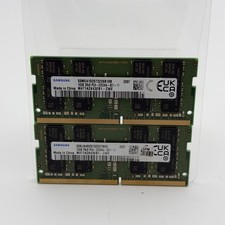
Samsung 32GB DDR4 2x16GB 2Rx8 PC4-3200A SODIMM M471A2K43EB1-CWE
$124.99

A-Tech 8GB DDR3 1600 PC3-12800 Laptop SODIMM 204-Pin Memory RAM PC3L DDR3L 1x 8G
$21.68

RAMAXEL Lenovo 32GB LPDDR5X CAMM2 7500MHz Laptop RAM | UNTESTED
$445.00

Major Brand 16GB (2x8GB) PC3-12800U DDR3-1600MHz DDR3-12800 DESKTOP RAM NON-ECC
$29.99

Samsung 8GB DDR4 SO-DIMM PC4-3200AA 260-Pin RAM M471A1G44BB0-CWE Module
$29.25

DDR4 Laptop RAM 4GB 8GB 16GB 32GB 2400 2666 3200 Samsung Hynix
$30.00

MINT Micron Cisco 32GB PC4-2400T DDR4 2Rx4 RDIMM RAM MTA36ASF4G72PZ-2G3 LOT
$159.99
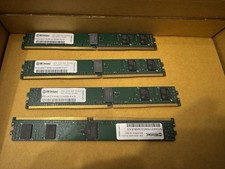
32GB Kit 4x8GB Wintec DDR4-2133 ECC RDIMM VLP Server RAM
$75.00
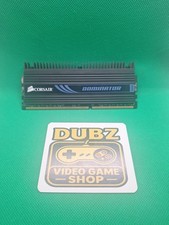
CORSAIR Dominator DDR3 CMP8GX3M2A 8GB (2x4GB) 1600MHz DDR3 RAM
$21.04



 Reply With Quote