-
Senior Member
registered user
I just performed the following steps.
$ cat install.txt
- Installation instructions -
Run the scripts :
icons-install-kde.sh
style-install.sh
theme-install-kde.sh
un Control Center and select Look'n'Feel.
Select Theme Manager and then kde_xp in the theme list. Click on Apply.
Select Window Decoration and then IceWM in the list.
Select the Configure tab and then kde_xp in the list. Click on Apply.
Select Style and then kde_xp in the theme list. Click on Apply.
This is the most I can do. I hope this helps.
James
 Posting Permissions
- You may not post new threads
- You may not post replies
- You may not post attachments
- You may not edit your posts
-
Forum Rules


Yealink T48S VoIP/SIP Phone, 2 x Gigabit Ports PoE 7" Color SIP-T48S | TESTED
$34.95

Grandstream VoIP Phone Adapter ATA 1-Line Black Ethernet (RJ-45) Micro USB
$27.07
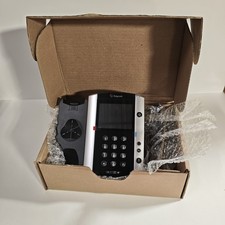
Polycom VVX 501 Desktop VoIP Phone HD Voice PoE 2200-48500-025 Black Silver
$39.99
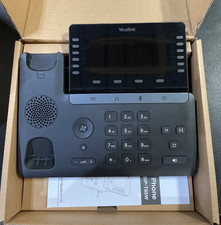
Yealink SIP Phone T85W
$153.99

Yealink SIP-T33G IP Phone 4-LineSpeakerphone VoIP Desk Phone Black w/ Power Sply
$25.00
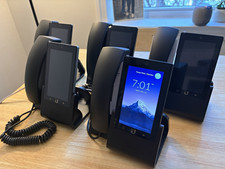
Ubiquiti UniFi Talk UVP-Touch VoIP IP Phone PoE Touchscreen Tested Reset
$64.99

Grandstream WP810 Portable Cordless Wi-Fi IP Phone
$49.28

Ooma Telo VoIP Free Internet Home Phone Service. Certified Refurbished.
$59.99

Poly CCX 400 Desktop Business Media Phone VoIP 2200-49700-019
$49.99

Yealink MP54 - VoIP Phone - Black Teams phone Android POE WIFI Bluetooth
$49.95



 Reply With Quote