

 Reply With Quote
YesOriginally Posted by RockMumbles


VeeDubb,
On your card reader, are you booting up with cards installed?
rock
Yes
What does
cat /proc/bus/usb/devices
tell you?
T: Bus=01 Lev=00 Prnt=00 Port=00 Cnt=00 Dev#= 1 Spd=12 MxCh= 4
B: Alloc= 22/900 us ( 2%), #Int= 2, #Iso= 0
D: Ver= 1.10 Cls=09(hub ) Sub=00 Prot=00 MxPS= 8 #Cfgs= 1
P: Vendor=0000 ProdID=0000 Rev= 0.00
S: Product=USB OHCI Root Hub
S: SerialNumber=d2861000
C:* #Ifs= 1 Cfg#= 1 Atr=40 MxPwr= 0mA
I: If#= 0 Alt= 0 #EPs= 1 Cls=09(hub ) Sub=00 Prot=00 Driver=hub
E: Ad=81(I) Atr=03(Int.) MxPS= 2 Ivl=255ms
T: Bus=01 Lev=01 Prnt=01 Port=00 Cnt=01 Dev#= 2 Spd=12 MxCh= 0
D: Ver= 1.00 Cls=00(>ifc ) Sub=00 Prot=00 MxPS= 8 #Cfgs= 1
P: Vendor=04a9 ProdID=1056 Rev= 1.00
S: Manufacturer=Canon
S: Product=BJC-2100
S: SerialNumber=F.C6h0
C:* #Ifs= 1 Cfg#= 1 Atr=40 MxPwr= 2mA
I: If#= 0 Alt= 0 #EPs= 2 Cls=07(print) Sub=01 Prot=02 Driver=usblp
E: Ad=01(O) Atr=02(Bulk) MxPS= 64 Ivl=0ms
E: Ad=82(I) Atr=02(Bulk) MxPS= 64 Ivl=0ms
T: Bus=01 Lev=01 Prnt=01 Port=01 Cnt=02 Dev#= 3 Spd=12 MxCh= 4
D: Ver= 1.10 Cls=09(hub ) Sub=00 Prot=00 MxPS= 8 #Cfgs= 1
P: Vendor=0451 ProdID=1446 Rev= 1.10
C:* #Ifs= 1 Cfg#= 1 Atr=e0 MxPwr=100mA
I: If#= 0 Alt= 0 #EPs= 1 Cls=09(hub ) Sub=00 Prot=00 Driver=hub
E: Ad=81(I) Atr=03(Int.) MxPS= 1 Ivl=255ms
T: Bus=01 Lev=02 Prnt=03 Port=03 Cnt=01 Dev#= 5 Spd=12 MxCh= 0
D: Ver= 1.00 Cls=00(>ifc ) Sub=00 Prot=00 MxPS= 8 #Cfgs= 1
P: Vendor=04a9 ProdID=2207 Rev= 1.00
S: Manufacturer=Canon
S: Product=CanoScan
C:* #Ifs= 1 Cfg#= 1 Atr=80 MxPwr=500mA
I: If#= 0 Alt= 0 #EPs= 3 Cls=ff(vend.) Sub=00 Prot=ff Driver=usbscanner
E: Ad=81(I) Atr=03(Int.) MxPS= 1 Ivl=16ms
E: Ad=82(I) Atr=02(Bulk) MxPS= 64 Ivl=0ms
E: Ad=03(O) Atr=02(Bulk) MxPS= 64 Ivl=0ms
T: Bus=01 Lev=01 Prnt=01 Port=02 Cnt=03 Dev#= 4 Spd=12 MxCh= 0
D: Ver= 1.10 Cls=00(>ifc ) Sub=00 Prot=00 MxPS=16 #Cfgs= 1
P: Vendor=05dc ProdID=1017 Rev= 1.00
S: Manufacturer=Generic
S: Product=USB Storage Device
S: SerialNumber=0AEC305000001A004
C:* #Ifs= 1 Cfg#= 1 Atr=80 MxPwr=100mA
I: If#= 0 Alt= 0 #EPs= 2 Cls=08(stor.) Sub=06 Prot=50 Driver=usb-storage
E: Ad=01(O) Atr=02(Bulk) MxPS= 64 Ivl=0ms
E: Ad=82(I) Atr=02(Bulk) MxPS= 64 Ivl=0ms
This was with two cards. One in each of the two slots I realy care about. As before, most of this may as well be greek.
Okay, it looks like I will be able to install SynCE with apt-get next week after I get my new modem, so all I need now is that card reader to work. Just that one simple thing.......
I've gone well beyond my knowledge and you guys have gotten me through eerything else, just tell me what you need for that last...
This is probably moot at this point, but I just noticed this line, and I should point out that a PocketPC has NOTHING to do with a Tablet PC. Tablet PC's run a special version of WindowsXP and if it weren't for the mountains of proprietay hardware could probably run linux. A PocketPC runs on a different proccesser and WindowsCE (the same thing smartphones are based one) With the PPC UI on the top the same way KDE sits on top of the Xwindow.
OK VeeDubb - how are you trying to mount them? That is to say what are you entering on the command line?
At first I made a folder on my desktop and inside that, created what I guess you Linux guys call simlinks. I right clicked then selected new/harddrive and tried to mount using that, (I also tried makinga one f those for a floppy that pointed to the same place and a CD pointing to the same place. NO dice.
When that didn't work, I made them directly on the desktop.
When that didn't work I tried mounting fromt the command line. reguardless of how I try to mount it's allways the same error. "/dev/sdwhatever is not a valid block device"
IO think what I entered was mnt /dev/sdwhatever But I don't remember for sure. I looked up what the appropriate code was and used that. I'm certain it's something else.
Become root:
su
<give password>
mount -t auto /dev/sda1 /mnt/?
I don't know what mount points you have. You can make one like this:
su
<password>
cd /mnt
mkdir card
Then it would be
mount -t auto /dev/sda1 /mnt/card
 Posting Permissions


IBM POWER8 8286-42A S824 16-Core 128GB RAM 4.8TB SAS Fedora Linux Server PowerVM
$750.00

KTN-STL3 EMC VNX 15-slot Disk Array Expansion, full 15 x 2tb drives 100% health
$360.00

Start9 Server Pure 32GB 4TB Intel i7 Node StartOS — Box + PSU
$599.00

Ubuntu Server 26.04.1 LTS Bootable USB Flash Drive – Latest September 2026
$12.99

OPNsense pfSense 8-Core Atom C3758 2.2GHz 8GB DDR4 64GB SSD 8x NIC QAT AES VPN
$115.00

Microsoft SQL Server 2025 Standard 32 Core Unlimited CAL Retail License Package
$299.00
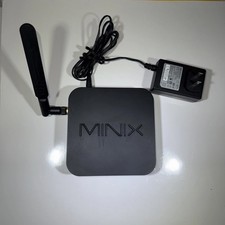
MINIX NEO Z83-4 MAX Fanless Mini PC Win 11 Pro 4GB 128GB Home Lab Linux Server
$69.99

Ubuntu 26.04 LTS – 3 DVD Set Desktop - Server - Studio Edition - Grade AAA+
$14.99
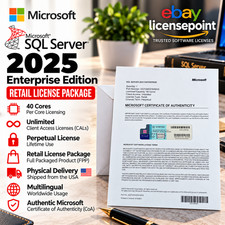
SQL Server 2025 Enterprise 40 Core Unlimited CAL Retail License Package Per-Core
$389.00

Multi-Boot Linux & Utility 18 in 1 USB – Best of 2026 Free Same-Day Shipping
$22.99
