-
need help installing
i need some help installing this. i'm new at linux and am not sure what to do. i downloaded knoppix 3.4 livecd and it boots fine on my one machine but this starts to boot then come up with a blank screen and just sits there.
it is on a different machine. i'm about to try it on the machine that will bott knoppix 3.4
any ideas?
-
well i tried it in the machine that boots the regular knoppix 3.4 live cd and it gets to the knoppix startup screen and nothing else happens....
any ideas?
thanks
EDIT: system specs are: P4 1.6ghz 256 mb pc2700 RAM 80GB HDD (the one that boots knoppix 3.4) PII 233mhz (can get a 400) 256mb pc100 RAM 20GB HDD (the one that doesn't boot)
-
-
Senior Member
registered user
Huh? What you say makes no sense to me. Does Knoppix boot or not?
Try using some of the cheatcodes and post some hardware details.
-
o i'm sorry. i just realized that this forum is for knoppix the regular version.
i'm building a folding-farm and am using knoppix as the server, i downloaded a version that all ready configed for folding and can't get it to work. the site links to this forum. the version i have is called overclockix LTSP 2.1 i think. but i also have the knoppix 3.4 livecd. the livecd boots fine on my machine but the other one i have (overclockix) will boot to a blank screen on one machine and to the knoppix loading page on another.
sorry for the problems, i have been working 6 hour days plus 6 hours at school everyday.
does that help any? and what are the cheat codes you are talking about?
EDIT: the website is: http://overclockix.octeams.com/
-
Senior Member
registered user
try this cheatcode: knoppix xmodule=fbdev

-
ok well i don' know how to use a cheat code so thats a no go.
i started reading the "dos" like text when booting and there are errors from the cd-rom like cant read file from cd-rom xxxxbytes lost etc.
i tried burning another copy of the iso but it didn't help any.
-

Originally Posted by
spyda05
ok well i don' know how to use a cheat code so thats a no go.
When you initally boot the disk. you should get a basic screen with a promt before the kernel boots (like a boot loader). That prompt is where you would enter the cheat code. You can give commands for the kernel to use during boot. In this case you are specifying which module XFree should use for the display. That can help if there is a display problem.
-
does it say Boot: ? if so then i tried that code and it still didn't work. i still get the errors.
-
Senior Member
registered user
F2 at that screen to see more cheats.
Similar Threads
-
By jza in forum Hdd Install / Debian / Apt
Replies: 1
Last Post: 05-03-2003, 11:30 PM
 Posting Permissions
- You may not post new threads
- You may not post replies
- You may not post attachments
- You may not edit your posts
-
Forum Rules


Lenovo ThinkStation P520c Intel Xeon W-2133 6-Core 3.60GHz -NO RAM/ HDD/ GPU/ OS
$127.54

Intel Xeon Phi 5110P 60-Core 1.053GHz Coprocessor
$50.00

Dell Precision Tower 7810 Xeon E5-2630 v3 @ 2.40GHz , 32GB Ram, NO HDD, NO OS
$239.99

Dell EMC PowerEdge R440 Xeon silver 4215 2.5GHz 16 GB ram 2x 550W PSU No HDD
$275.00

Dell Precision T5820 Workstation 3.70GHz W-2135 No RAM/ GPU/ HDD/ OS
$179.98

Intel Xeon E5-2699 V4 2.20GHz 55M 22-CORES LGA2011-3 Server Processor 145W SR2JS
$84.49

Intel Xeon E5-2680 V2 2.8GHz 10-Core 25MB 8GT/s SR1A6 LGA2011 B Grade Server CPU
$7.95
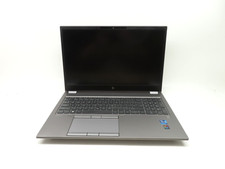
HP ZBook Fury G8 15.6'' Intel Xeon W-11955M 2.6GHz 64GB RAM 1TB SSD RTX A2000
$599.99

Lenovo ThinkServer TS460 Part Number: 70TS-S01U00
$279.00

HP Z440 Workstation TWR Xeon E5-1603 v3, 8GB RAM, NVS310, SB1570, NO SSD/OS #95
$89.99



 Reply With Quote