-
New User with 3 questions.
Hello:
I am sampling Linux with the Knoppix 3.6 Live cd.
I have 3 basic questions to help me decide if I want to use it or go with the Debian install.
As a first time user I think I adapted fairly well in one day however there are a couple things I can not understand.
1. When I try to save my configuration to floppy it appears to have been saved. However if I click on the floppy icon on the desktop it says the file is not available. Any help with this is appricated.
2. I have an intel based computer with a pci modem. The modem was not found and configured. I did not notice this at first because I was connected the first test on a highspeed through lan.
I decided to connect my external serial modem and it was found just fine. Can anyone tell me why my other moder was not found?
3. Last thing may seem simple but I am just confirming this. I am only testing this on a test computer the first day not my regular machine. I do believe from everything I have read that the program does not touch my hard drive in any manner. I ask because I can read the hard drive and see the contents. Just want to make sure everything is run from ram.
Thanks
Vince
-
Senior Member
registered user
1. When I try to save my configuration to floppy it appears to have been saved. However if I click on the floppy icon on the desktop it says the file is not available. Any help with this is appricated.
try typing sync in a console (dos prompt), did you mount the floppy first? mounting/unmounting is one diference in Linux. mounting means making it acessible to read, write... unmounting "disconects" it...
2. I have an intel based computer with a pci modem. The modem was not found and configured. I did not notice this at first because I was connected the first test on a highspeed through lan.
I decided to connect my external serial modem and it was found just fine. Can anyone tell me why my other moder was not found?
some modems are so called winmodems, that is they only have drivers for Windows, and those drivers are used to "simulate" a real modem in the operating system. yours sounds like it is one of those. not impossible but hard to get working in linux, defenetly a hard experience for a beginner.
3. Last thing may seem simple but I am just confirming this. I am only testing this on a test computer the first day not my regular machine. I do believe from everything I have read that the program does not touch my hard drive in any manner. I ask because I can read the hard drive and see the contents. Just want to make sure everything is run from ram.
it only reads no writigng unless YOU alow it.
-
Thanks for the info.
As for all the answers they were good. You are correct when I checked out the modem on the one machine it is a winmodem. I just assumed it was not because it did not say so on the box.
Now, you stated I needed to mount the floppy, I did not do that (I don't think anyway) could you kindly give me the steps to do that. Also when I use the format tool included with the cd it gives me two optionsto format the floppy. Which should I use.
Last thing and not a tech question of sorts.
I also am going to try the Mandrake moves to see what I think of it. Then what ever I like the best I will order a cd set for the install version. Do you have any thought one way or the other why one would be better than another?
Thanks
After I get by these steps I can just play and learn as I go.
Vince
-
Senior Member
registered user

Originally Posted by
ohno
You are correct when I checked out the modem on the one machine it is a winmodem. I just assumed it was not because it did not say so on the box.
"Winmodems" are more "standard" on computers now than "hardware" modems, since, most people use "Windows" as there Operating Systems, currently... I would say, if it doesn't say what kind of modem it is, it is probably a WinModem. This can be true for a modem that connects to your USB port, or plugs into your PCI card slot, or, is hard wired on your motherboard... About the only way to be sure it isn't a WinModem, is to get a Seriel Port type modem. ( it has been the "standard" for being sure it will work, all the time, in Linux. Not saying that you "might" be able to get a WinModem to work in Linux, it is more of a "hit and miss" kind of thing. )
Originally Posted by
ohno
Now, you stated I needed to mount the floppy, I did not do that (I don't think anyway) could you kindly give me the steps to do that. Also when I use the format tool included with the cd it gives me two optionsto format the floppy. Which should I use.
If you clicked on the "desktop" icon for your floppy, it probably, did the mount part for you, and the desktop icon will have a little "shortcut" notch, like in Windows, in the lower right corner of the icon, when it is "mounted". If the device is not mounted, it will not have this little "notch". To unmount a device, just right-click on the desktop icon, and choose "unmount" from the menu. If you right-click on the floppy, and it isn't mounted, you will also have an option in the menu, to have it mounted.
To mount and unmount devices, you can do them two ways, one is through the desktop, which you know how to mount, and above, I explained how you would unmount it... The other method is the CLI, or Command Line Interface. You can bring up a Konsole screen, the thing that looks like a DOS Prompt in Windows, that is the CLI for Linux ( very powerful ). To mount a floppy, you would use the "mount" command, and to unmount, the "umount" ( note, there is no "n" in umount, the command is umount, not unmount )
For your floppy device, you will use the standard "fd0" for the device name, thats F D ( zero )...
So here would be the CLI's for mounting and unmounting that floppy device:
mount /dev/fd0
umount /dev/fd0
Originally Posted by
ohno
Last thing and not a tech question of sorts.
I also am going to try the Mandrake moves to see what I think of it. Then what ever I like the best I will order a cd set for the install version. Do you have any thought one way or the other why one would be better than another?
Never tried anything other than Knoppix, seen Kanotix, but thats it, sorry, can't help on this one...
Hope this helps,
Ms. Cuddles
-
Senior Member
registered user
knoppix automounts floppies and cds. There is no need to amnually mount them or umount them (umount =unmount) as knoppix as the sync option on the mount parameters.
-
Thanks for the help.
Ok thanks for everything, I have enough to get me going.
If you have any recommendations on a good book that I can purchase to get more intune to this os I would be glad to buy and read it. Then when I am more knowledgeable I will return to the group to get and offer any support when possible.
Vince
-
Senior Member
registered user
Re: Thanks for the help.
Originally Posted by
ohno
Ok thanks for everything, I have enough to get me going.
If you have any recommendations on a good book that I can purchase to get more intune to this os I would be glad to buy and read it. Then when I am more knowledgeable I will return to the group to get and offer any support when possible.
Vince
Any linux book would suffice as most of the commands are the same.
But if you can get a book on debain, get that one instead.
-
Thanks again.
Off to the store to see what I can find.
Thats all then for now till I learn more and come back when more knowledgeable.
Thanks Again
Vince
Similar Threads
-
Replies: 1
Last Post: 10-06-2005, 11:06 AM
-
By someone28624 in forum General Support
Replies: 1
Last Post: 12-12-2004, 12:56 AM
-
By tarinja in forum General Support
Replies: 4
Last Post: 10-02-2004, 04:55 AM
-
By ishaim in forum MS Windows & New to Linux
Replies: 3
Last Post: 07-27-2004, 06:56 AM
-
By sn0wflake in forum General Support
Replies: 5
Last Post: 03-23-2004, 06:54 PM
 Posting Permissions
- You may not post new threads
- You may not post replies
- You may not post attachments
- You may not edit your posts
-
Forum Rules


Samsung 2.5" 870 EVO SSD SATA III 250GB 500GB 1TB Internet Solid State Drive Lot
$100.00

Netac 2TB 1TB 512GB 256GB Internal SSD 2.5inch SATAIII Solid State Drive lot
$129.99

Western Digital Blue 3D NAND 500GB Internal 2.5" SSD - WDS500G2B0A
$49.99

Netac 256GB SSD 2.5'' SATA III 6Gb/s Internal Solid State Drive 500MB/s PC/Latop
$40.00

Fanxiang 256GB 512GB 1TB 2TB 4TB SSD Lot 2.5'' SATA Internal Solid State Drive
$42.99

Samsung 860 EVO 250GB SSD MZ-76E250 2.5" SATA III Solid State Drive -
$36.99

Crucial MX500 250GB 2.5" SATA III SSD - Preowned
$29.00

2 PACK 128 GB SSD M.2 2280 SATA Solid State Drive Major Brands, Samsung, LiteON
$28.00
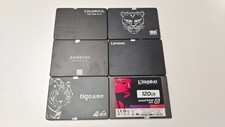
Mixed Brand 120/128/240/256GB SSD 2.5" SATA III 6GB/s Internal Solid State Drive
$34.99

Samsung 860 Pro 256GB V-NAND SATA Solid State Drive SSD MZ-76P256 MZ7KH256HAHQ
$49.95



 Reply With Quote