-
while Im at it...extensions are not installing
streaming video is working fine in mozilla 1.7.3, however; everytime I try to install an extension or theme, I get the dialog asking me if its ok to download it, I click yes, then the download box opens briefly and then tells me download error. It is supposed to install automatically but it is not. how do I get around this. Between mozilla and firefox, I should be able to get one of them fully functional.
thanx again
helios
-
Senior Member
registered user
Re: while Im at it...extensions are not installing
At 4.52 local time shomewher, helios17 wrote:

Originally Posted by
helios17
what hair I have left is in serious jeopardy of being pulled out. OK...knoppix 3.6 hd install, I have mplayer installed...works fine for all except streaming video on webpages. have mplayer plugin installed and followed instructions on where to put mplayer plugin.so and xlt but it aint working. would some kind soul please take pity on me and tell me what I am doing wrong. If not, I shall be tempted to over-indulge in my cough medicine and then just stare at this computer screen and slobber on myself.
thanx
helios
then at 4.56 local time somewhere helios 17 added:
Originally Posted by
helios17
streaming video is working fine in mozilla 1.7.3, however; everytime I try to install an extension or theme, I get the dialog asking me if its ok to download it, I click yes, then the download box opens briefly and then tells me download error. It is supposed to install automatically but it is not. how do I get around this. Between mozilla and firefox, I should be able to get one of them fully functional.
thanx again
helios
So I guess you still have hair and are not slobbering too badly.
Exactly what extensions & themes are not installing? Are they for sure applications for Linux?
I have got streaming video to work in Mozilla and in Konqueror (generally if it works in Moz it will be OK in Konq, it uses the same plugins), but I keep getting surprises...like for instance it won't open ALL .mov files.
You will also need Realplayer if you run across any Realplayer files, mplayer won't open them. Xine can also be used for a media player, as can Kaffeine which is an Xine frontend. Xmms can also be used to a limited extent (will play .mpg but there is an Mplayer plugin for it but then why not just use Mplayer). You may also need xine-arts plugin if using xine and arts.
-
sorry for the confusion
I am using three different knoppix versions on different computers to decide which one will get the network install. I am treating each as if they were standalone machines. I had a good install of 3.6 with everything working. It is real important to us that we view news clips from various news pages and are able to video conference with our clients. That is why I am being so anal about this. Unfortunately, I purposly hosed the good 3.6 install to do a 3.7...it hasnt went well fromt here.
Mplayer has traditionally worked for us as a streaming plugin in mozilla, but because I cannot get the extensions we need to install, I am forced to firefox which to this point, refuses to play nice with mplayer. I have put all the components in the right places...it just aint workin'. It does not matter which extension or theme I try to install...each one tells me "download error" after I "OK" the dialog saying it wants to download and install. I am wondering if it isnt a problem with xpi maybe. I did go to a third party page and get ook and another extension to work, but he did not have a much of a selection. From any mozilla-based pages, extensions and themes will not download and install on my machine. I am wondering if there is not a place where I can get the xpi files and install them myself.
thanx
helios
-
extensions mplayer install
I only put that in the title in case someone does a search in the forum and needs to find this info.
There seems to be a problem on some machines with xpi install in mozilla 1.6+. the workaround is to rightclick the "install" link, save target link as, then open a mozilla browser, click file, open file...it installs the extension from there. As far as getting mplayer to work in both mozilla and firefox, I have found that it is either one or the other...at least on my machine. I am perfectly happy with mozilla as my default browser. Firefox is fine but as a day to day workhorse, mozilla seems to get the job done better...at least on our network
helios
Similar Threads
-
By sparticus in forum Laptops
Replies: 9
Last Post: 10-23-2004, 12:55 AM
-
By dave52355 in forum Hardware & Booting
Replies: 0
Last Post: 05-04-2004, 09:23 PM
-
By greenprimary in forum Networking
Replies: 0
Last Post: 03-09-2004, 03:26 AM
-
By jza in forum Hdd Install / Debian / Apt
Replies: 1
Last Post: 05-03-2003, 11:30 PM
 Posting Permissions
- You may not post new threads
- You may not post replies
- You may not post attachments
- You may not edit your posts
-
Forum Rules


Seagate ST6000NM0115 6TB 256MB 7200RPM 3.5" SATA 6.0Gb/s Enterprise Hard Drive
$159.99
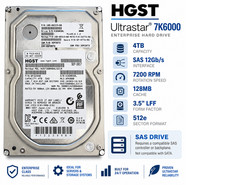
HGST Ultrastar 4TB SAS 12Gb/s 7200RPM 3.5" HDD HUS726040AL5214 4Kn
$56.00

Seagate BarraCuda ST5000LM000 5TB 5400RPM SATA III 6Gb/s 2.5" Internal Hard
$169.99
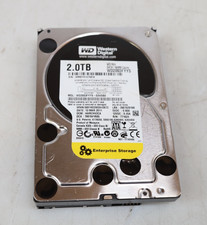
Western Digital 2TB WD2003FYYS-02W0B0 3.5" SATA 7200RPM Hard Drive
$44.99

Hitachi / HGST Travelstar HTS541010B7E610 1TB 2.5" SATA III HDD
$29.99

HITACHI ULTRASTAR 2TB 7.2K 6G 3.5INCH SATA HDD HUS724020ALA640 | TESTED WIPED
$34.95
Seagate Enterprise ST6000NM0034 6TB 7.2K RPM SAS-12Gb/s 128MB 3.5"HDD (not SATA)
$69.99
HGST Ultrastar 2TB 3.5" Enterprise SATA 7200RPM Internal HDD HUS724020ALA640
$54.99

HUS726060ALA640 HGST Ultrastar 6TB SATA 6Gbps 7.2K 3.5" Hard Drive OF21860
$129.99

Seagate 14TB Exos X14 7200RPM SATA 6Gb/s 256MB 3.5" Enterprise HDD ST14000NM0408
$354.99



 Reply With Quote