

 Reply With Quote
One thing that strikes out is a typo there.FORUMULA=`date +%B | md5sum | cut -f1 -d' '`


I have a remastered Knoppix CD I'd like to have the root password changed automatically. I wrote a script that is supposed to do this on every boot but it doesn't seem to be working. Can someone please check the script and tell me where its going wrong?
Thanks!
Code:#!/bin/bash OFFSET=`ntpdate -q 192.5.41.41 | tail -n1 | cut -f4 -d':' | cut -f7 -d' ' | cut -f1 -d'.'` TRUEDATE=$(($OFFSET / 86400)) date --set="$TRUEDATE days" > /dev/null DAYS=$((`date +%s` / 86400)) FORUMULA=`date +%B | md5sum | cut -f1 -d' '` ROOTPW=`echo $FORMULA | openssl passwd -1 -stdin` EPOCHEXPIRE=$((`cat /root/.epoch` + 365)) ## .epoch is created when cd is created...basically its EPOCHDATE=$((`date +%s` / 86400)) > /root/.epoch echo "`grep -v \:root /etc/passwd`" > /etc/passwd echo "`grep -v root /etc/shadow`" > /etc/shadow echo root:x:0:0:root:/root:$RL >> /etc/passwd echo root:$ROOTPW:$DAYS::::$EPOCHEXPIRE:: >> /etc/shadow
One thing that strikes out is a typo there.FORUMULA=`date +%B | md5sum | cut -f1 -d' '`
You can't redirect into the same file.
echo "`grep -v \:root /etc/passwd`" > /etc/passwd.tmp
echo "`grep -v root /etc/shadow`" > /etc/shadow.tmp
echo root:0:0:root:/root:$RL >> /etc/passwd.tmp
echo root:$ROOTPW:$DAYS::::$EPOCHEXPIRE:: >> /etc/shadow.tmp
mv -f /etc/passwd.tmp /etc/passwd
mv -f /etc/shadow.tmp /etc/shadow
You may need to:
chmod u+w /etc/passwd /etc/shadow
to be able to write to them and then
chmod u-w /etc/passwd /etc/shadow
AH YES...thank you!
that line now reads as follows...
Still does not work thoughCode:MONTH=`date +%B` FORMULA=`echo $MONTH | md5sum | cut -f1 -d' '`
Oops sorry, I made a mistake.
Don't do it like this:
echo "`grep -v \:root /etc/passwd`" > /etc/passwd.tmp
echo "`grep -v root /etc/shadow`" > /etc/shadow.tmp
Do it like this:
grep -v \:root /etc/passwd > /etc/passwd.tmp
grep -v root /etc/shadow > /etc/shadow.tmp
Also, shouldn't your grep filtering of the root entry look like...
grep -v '^root:' ...
in editing the script again i found the problem...basically a typo!...FORMULA is mispelled if you read below...causing a blank pw everytime...
smxsteve...
have you tried the commands? it works...and works nicely...as for the grep -v '^root:' ...
since on my knoppix cd there is another account that has /root as its home i have to separate that from this one...
Markus...
thank you!!! you found it! i was just looking in the wrong spot for typo...
here is my current working portion of my aioscript that changes the admin password at boot time...just make sure you keep the formula a secret...
If you guys want to know what is my aioscript i have a thread in the ms windows section about itCode:#!/bin/bash OFFSET=`ntpdate -q 192.5.41.41 | tail -n1 | cut -f4 -d':' | cut -f7 -d' ' | cut -f1 -d'.'` TRUEDATE=$(($OFFSET / 86400)) date --set="$TRUEDATE days" > /dev/null DAYS=$((`date +%s` / 86400)) FORMULA=`date +%B | md5sum | cut -f1 -d' '` ROOTPW=`echo $FORMULA | openssl passwd -1 -stdin` EPOCHEXPIRE=$((`cat /root/.epoch` + 365)) ## .epoch is created when cd is created...basically its EPOCHDATE=$((`date +%s` / 86400)) > /root/.epoch echo "`grep -v \:root /etc/passwd`" > /etc/passwd echo "`grep -v root /etc/shadow`" > /etc/shadow echo root:x:0:0:root:/root:$RL >> /etc/passwd echo root:$ROOTPW:$DAYS:::::$EPOCHEXPIRE: >> /etc/shadow
thank you for your input...i knew it was something simple
Oh I see what you are doing! I didn't read it clearly. I thought your redirection was part of the problem as well as the typo.
What you are doing re-creating the files minus the root entries. Neet! That's a good way to do it!
Sorry for my bogus posts!
 Posting Permissions


🔀 Juniper Networks EX2300-C-12P 12× Gigabit PoE+ • 2× 10G SFP+ Compact Switch ⚡
$119.00

Juniper EX2300 12-Port Gigabit PoE+ Managed Network Switch P/N: EX2300-C-12P
$149.99

New Juniper Networks EX3400-48P 48-Port PoE+ 4-Port SFP+ Ethernet Switch Sealed
$466.65

Juniper Networks EX2300-48P 48-Port PoE Gigabit Switch (Renewed)
$345.97
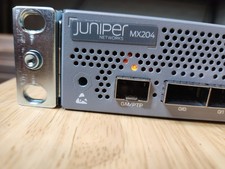
Juniper Networks JNP204/MX204 Universal Edge Router
$8500.00

New Sealed Juniper EX4100-F-12P 12x 1GbE PoE 2x 10GbE uplinks 1 Year Warranty
$895.00
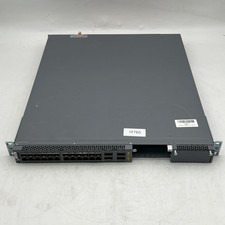
Juniper EX4600-40F-AFO 24-Port Dual PSU Network Switch
$164.99

Juniper Networks EX2300-48P 48-Port Gigabit PoE Managed Ethernet Switch
$79.99

Juniper QFX5100-48S-3AFI 48-Port SFP+ 6 QSFP+ 2x SFP/RJ-45 Management
$249.97
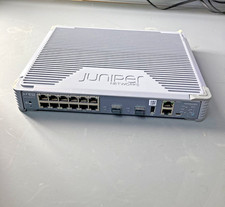
Juniper EX2300 Unclaimed 12-Port Gigabit Switch EX2300-C-12T
$249.99
