-
Hi All,
ok, it's 3:25am here..gonna get some sleep, and tackle it in the morn..thanx for the help. cheers.
downdogWoof...
-
Senior Member
registered user

Originally Posted by
rrfish72
Have to edit your fstab because it's showing the wrong mount point.
The mount point should be /floppy and the device should be /dev/fd0.
post your fstab
Knoppix will auto creat the fstab to point to /mnt/auto/floppy
Changes won't be saved. THe reason it is there is because knoppix auto mounts floppies and cds, some times you have to give it a minute or two to notice the floppy/cd but usually its instant.
-
So, where does that leave me..? Cheers.
downdogWoof...
-
Senior Member
registered user
ksdllklsdkkdsf jiei iei oedoieoid iefifv iei iie i4efoi ee ioeh iweoiewoi i eie i ieiieie ii jjfhnjfjnnm,. b.kjhmvj,jbnvedwq uhjlhe
-
Hi All,
sorry, I don't get it, did I do something to make you do that..? I just didn't understand what to do. Cheers.
downdogWoof...
-
Senior Member
registered user
Check these files:
1) /etc/auto.master:
Code:
# Sample auto.master file
# Format of this file:
# mountpoint map options
# For details of the format look at autofs(5).
# /var/autofs/misc	/etc/auto.misc
# /var/autofs/net		/etc/auto.net
#
# KNOPPIX automounts for floppy and cdrom(s), see knoppix-autoconfig
# /mnt/auto	/etc/auto.mnt	--timeout=2
/mnt/auto	/etc/automount.sh	--timeout=2
2) /etc/auto.misc
Code:
# $Id: auto.misc,v 1.2 1997/10/06 21:52:04 hpa Exp $
# This is an automounter map and it has the following format
# key [ -mount-options-separated-by-comma ] location
# Details may be found in the autofs(5) manpage

kernel		-ro					ftp.kernel.org:/pub/linux
boot		-fstype=ext2				:/dev/hda1
removable	-fstype=ext2,sync,nodev,nosuid		:/dev/hdd
cd		-fstype=iso9660,ro,sync,nodev,nosuid	:/dev/hdc
floppy		-fstype=auto,sync,nodev,nosuid		:/dev/fd0
3) /etc/auto.mnt
Code:
# Knoppix automounter file for Directory /mnt
floppy	-fstype=auto,sync,exec,umask=000	:/dev/fd0
cdrom	-fstype=auto,exec,ro	:/dev/cdrom
# The following entries (if any) are auto-generated by knoppix-autoconfig
4) /etc/fstab
Code:
/dev/fd0 /floppy vfat defaults,user,noauto,showexec,umask=022 0 0
5) /etc/rc5.d
See if symlink to autofs exist.
If doesn't exist, add by running this command: update-rc.d autofs defaults
You need to reboot after doing the editing.
Good luck

-
Hi All,
k, so my files should look the same, eys..? Cheers.
p.s. sorry for the repetitive Qs.
Similar Threads
-
By suvio in forum Laptops
Replies: 3
Last Post: 02-23-2005, 12:04 PM
-
By mskogly in forum Hdd Install / Debian / Apt
Replies: 2
Last Post: 10-18-2004, 03:51 AM
-
By holyboy in forum General Support
Replies: 1
Last Post: 10-05-2003, 03:45 PM
-
By Thefo in forum Hdd Install / Debian / Apt
Replies: 3
Last Post: 10-05-2003, 07:56 AM
-
By MikeyMustang in forum General Support
Replies: 5
Last Post: 05-03-2003, 03:47 PM
 Posting Permissions
- You may not post new threads
- You may not post replies
- You may not post attachments
- You may not edit your posts
-
Forum Rules


Crucial MX500 500GB 2.5" SATA III Internal SSD CT500MX500SSD1
$52.99

SSD 880EVO SATA III 2.5 4TB INTERNAL STATE DRIVE
$214.99

Samsung 860 EVO 250GB SSD MZ-76E250 2.5" SATA III Solid State Drive
$39.99

128TB External SSD Solid State Drive Hard Drive Disk PC Phones Mac Games Videos
$97.60

Netac 2TB 1TB 512GB 256GB Internal SSD 2.5inch SATAIII Solid State Drive lot
$549.00

SAMSUNG SSD 512GB 500GB 480GB 256GB 250GB 240GB SSD 2.5 Solide State Drive 6Gbps
$37.99
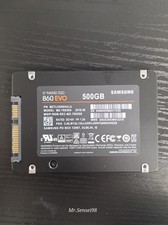
Samsung SSD, v-nand,860 EVO, 500gb, model MZ-76E500, SATA III, Health 90-98%
$50.00

Fanxiang 1/2/5/10Pcs 2.5'' SATA SSD Lot 1TB 2TB 4TB 512GB 256GB TLC Internal SSD
$129.99

KingSpec SSD 2.5" SATA3 Internal Solid State Drive for PC,Laptop,Mac
$60.00
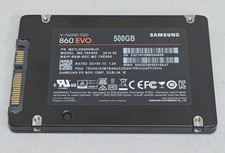
Samsung 860 EVO 500GB 2.5" SATA III SSD MZ-76E500 SSD Excellent Health wiped
$54.99



 Reply With Quote