-
error installing knoppix on hd
Hi, i'm trying to install knoppix on hard disk but i'm having trouble; after launching knoppix-installer i configure the installation, but when i have to start it i get this error:

The target partition is already formatted in ext3
What can i do?
Tthx in advance 
-
Senior Member
registered user
Re: error installing knoppix on hd

Originally Posted by
karplus
Hi, i'm trying to install knoppix on hard disk but i'm having trouble; after launching knoppix-installer i configure the installation, but when i have to start it i get this error:
The target partition is already formatted in ext3
What can i do?
Tthx in advance
I can't read that but I figure that there was an error in the command to format the drive. Configuer again, save it, then post it.
-
-
Senior Member
registered user
Originally Posted by
karplus
There is no need to repost english-translated image, i can translate it by myself

The message says: "error: format failed. Here there are some messages from mkfs.ext3". I guess that u are right, there is an error in the command of format

What can i do? No other had this problem installing knoppix 3.6 on hd?

I haven't had that problem. 
Configure the hdinstall again, but this time save it as a file, then post the contants of the file here.
(BTW unless you don't plan on installing anything, knoppix isn't the best to install, its unstable and you may not be able to install new programs.)
-
Senior Member
registered user
try IGNORE_CHECK=1 sudo knoppix-installer
-
Here is my config-installation file>
REGISTERED=" SYSTEM_MODULE SYSTEM_TYPE HD_MODULE HD_FORMAT HD_FSTYPE HD_CHOICE HD_MAP HD_IGNORECHECK SWAP_MODULE SWAP_AUTODETECT SWAP_CHOICES NAME_MODULE NAME_NAME USER_MODULE USER_NAME USERPASS_MODULE USERPASS_CRYPT ROOTPASS_MODULE ROOTPASS_CRYPT HOST_MODULE HOST_NAME SERVICES_MODULE SERVICES_START BOOT_MODULE BOOT_LOADER BOOT_DISK BOOT_WHERE INSTALL_READY"
SYSTEM_MODULE="configured"
# Determines if the system is a debian-derivate, a copy from CD or a nice mix of both
# Possible are: knoppix|beginner|debian
# Default value is: beginner
SYSTEM_TYPE="beginner"
HD_MODULE="configured"
# Determines if the HD should be formatted. (mkfs.*)
# Possible are: yes|no
# Default value is: yes
HD_FORMAT="yes"
# Sets the Filesystem type.
# Possible are: ext3|ext2|reiserfs
# Default value is: ext3
HD_FSTYPE="ext3"
# Here the Knoppix-System will be installed
# This value will be checked by function module_hd_check
HD_CHOICE=""
# Here you can give additional mappings. (Experimental) You need to have the partitions formatted yourself and give the correct mappings like: "/dev/hda4:/boot /dev/hda5:/var /dev/hda6:/tmp"
HD_MAP=""
# If set to yes, the program will NOT check if there is enough space to install knoppix on the selected partition(s). Use at your own risk! Useful for example with HD_MAP if you only have a small root partition.
# Possible are: yes|no
# Default value is: no
HD_IGNORECHECK="no"
SWAP_MODULE="configured"
# If set to yes, the swap partitions will be autodetected.
# Possible are: yes|no
# Default value is: yes
SWAP_AUTODETECT="yes"
# The swap partitions to be used by the installed knoppix.
# This value will be checked by function module_swap_check
SWAP_CHOICES="/dev/hda5"
NAME_MODULE="configured"
NAME_NAME="dfsa"
USER_MODULE="configured"
USER_NAME="ddfsa"
USERPASS_MODULE="configured"
USERPASS_CRYPT="JtEKsz7xJ7f.M"
ROOTPASS_MODULE="configured"
ROOTPASS_CRYPT="AaFwdFqDIjmRc"
HOST_MODULE="configured"
HOST_NAME="box"
SERVICES_MODULE="configured"
# Possible services are for now: kdm cupsys smail ssh samba
# Default value is: kdm cupsys
SERVICES_START="kdm cupsys"
BOOT_MODULE="configured"
# Chooses the Boot-Loader
# Possible are: lilo|grub
# Default value is: lilo
BOOT_LOADER="lilo"
# If set to 'yes' a boot disk will be created!
# Possible are: yes|no
# Default value is: yes
BOOT_DISK="yes"
# Where the Boot-Loader will be installed
# Possible are: mbr|partition
# Default value is: mbr
BOOT_WHERE="mbr"
INSTALL_READY="yes"
I can't edit it because the root "/" is in read mode only. I tried to wrote hd_ignorecheck=yes knoppix-installer but i get an error "check failed for hd_choice".
I know that knoppix comes from debian ma i guess that it's too difficult for a beginner... what other distribution u suggest? i prefer that it's as most as similar to knoppix...
Thx
-
double post excuse me
Similar Threads
-
By soulman in forum Hdd Install / Debian / Apt
Replies: 1
Last Post: 10-05-2005, 09:04 PM
-
Replies: 3
Last Post: 04-19-2005, 08:20 AM
-
By NDT_69 in forum Hdd Install / Debian / Apt
Replies: 0
Last Post: 12-31-2004, 11:18 AM
-
By sala94 in forum General Support
Replies: 2
Last Post: 12-21-2004, 04:20 PM
-
By Mogiin in forum Hdd Install / Debian / Apt
Replies: 10
Last Post: 04-14-2003, 10:15 AM
 Posting Permissions
- You may not post new threads
- You may not post replies
- You may not post attachments
- You may not edit your posts
-
Forum Rules


Kingston 32GB 64GB 128GB 256GB USB 3.0 Flash Drive Thumb Memory Stick Pen lot
$285.90
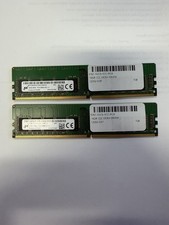
LOT OF 2 Micron 16GB 2Rx8 PC4-2666V-EE1-11 P/N: MTA18ASF2G72AZ-2G6D1ZG
$199.95

Lot Of 8 Micron 8GB 2Rx8 PC4-2666V-RE2-11 ECC REG Server Ram MTA18ASF1G72PDZ-2G6
$210.00
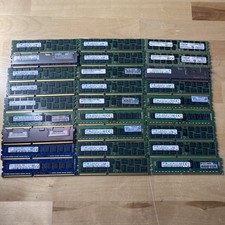
LOT OF 27-Mixed Lot of 8GB (27x8GB=216GB TOTAL) PC3L-12800R ECC REG Server RAM
$99.99

USB 3.0 Flash Drive 32GB 64GB 128GB Memory Stick Thumb Stick Lot Pack
$826.09
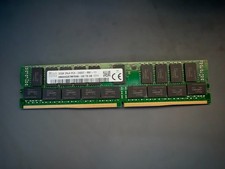
SK Hynix 32GB Server Memory 2Rx4 PC4-2400T-R81-11 HMA84GR7MFR4N-UH Server RAM
$169.99
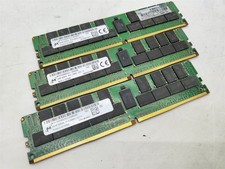
Lot of 3~BAD~NON-WORKING Micron 64GB 4DRx4 PC4-2666V-LE2 Server RAM Memory DDR4
$600.00

128GB (4x32GB) SK hynix DDR4 PC4-2666V RDIMM ECC Server Ram HMA84GR7CJR4N-VK
$799.00
Micron MTA18ASF2G72XF1Z-2G9WP1ABVGD 16GB 1Rx4 NN4-2933Y DDR4 ECC NVDIMM
$74.50

LOT OF 4 Samsung 16GB DDR4-2666 ECC UDIMM 2Rx8 PC4-21300 M391A2K43BB1-CTDQ
$469.95



 Reply With Quote