-
Senior Member
registered user
You mentioned that you set the BIOS, but that it refuses to boot off the CD, why? Does the CD spin, (NO)
light on the drive come on? (NO)
Does it display anything that would be associated with Knoppix? (NO)
the system stops at something like " Booting from ATAPI CD" in dos mode and stays there for approx 30 mins and i had to assume that it hangs
Since the cdrom not reading your cd, try that cd on other pc, see if it's okay.
If it can boot from other cd then you can try boot using smart boot manager's floppy to bypass bios problem:
http://btmgr.webframe.org/index.php3?body=download.html

-
Thanks all,
managed to got it running .... create boot disk (02 floppy) using Knoppix at another PC.... BUT with 32M of ram is insufficient for any desktop environment 
anyway, at least satisfy my curiosity..
New Problem :
Boot up Knoppix LiveCD (w/o floppy) with another PC (my newphew's) P3, 128Mram and able to boot till after video card recognition after which knoppix searches knoppix system from the CD Rom /dev/scd0 and stops stating that it is unalble to locate CD Rom.
How is it possible since it is booting from CD until this stage?
Any hints?
-
Senior Member
registered user

Originally Posted by
Mic Q
Thanks all,
managed to got it running .... create boot disk (02 floppy) using Knoppix at another PC.... BUT with 32M of ram is insufficient for any desktop environment
anyway, at least satisfy my curiosity..
New Problem :
Boot up Knoppix LiveCD (w/o floppy) with another PC (my newphew's) P3, 128Mram and able to boot till after video card recognition after which knoppix searches knoppix system from the CD Rom /dev/scd0 and stops stating that it is unalble to locate CD Rom.
How is it possible since it is booting from CD until this stage?
Any hints?
It is possible. The booting(from CD-ROM) is handled by the BIOS, not KNOPPIX. This usually means your CD-ROM is not recognized by the linux kernel, for whatever reason.
-
Senior Member
registered user
I am not sure about this, but, I think it should get you what your initial thought was,
Use your friends computer, boot the CD, then run the mkbootfloppy, then try the floppy / CD combination on your computer...
Considering the replies to your booting Knoppix, you might be able to "trim down" some of the boot stuff, through cheatcodes, and you might be able to get Knoppix running, say with a less "memory hog" desktop manager - look at the boot: cheatcodes on Desktop Managers...
It sounds like your system is a little older than assumed, considering the limitations on the CD boot, have you taken a look at any updates for your BIOS ? ( just some idle thoughts )
Hope this helps,
Ms. Cuddles
EDIT: oops, dummy me, went to take the kidlet to kindergarden, was thinking of this response, when I came back, thought I'd just post, DOH, should have done a refresh first... Sorry for the additional noise 
END EDIT
 Posting Permissions
- You may not post new threads
- You may not post replies
- You may not post attachments
- You may not edit your posts
-
Forum Rules


Dell 6P85J 4TB ST4000NM0063 7.2k 6Gb/s 3.5” SAS SED Hard Drive with Tray
$39.99

Western Digital HUS726T4TAL5204 4TB 7.2K SAS 12Gb/s 3.5" 512e HDD NetApp X375A
$64.00

HGST Ultrastar HUS726040AL5210 4TB 7200RPM SAS 12Gb/s Enterprise HDD
$41.00

DELL 2TB Enterprise HDD (7200RPM, 3.5", SATA III, 128MB Cache) HUS722T2TALA600
$49.95

Seagate Exos ST2000NX0253 HDD 2TB SATA 7.2K 2.5" 512b/s
$55.00

Lot of 2 HP 4TB / 128MB SATA 7.2K RPM 3.5" Hard Drive MB4000GCWDC /ST4000NM0033
$125.00

Dell ST6000NM0034 1HT27Z-150 NWCCG 6TB SAS 3.5 7.2K ENTERPRISE SERVER DRIVE
$68.99
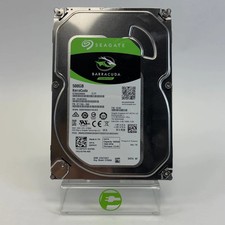
Seagate 2.5" Barracuda 1TB SATA III 6Gbps HDD 2F110A-500
$19.99

Toshiba DT01ACA100 1 TB 3.5" SATA III 3.5 in Desktop Hard Drive
$24.99

Western Digital 1TB 3.5" SATA III 7200RPM Desktop Hard Drive
$34.99



 Reply With Quote