-
WORKING INSTRUCTIONS
These are garanteed to work with version of the last version of 3.1
Hard drive setup
2 Gig partition for swap /dev/hda1 ( activate it with: mkswap /dev/hda1 )
3 Gig partition for "source" development /dev/hda2
rest of drive for master directory /dev/hda3 ( format them with : mke2fs /dev/hda2 and mke2fs /dev/hda3 )
1. Boot with Knoppix CD. Open Root shell. (all commands below are run from
a Root shell)
2. mkdir /mnt/source
3. mount /dev/hda2 /mnt/source
4. mkdir /mnt/master
5. mount /dev/hda3 /mnt/master
5bis. mkdir /mnt/source/KNOPPIX
6. cp -Rp /KNOPPIX/* /mnt/source/KNOPPIX/
7. cp -Rp /cdrom/* /mnt/master/
8. rm /mnt/master/KNOPPIX/KNOPPIX
9. rm /mnt/master/KNOPPIX/boot.cat
10. chroot /mnt/source/KNOPPIX/ (to add other applications) If you want
to use apt, or the internet while chrooted you need to follow steps 10-2 and
10-3
10-2. mount -t proc /proc proc (this is so things like ifconfig
work)
10-3. edit /etc/resolve.conf to add a name server. ( This should
not be necessary if your DHCP server handles the DNS addressing)
11. deborphan > orfans
11bis. dpkg -P `cat orfans`
11tris. rm orfans
12. Once all the changes are made run the following:
mkisofs -R -l -V "KNOPPIX iso9660 filesystem" -hide-rr-moved -v
/mnt/source/KNOPPIX | create_compressed_fs - 65536 >
/mnt/master/KNOPPIX/KNOPPIX
12.bis mount /dev/hda3
13. After this you are ready to make the final iso image so run the
following:
mkisofs -l -r -J -V "KNOPPIX-your_name" -hide-rr-moved -v -b
KNOPPIX/boot-en.img -c KNOPPIX/boot.cat -o /mnt/hda3/knoppix-cd.iso
/mnt/master
14. Finally burn the iso image you will find in /dev/hda3.
Use a 700MB CD.
p.s. for KnoppixKde , before making the ISO --> cp -Rp /mnt/master/isolinux/knoppix-orig-boot.img /mnt/master/KNOPPIX/
Thanks to Steve McConnell @ Satlug.org
Marco Ghirlanda
www.marcoghirlanda.com
www.vrmmp.it
www.opensourcelab.it
-
Forgot to Tell
http://hydra.hq.linuxtag.net/~kester...e/ANNOUNCE.txt
is a VERY important link to change language, boot message and logo.
Use a ISO viewer to change backgrounds and html files and add wathever you want ( just create your index.html page )
Ciao
-
The idea is offcourse great, but I believe you can just click on the
http://www.knoppix.net/docs/index.ph...masteringHowto
to get the idea how it works...
As you can see here, you don't really need 3 partitions to remaster, 1 larger Native Linux partition will do...
(probably easier for a lot of people...)
Good luck with remastering !
Similar Threads
-
By landolini in forum Hdd Install / Debian / Apt
Replies: 3
Last Post: 06-29-2004, 09:20 PM
-
By rey22 in forum General Support
Replies: 3
Last Post: 05-22-2004, 05:04 PM
-
By bob58 in forum General Support
Replies: 0
Last Post: 03-22-2004, 04:30 PM
-
By znmeb in forum Customising & Remastering
Replies: 6
Last Post: 12-27-2003, 10:54 PM
-
By gonzalu in forum Customising & Remastering
Replies: 2
Last Post: 04-17-2003, 10:29 PM
 Posting Permissions
- You may not post new threads
- You may not post replies
- You may not post attachments
- You may not edit your posts
-
Forum Rules


Dell Precision T5820 Workstation 3.70GHz W-2135 No RAM/ GPU/ HDD/ OS
$179.98

Dell EMC PowerEdge R440 Xeon silver 4215 2.5GHz 16 GB ram 2x 550W PSU No HDD
$275.00

Dell Precision Tower 7810 Xeon E5-2630 v3 @ 2.40GHz , 32GB Ram, NO HDD, NO OS
$239.99

Intel Xeon Phi 5110P 60-Core 1.053GHz Coprocessor
$50.00

Intel Xeon E5-2699 V4 2.20GHz 55M 22-CORES LGA2011-3 Server Processor 145W SR2JS
$84.49

Dell Precision T7820 2x Xeon Silver 4114 2.20GHz 950W No RAM GPU HDD 4x SATA
$350.48

Lenovo ThinkStation P520c Intel Xeon W-2133 6-Core 3.60GHz -NO RAM/ HDD/ GPU/ OS
$127.54

Intel Xeon E5-2690 v4 SR2N2 14 Core 2.6GHz 35MB LGA2011-3 CPU *km
$15.99

DELL Precision T3420 | Xeon 1240v6 | 525GB SSD |16GB RAM |Nvidia GPU |Win11
$149.00
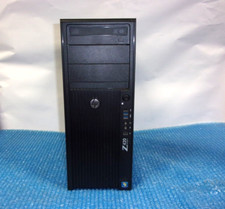
HP Z420 Tower Workstation Xeon E5-1620 3.60GHz, 4GB Ram, NO HDD, NO OS
$140.00



 Reply With Quote