-
Senior Member
registered user
Stas,
Not sure on the newer version of Knoppix, but I had problems with the v3.4 - the installer refused to continue after the partition was created...
You might try my trick, its kind of "going around" the installer, but, it worked for me...
Boot Knoppix from the CD,
Start up a Konsole - and then make yourself root, by typing su
Now that you are root, and not a sudo root, you can make as many commands as you want, as root...
Fire-up cfdisk - make sure your partition is made in ext3... Write the changes, if any, to the disk...
Here is the kicker, cfdisk only partitions your disk, it doesnt format it, so, you want to run mkfs.ext3 and include the device after the command...
So, if you wanted to format, say /dev/hdc2 as ext3 file system, you would type, in that same root Konsole, the following:
mkfs.ext3 /dev/hdc2
it should default to the size of your partition, and format that puppy to ext3 file system...
Once that is done, you should be able to fire off the installer, and even if it throws you into cfdisk, just quit out of it, and point the installer over to the ext3 partition...
As a side note: The installer, the one I ran, also had an issue with the swap partition, and if you wanted to have a seperate /home partition, I had to "manually" create them, and format them like in the above, just the swap was not formatted, but a makeswap command, or something like that.
You can view the man pages on the mkfs commands, each of the formats are added to the end with a period between them, like mkfs.ext2, mkfs.ext3, etc...
Hope this helps,
Ms. Cuddles
Similar Threads
-
By susanjohnson in forum Hdd Install / Debian / Apt
Replies: 4
Last Post: 04-21-2005, 11:36 AM
-
By techdesk in forum Hdd Install / Debian / Apt
Replies: 1
Last Post: 01-21-2005, 03:14 AM
-
By nmz787 in forum Hdd Install / Debian / Apt
Replies: 1
Last Post: 11-21-2004, 09:17 AM
-
By Jez in forum General Support
Replies: 4
Last Post: 08-09-2004, 09:06 PM
-
By Superstoned in forum Hdd Install / Debian / Apt
Replies: 2
Last Post: 08-27-2003, 03:04 PM
 Posting Permissions
- You may not post new threads
- You may not post replies
- You may not post attachments
- You may not edit your posts
-
Forum Rules


SFP TO RJ45 TRANSCEIVER SFP MODULE COPPER SFP OPTICAL PORT TO RJ45 ETHERNET PORT
$7.99

Dell Intel X710-DA2 5N7Y5 Dual-Port 10GbE SFP+ PCIe 3.0 x8 Network Adapter
$27.50

NEW Sealed Cisco SFP-10G-LR 10GBASE-LR SFP+ 1310nm 10km *US Shipping*
$24.00

New Sealed Cisco GLC-LH-SMD 1000BASE-LX/LH SFP Transceiver Module *US
$17.00

Lot of 5 Cisco 10G SFP+ 850nm 300m Transceiver Module P/N: SFP-10G-SR-10-2415-03
$15.00

Genuine Cisco SFP-10G-SR 0-2415-03 10 Gigabit Transceiver
$5.40

HP 560SFP+ 10GB 2-port PCIe NIC Ethernet ADAPTER 669279-001 w/ (2) 10GB SFP+
$16.99
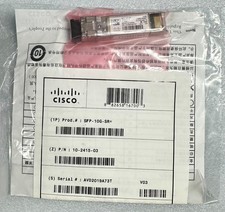
Cisco 10G SFP+ 850nm P/N: SFP-10G-SR (10-2415-03) *NEW SEALED
$25.00

Cisco Acacia DP04QSDD-E25-840 400G QSFP-DD Coherent DCO Transceiver Module
$699.99

Cisco QSFP-40G-SR-BD Module 10-2945-02 NEW CLAMSHELL
$45.50



 Reply With Quote