-
logitec marble mouse with side buttons
I have searched the forums but am clear as mud as to what I need to do here. My marblemouse works ok except the side buttons that allow back and forward clicking between pages does not work...as silly as that sounds, its really an important feature to me. I have seen it addressed in earlier posts but there are many conflicting posts and methods to getting it to work. Logitec has been absolute assholes in providing assistance. If someone knows of a mouse such as mine that is linux compatable out of the box I would like to know about it. If now, would someone help a linux noob in simple to understand directions on how to get my side buttons working?
thanx
helios
btw...knoppix 3.6 hd install is the most stable and powerful linux distrobution I have ever used...you guys rock!
-
I have a Logitech Cordless Click Plus with working sidebuttons, although they work a bit differently.
Forward button is menu (same as right-click)
Back button is open in new page (at least in mozilla)
This is the part in XF86Config-4.
Section "InputDevice"
Identifier "PS/2 Mouse"
Driver "mouse"
# Option "Protocol" "ExplorerPS/2"
Option "Protocol" "IMPS/2"
Option "Buttons" "7" ##Only line I changed to get the sidebuttons
Option "ZAxisMapping" "4 5"
Option "Device" "/dev/input/mice" ### /dev/psaux för 2.4
# Option "Emulate3Buttons" "true"
Option "Emulate3Timeout" "70"
Option "SendCoreEvents" "true"
EndSection
-
Surfed a bit 
New part in /etc/X11/XF86Config-4 :
Section "InputDevice"
Identifier "PS/2 Mouse"
Driver "mouse"
Option "Protocol" "ExplorerPS/2"
Option "Buttons" "7"
Option "ZAxisMapping" "6 7" # "4 5"
Option "Device" "/dev/input/mice" ### /dev/psaux
Option "SendCoreEvents" "true"
EndSection
Then I added some stuff I found on the kanotix forum in a file I have for miscellanious stuff I want run at boot time. Namely:
markus@fujibox:~$ ll .kde/Autostart/
total 4
-rwx------ 1 markus markus 241 Oct 11 23:31 kufbootstuff.sh
markus@fujibox:~$ cat .kde/Autostart/kufbootstuff.sh
#!/bin/sh
xhost local:
numlockx on
# rebind mouse buttons for mouseman
echo '#!/bin/sh
xmodmap -e "pointer = 1 2 3 6 7 4 5"' >/tmp/x$$
chmod a+x /tmp/x$$
xterm -bg black -fg white -fn 9x15 -name "Pointer Remap" -e /tmp/x$$
rm -f /tmp/x$$
This remaps the buttons and the sidebuttons now work as back&forward in mozilla. Kind of got used to the way they worked though.
-
thanx you guys
I am a babe in the woods when it comes to doing config stuff. Guess its time to get my hands dirty...off to give it a try.
thanx again
helios
-
Hmm, some clarifications:
This part you should do as root:
At the top of /etc/X11/XFConfig-4 there's a following section:
Section "ServerLayout"
Identifier "XFree86 Configured"
Screen 0 "Screen0" 0 0
InputDevice "Keyboard0" "CoreKeyboard"
# PS/2 Mouse using /dev/input/mice in Kernel 2.6
# Serial Mouse not detected
# InputDevice "USB Mouse" "CorePointer"
InputDevice "PS/2 Mouse" "CorePointer" THIS is your mouse
EndSection
A bit further down you'll find the corresponding section to your mouse which I posted.
If you had "USB Mouse" at the top, that's what you want to modify.
This part you should do as user:
Open an editor and type the following lines:
echo '#!/bin/sh
xmodmap -e "pointer = 1 2 3 6 7 4 5"' >/tmp/x$$
chmod a+x /tmp/x$$
xterm -bg black -fg white -fn 9x15 -name "Pointer Remap" -e /tmp/x$$
rm -f /tmp/x$$
Save the file as /home/your_username/.kde/Autostart/some_filename.sh
Then do: chmod 700 /home/your_username/.kde/Autostart/some_filename.sh
Restart the xserver with Ctrl-Alt-Backspace to test it.
If you use something else than KDE you can add it to the end of ~/.xsession but put a echo '#!/bin/sh before the xmodmap line.
-
Knoppix 3.6 (harddrive install) does not see my logitech marble usb at boot up. Any idea how I can fix this? It's a royal pain not knowing keyboard commands for shutting Knoppix down...
-
Doesn't see it or it doesn't work?
What does this say: dmesg |grep input
If you have a usb-> ps/2 adapter you might as well try it. At least I got one with my logitech.
BTW, you can do Ctrl-Alt-F2 , log in as root and do: shutdown -h now or -r for reboot
Similar Threads
-
By SunnyB in forum Hardware & Booting
Replies: 0
Last Post: 03-31-2004, 02:42 PM
-
By atlan in forum Hardware & Booting
Replies: 2
Last Post: 12-24-2003, 10:18 AM
-
By socalgail in forum Hdd Install / Debian / Apt
Replies: 7
Last Post: 08-25-2003, 01:34 AM
-
By hugowett in forum Hardware & Booting
Replies: 2
Last Post: 05-21-2003, 10:13 PM
-
By god in forum Hardware & Booting
Replies: 3
Last Post: 03-31-2003, 04:30 PM
 Posting Permissions
- You may not post new threads
- You may not post replies
- You may not post attachments
- You may not edit your posts
-
Forum Rules


Yealink T48S VoIP/SIP Phone, 2 x Gigabit Ports PoE 7" Color SIP-T48S | TESTED
$34.95

SIM Bank 32 SIM Card Slots Ethernet SIM Server for GoIP
$600.00

Grandstream WP810 Portable Cordless Wi-Fi IP Phone
$49.28
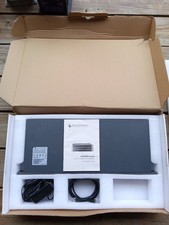
Grandstream GXW4501 Digital VoIP Gateway Works TESTED W Box It Came In.
$290.36
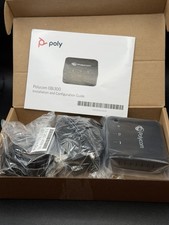
POLYCOM OBI300 Legacy Analog to VoIP Phone Adapter 2200-49530-001 | NOB
$24.95

Cisco / Linksys SPA2102 VoIP 2FXS Phone Adapter with Router (unlocked)
$18.99

Cisco/Linksys SPA2102 VoIP Phone Adapter Router 2FXS (Unlocked)
$17.99
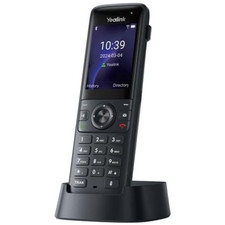
Yealink 1301013 AX83H Cordless Wi-Fi, Bluetooth 5 VoIP Handset Phone, Gray
$149.00

Poly CCX 400 Desktop Business Media Phone VoIP 2200-49700-019
$49.99

LINKSYS SPA3102 VOICE GATEWAY VOIP ADAPTER WITH BUILT-IN ROUTER W ADAPTER CABLE
$32.20



 Reply With Quote